Migrating 3CX from on Prem to AWS Lightsail - provisioning phones via RPS through SBC with option 66

yesss-de

Premier Customer
Joined
Aug 14, 2020
Messages
43
Reaction score
9
Hi, our local Datacenter will be decomissioned soon so im trying to deploy 3cx in another way.

i started a AWS Lightsail private Cloud instance for testing purposes and installed it via the 3cx setup. it installed successfully.

Now i am a little bit confused on how phone provisioning works.

i installed a 3CX SBC in our network and gave it all necessary firewall rights, it connects to the 3cx AWS test lnstance.

But now how are the phones provisioned correctly?

We used DHCP Option 66 for our on prem solution and i know we have to use a SBC, so do i just reconfigure the option 66 link to show to the SBC for the phones to provision correctly?

also, as this is my test instance, when restoring the backup of my current on prem installation, will i have to manually remove and reconfigure all of our 200+ phones to work through SBC instead of directly connecting?

Thank you for your help in advance
 
You dont need option 66.

Set your phones up to provision to an SBC and they will go off to the RPS provisioning server (3cx manages this), factory reset your phone and it will also go off to the RPS server and be handed the provisioning link to get itself set up.

https://www.3cx.com/docs/manual/ip-phones/
 
Set up your sbc then factory reset the devices. Once they have been factory reset, go to the phones page and select PnP phones and assign the devices to the relevant users from there
 
You dont need option 66.

Set your phones up to provision to an SBC and they will go off to the RPS provisioning server (3cx manages this), factory reset your phone and it will also go off to the RPS server and be handed the provisioning link to get itself set up.

https://www.3cx.com/docs/manual/ip-phones/
i will try
but
i have a big network with VLANS and whatnot, how do the devices know to connect to the SBC then when they dont have option 66?
 
i will try
but
i have a big network with VLANS and whatnot, how do the devices know to connect to the SBC then when they dont have option 66?
They got there config from your pbx.
 
this makes no sense, If no option 66 is defined, how do the phones get the info if they dont know the PBX name or anything?
The goal is clearly NOT to manually configure the device, it should be as fully automatic as it was before


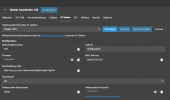
the devices do not show up in PNP devices, as you guys suggested
they also dont configure themselves automatically when adding their MAC address in the User config and plugging them off and on like stated in the web UI
1736937680494.png


Are you really sure that no Option 66 is required to connect to SBC?

Background info:
The SBC is not in the same network segment and never will be as the SBC gets special network configuration due to firewall policies etc
We have multiple Branches all in their own network segment which all should connect to the SBC (like they did before when 3cx On Prem was active)
SBC IP 10.ABC.xxx.xxx
Phone IP 10.DEF.xxx.xxx


If i do configure manually it works without problems, but this is not my goal
 
This is not the correct way... The SBC should be in the same Network as the phones. Also the phones need internet access to reach the rps server.
 
  • Like
Reactions: N_G
so you want to tell me i need to install 30+ SBCs (i habe more than 30 branches in own network segments) to be able to do that?
phones have internet access, just not all the ports opened for them as this is a security risk (exactly the reason i wanted to use SBC)
 
You should have no problem spinning up a VM to use as an SBC for all your sites.

As long as your routing is correct the phones should not have an issue talking to the SBC as it's proxy.

You cant see the phones in uPNP because your network isnt passing or is blocking multicast.

Simple test really...

Set up the SBC, set up the phone to use SBC and factory reset it.

If it sets up great, if not then you need to reconfigure your network.
 
  • Like
Reactions: bitn2
You should have no problem spinning up a VM to use as an SBC for all your sites.

As long as your routing is correct the phones should not have an issue talking to the SBC as it's proxy.

You cant see the phones in uPNP because your network isnt passing or is blocking multicast.

Simple test really...

Set up the SBC, set up the phone to use SBC and factory reset it.

If it sets up great, if not then you need to reconfigure your network.


this is exactly what I did
as we used DHCP option 66 to send the provisioning link to the devices there was no need to enable uPNP or similar things as they knew where to connect to and the ports were open etc. now with the URL being in the public internet it would be really unsecure to open those ports

i will look what can be done regarding that


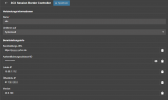
1736939462965.png


Brainstorming here:

do you think split brain DNS would suffice to point all of the devices to the SBC for provisioning?
3cx cloud
FQDN test.3cx.net
ip 1.2.3.4
internal SBC
internal ip 10.xxx.xxx.xxx
FQDN for internal ip same as for 3cx cloud with split brain DNS

OR

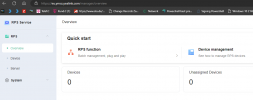
try the yealink RPS to push configs globally
1736939976445.png
 
Firstly I think you're massively overthinking this as the DHCP 66 and RPS provisioning do the same thing.

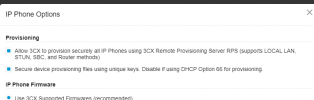
You dont need to mess about with Yealinks RPS service as 3CX handles this directly with it
(Options button on phones page)

1736940139402.png

Security defaults from 3CX should be enough to secure your PBX. You could restrict your firewall to IP if you like (https://www.3cx.com/docs/manual/firewall-router-configuration/) but you'll probably encounted more problems then its worth.

if you're that bothered, fine a way to create a VPN between your site and the cloud but this would cause you to configure more routing.
 
  • Like
Reactions: N_G and bitn2
i got it working,

i forgot to make an exception to bypass TLS inspection in our firewall for the new test-FQDN which has blocked the download of the cfg file, but only on the phone :(

i tried both RPS provisioning and DHCP option 66

DHCP Option 66 is the ideal solution for us due to our large network with many VLANs as we would need to install an SBC for every Subnet separately to use the pnp device option

Thank you for helping

topic can be closed
 
Last edited:
  • Like
Reactions: N_G and bitn2

Latest Posts

Forum statistics

Threads
111,962
Messages
589,993
Members
164,867
Latest member
swegner