- Joined
- May 31, 2017
- Messages
- 133
- Reaction score
- 44
We try to configure mongodb crm integration. The contact query is working, but call journalin isn't working. We we start verbose logging, we see this in the 3cxSystemService log file (I've removed the Number and Name for privacy reasons:
2023/07/07 10:12:32.532|9433|0088|Info|CRM: about to report 1 calls at maxConcurrency 2
2023/07/07 10:12:32.532|9433|0088|Verb|CRM: Triggering Call Journaling with values - CallType='Inbound' - PhoneNumber='Number' - ContactName='Name' - AgentExtension='805' - AgentFirstName='' - AgentLastName='' - AgentEmail='' - ContactRawData='|Contacts' - StartTime='07/07/2023 08:12:29' - EndTime='07/07/2023 08:12:32' - EstablishedTime='07/07/2023 08:12:29'
2023/07/07 10:12:32.533|9433|0088|Verb|CRM: Processing scenario 'ReportCall'.
2023/07/07 10:12:32.533|9433|0088|Verb|CRM: Skipping NoSQL database command...
2023/07/07 10:12:32.533|9433|0088|Verb|CRM: No matchings found.
What does this mean and how can we troubleshoot? Is there an extra log file? The lookup query is working:
2023/07/07 10:12:29.082|9433|0011|Verb|CRM: Not processed. Number=044444444, connection=14113, state=Dialing
2023/07/07 10:12:29.082|9433|0011|Verb|CRM: Add to processing. Number=044444444, connection=14113, state=Dialing
2023/07/07 10:12:29.082|9433|0011|Info|CRM: ProcessActiveConnections(). Attached entries to connection:
2023/07/07 10:12:29.082|9433|0011|Verb|CRM: LocalMatches=. Number=044444444, connection=14113, state=Dialing
2023/07/07 10:12:29.082|9433|0011|Info|CRM: Synchronize(...) called
2023/07/07 10:12:29.083|9433|0014|Verb|Dequeue Inserted.CONNECTION.14113
2023/07/07 10:12:29.083|9433|0088|Info|CRM: maxConcurrency=2
2023/07/07 10:12:29.083|9433|0088|Info|CRM: making request to CRM. Number=044444444
2023/07/07 10:12:29.084|9433|0088|Trac|CRM: Obtaining scenario entity order for entity ''
2023/07/07 10:12:29.084|9433|0088|Trac|CRM: Ordering configuration not found, using scenario entity order 0 for entity ''
2023/07/07 10:12:29.084|9433|0088|Verb|CRM: Processing scenario 'Default'.
2023/07/07 10:12:29.084|9433|0088|Verb|CRM: Executing Filter NoSQL Command using the Configuration:
'ConnectionString: mongodb://tel.insoldev.be:8080
NoSQLDatabase: tel
NoSQLCollection: contact
Command: { $or: [ { "Phones.Work": { $regex: "444444$" } }, { "Phones.Mobile": { $regex: "444444$" } } ] }
'.
2023/07/07 10:12:29.084|9433|0088|Verb|CRM: Filter NoSQL Json Command Data passed as text in Command Property:
'{ $or: [ { "Phones.Work": { $regex: "444444$" } }, { "Phones.Mobile": { $regex: "444444$" } } ] }'.
2023/07/07 10:12:29.105|9433|0088|Verb|CRM: The result of the Filter NoSQL Command Execution is
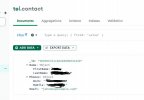
'[{ "_id" : "5b99567d1c9d440000d34328", "Name" : { "FirstName" : "Phil", "LastName" : "Collins" }, "Phones" : { "Work" : "+32444444444", "Mobile" : "044444444" }, "Email" : "[email protected]" }]' .
2023/07/07 10:12:29.106|9433|0088|Verb|CRM: Unknown path element: $oid. Null value is returned.
2023/07/07 10:12:29.106|9433|0088|Verb|CRM: Filtered variables for matching:
2023/07/07 10:12:29.106|9433|0088|Verb|CRM: 'Mobile' = '044444444'
2023/07/07 10:12:29.106|9433|0088|Verb|CRM: 'ContactID' = ''
2023/07/07 10:12:29.106|9433|0088|Verb|CRM: 'LastName' = 'Collins'
2023/07/07 10:12:29.106|9433|0088|Verb|CRM: 'FirstName' = 'Phil'
2023/07/07 10:12:29.106|9433|0088|Verb|CRM: 'Email' = '[email protected]'
2023/07/07 10:12:29.106|9433|0088|Verb|CRM: 'Phone' = '+32444444444'
2023/07/07 10:12:29.106|9433|0088|Verb|CRM: Removed from processing. Number=044444444
2023/07/07 10:12:29.106|9433|0088|Info|CRM: processing of 044444444 has been finished
2023/07/07 10:12:32.532|9433|0088|Info|CRM: about to report 1 calls at maxConcurrency 2
2023/07/07 10:12:32.532|9433|0088|Verb|CRM: Triggering Call Journaling with values - CallType='Inbound' - PhoneNumber='Number' - ContactName='Name' - AgentExtension='805' - AgentFirstName='' - AgentLastName='' - AgentEmail='' - ContactRawData='|Contacts' - StartTime='07/07/2023 08:12:29' - EndTime='07/07/2023 08:12:32' - EstablishedTime='07/07/2023 08:12:29'
2023/07/07 10:12:32.533|9433|0088|Verb|CRM: Processing scenario 'ReportCall'.
2023/07/07 10:12:32.533|9433|0088|Verb|CRM: Skipping NoSQL database command...
2023/07/07 10:12:32.533|9433|0088|Verb|CRM: No matchings found.
What does this mean and how can we troubleshoot? Is there an extra log file? The lookup query is working:
2023/07/07 10:12:29.082|9433|0011|Verb|CRM: Not processed. Number=044444444, connection=14113, state=Dialing
2023/07/07 10:12:29.082|9433|0011|Verb|CRM: Add to processing. Number=044444444, connection=14113, state=Dialing
2023/07/07 10:12:29.082|9433|0011|Info|CRM: ProcessActiveConnections(). Attached entries to connection:
2023/07/07 10:12:29.082|9433|0011|Verb|CRM: LocalMatches=. Number=044444444, connection=14113, state=Dialing
2023/07/07 10:12:29.082|9433|0011|Info|CRM: Synchronize(...) called
2023/07/07 10:12:29.083|9433|0014|Verb|Dequeue Inserted.CONNECTION.14113
2023/07/07 10:12:29.083|9433|0088|Info|CRM: maxConcurrency=2
2023/07/07 10:12:29.083|9433|0088|Info|CRM: making request to CRM. Number=044444444
2023/07/07 10:12:29.084|9433|0088|Trac|CRM: Obtaining scenario entity order for entity ''
2023/07/07 10:12:29.084|9433|0088|Trac|CRM: Ordering configuration not found, using scenario entity order 0 for entity ''
2023/07/07 10:12:29.084|9433|0088|Verb|CRM: Processing scenario 'Default'.
2023/07/07 10:12:29.084|9433|0088|Verb|CRM: Executing Filter NoSQL Command using the Configuration:
'ConnectionString: mongodb://tel.insoldev.be:8080
NoSQLDatabase: tel
NoSQLCollection: contact
Command: { $or: [ { "Phones.Work": { $regex: "444444$" } }, { "Phones.Mobile": { $regex: "444444$" } } ] }
'.
2023/07/07 10:12:29.084|9433|0088|Verb|CRM: Filter NoSQL Json Command Data passed as text in Command Property:
'{ $or: [ { "Phones.Work": { $regex: "444444$" } }, { "Phones.Mobile": { $regex: "444444$" } } ] }'.
2023/07/07 10:12:29.105|9433|0088|Verb|CRM: The result of the Filter NoSQL Command Execution is
'[{ "_id" : "5b99567d1c9d440000d34328", "Name" : { "FirstName" : "Phil", "LastName" : "Collins" }, "Phones" : { "Work" : "+32444444444", "Mobile" : "044444444" }, "Email" : "[email protected]" }]' .
2023/07/07 10:12:29.106|9433|0088|Verb|CRM: Unknown path element: $oid. Null value is returned.
2023/07/07 10:12:29.106|9433|0088|Verb|CRM: Filtered variables for matching:
2023/07/07 10:12:29.106|9433|0088|Verb|CRM: 'Mobile' = '044444444'
2023/07/07 10:12:29.106|9433|0088|Verb|CRM: 'ContactID' = ''
2023/07/07 10:12:29.106|9433|0088|Verb|CRM: 'LastName' = 'Collins'
2023/07/07 10:12:29.106|9433|0088|Verb|CRM: 'FirstName' = 'Phil'
2023/07/07 10:12:29.106|9433|0088|Verb|CRM: 'Email' = '[email protected]'
2023/07/07 10:12:29.106|9433|0088|Verb|CRM: 'Phone' = '+32444444444'
2023/07/07 10:12:29.106|9433|0088|Verb|CRM: Removed from processing. Number=044444444
2023/07/07 10:12:29.106|9433|0088|Info|CRM: processing of 044444444 has been finished


 ]$" } }, { "Phones.Mobile": { $regex: "[[Number].Replace("+",""