Moving 3CX to a new server

Status
Not open for further replies.

imabev

Customer
Joined
Aug 17, 2012
Messages
63
Reaction score
0
I am still on 15.5, I need to upgrade to 16. I am running 3CX on hyper-v with a static IP And static MAC. We have no issues. I am trying to upgrade as seamlessly with as little downtime as possible. Is it possible to install 3CX v16 on a separate server (restoring from backup) while keeping the same IP address and static MAC? I will disconnect the network adapter during the install - if 3CX will let me install without it. Is this possible?

The backup of my installation is rather large so if I remember correctly the last install took some time. If this won't work, please let me know some other options I have to limit downtime.
 
Can't install 3CX without a network card and the ability to phone home. Long time is relative but if it takes to long, you need better hardware. For example I recently upgraded an instance from v15.5 to v16 with about a 15GB zip file and it took about 15 minutes.
 
  • Like
Reactions: diamond9
The only other option is out of hours upgrade, i have just had to do this for one of my customers recently.
 
Depends, if it is a Debian 9 VM using V15SP6 you can upgrade in place via the management console.

If a Windows VM you will have to reinstall using a backup and make sure the OS is at least Windows 10 Pro before you proceed. https://www.3cx.com/docs/manual/

In any case, make sure you are on V15SP6 before you proceed to take a backup
 
All windows upgrade from v15.5 to V16 i have done , never exceeded 15 minutes .
Take care to save backup out of 3CX computer.
Restore during v16 install
 
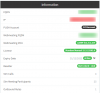
I'm on Windows. Version is 15.5.15502. Is that SP6?

I have already created a new server and completed the install but stopped at completing the restore wizard. I started the wizard and pointed to the backup file just to test how long it takes to import it and it was only 5 minutes. I didn't complete the wizard becuase I wasn't ready to cut over. Can I restart the wizard with a more updated backup copy? Will that overwrite what was imported? I can see all of the data in programdata. If not, can I start over without uninstalling 3cx?

My plan is this: once I am ready to cut over, I will shut down the old server. Then change the IP address and static mac of the new server to what the old server was. Then bring up the new server and start the wizard. I hope this would work and will greatly minimize downtime.

 
It will look like this in the dashboard: 15.5.15502.6
1584705177426.png

Honestly the installation does not take that long, the wizard takes longer and that just a few minutes in total. Install fresh before you start the Wizard, and make sure the machine has the IP and MAC you want before you proceed.
 
Status
Not open for further replies.

Forum statistics

Threads
111,940
Messages
589,845
Members
164,829
Latest member
Schnittker