Multicast to just a particular location

JohnWoodCC

Premier Customer
Joined
Dec 1, 2022
Messages
46
Reaction score
9
We are a community college with our main campus, along with four other sites. Our Campus Police came to me a while back to see if it was possible to use the phones as a paging system to use for emergency use. I said the phones could do that, but would need to look at how it would be configured. After creating a ring group and configuring it for 400+ phones using multicast, I went to talk to them to get more information on what the end game was with this project. After the discussion, they want the following:

1. Only Main Campus phones to be paged
a. We use T33g in all classrooms
b. We use T57w for all employees
2. Only a couple of phones have the ability to page phones
3. BONUS: be able to play an automated message


So, my questions are as follows:
- Is something like this easily possible to configure phones in one location (that also have the same IP range as phones in another location)
- Have the option on selected phones to be able to page


I know I can have multiple IP addresses for the multicast, but I'm not sure if it can be configured on how they would like it.
It would be nice if I could use an if statement based on 10.17.x.x, and then add the multicast IP information. Then, use another if statement to exclude the extensions of the other location that have the same phone IP range to clear out the multicast IP address field.

And if it can't be done, then I will tell them it can't be done like you want it. :) :)
 
  • Like
Reactions: KyriacosS_3CX
  • Like
Reactions: JohnWoodCC
Multicast paging is configurable individually per site if you need.

Just create multiple paging groups with different multicast addresses.

Then you just need to go to the phones themselves and configure the multicast addresses to listen to.

So the phones in the main campus listen to the multicast address of one paging group, while phones in other locations to the multicast address of another paging group.

Automated messages can be triggered through the emergency services configuration, so if someone dials 911 it will trigger an emergency broadcast to a multicast group.
 
Thanks for all the suggestions, and I was hoping to modify the Yealink template to make the change for me since I would have to manually touch a few hundred phones just for our main site. I wish there were a way I could do it on the extension side, which would still take a long time, but not as long. (If I did the multicast settings on the actual phone, would the settings disappear when the phone checks in and downloads the template after 3cx does a system update, ie goes from Update 5 to Update 6? )

We currently use the emergency services option, as when someone calls 911, an email and text get sent to an email distribution list. So, not sure how I would go about setting that up to make an announcement just when someone dials the paging group number, since the notifications are global and not individual.
 
First, we need to be clear, 3CX does not have some magic way of limiting a multicast broadcast to only specific endpoints. It is a "broadcast" on the entire network. Configuring a phone for multicast paging just means the phone will listen for a broadcast from the PBX.

Because we talking about a "broadcast" to the entire network, this is why it is common for switches to be delivered with a default setting to not propagate broadcasts from switch to switch. I don't think that you are going to have so many emergencies that you will flood your network with frequent broadcasts, but it does mean that if you want to broadcast throughout your main building you are talking about multiple switches that will have to allow broadcast propagation.

It's been decades since I had to configure a switch for multicast propagation, but I assume you can specify to only allow propagation from specific addresses? That should ensure you do not open the floodgates and facilitate a broadcast storm across your entire network.

On the subject of sending/playing automated messages, I encourage you to take a look at our 3CX Emergency Notifier tool. With our tool you can invoke several channels for notification (phone, email, SMS, desktop popup, IP speakers, overhead paging, and desktop popup). The more channels, the more likely the right people will get the message.

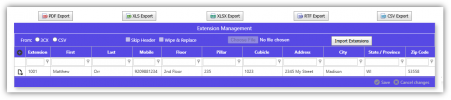
With our tool you have granular control over who gets notified, and how, based on location. Further, we can display precise information about where the caller is that dialed the emergency number:

1747941169125.png

In the case of a school district that shares a single phone system across all the grade schools, junior highs, and high schools, it does not make sense to notify the internal emergency personnel at the high school when someone at a grade school dials an emergency number. We give you that control so the right people are notified based on which extension/location dialed the emergency number.

We also provide "panic buttons" (alarms). With this feature you can assign a BLF on your phone to point to a panic button. When pressed, the specified people are notified and an audio played to the recipients. You can also use this feature for things like a tornado warning, active shooter, etc. Press the button once, and run to a secure location. The message will play over and over "move to the nearest tornado shelter immediately..." and then press the button a second time, and it turns off the alarm. That means you can turn off the alarm from within the tornado shelter (as an example).

In addition to phone, overhead paging, IP speakers, email, and SMS, we can also display a desktop popup. In the example below, this is an alert screen that's just listening for alerts. Normally this dialog resides minimized in the lower right-hand notifications area, but when someone calls an emergency number, this pops up with information about who dialed the emergency number, and where they are located. It can play a really annoying alarm, as well as read the message using text-to-speech (good for visually impaired persons)

1747941790216.png
This alert dialog has another non-obvious purpose. For example, perhaps you are working from a different building today. You pick up your laptop and walk to the other building. Maybe that building is across campus or across town. You set up your laptop at the new location and start working. Now, even when using the 3CX web client as your phone, we know where you are.

Without this feature, when you dial an emergency number, what are you going to display as your location? Happily, this tool can capture your local IP address and push that information to the server. If you segment your network with each location (or even floor) having a unique subnet (or range of addresses), we can identify your location and change your 3CX emergency group. That means the emergency responders will go to your current location, not you usual location. Awesome, right?

There are a lot more features provided by our tool, but hopefully this is enough information to encourage you to take a look.
 
Last edited:

Members Online Now

No members online now.

Forum statistics

Threads
111,831
Messages
589,277
Members
164,660
Latest member
RJenkinsROCK