Near Constant SBC Status Change and Dropping Calls

Status
Not open for further replies.

Nick B

Platinum Partner
Advanced Certified
Joined
Jun 2, 2020
Messages
27
Reaction score
18
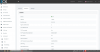
I have a couple of clients with recently set up Raspberry Pi SBC's that are reporting dropped calls. Looking at the event viewer within the PBX I can see that the SBC's at each client location are changing their status to "Up" every few minutes. This seems to happen sporadically throughout the day and coincides with their dropped calls. It never informs that the status is changed to down; only up. In the screenshot, I have removed the IP address and SBC name, but that field is not blank in the PBX. Any help or advice is greatly appreciated.
 

Attachments

  • SBC Status Changes.png
    SBC Status Changes.png
    31.6 KB · Views: 40
To get a down alert, it has to be down for 5 minutes. Almost without a doubt the issue is the WAN isn't stable. If all the sbcs do it at the same time, likely the WAN at the PBX. If only some or they do it at diff times, likely the WAN at the SBC. You get the up alerts only because it went down for 30 seconds, etc.

If in the USA and using a cable internet provider, try rebooting the modem. You will likely notice issue start to crop back up around 3 weeks (if rebooting fixes it). Bad wan equipment and all.

Your WAN monitoring equipment should also show you the loss and latency spikes when SBC reports down too.
 
Hello,

Please tell us some more regarding the issue

  1. Are you using ring groups on the SBC?
  2. If so, does this happen all the time when calls reach the ring group or only sometimes?
  3. Do you have BLFs on the SBC phones? (how many BLFs in total)
  4. Try to switch to TCP and see if this makes a difference (SIP Trunks>SBC Settings> Security)
 
A quick bit about me... I do not have many (any) posts on the forums, but I have been supporting 3CX since 2016 and in networking much longer than that. You can ask me technical questions and I will be able to answer and do the tests, captures, etc. required to get information. I am posting here to save time tracking down this issue myself because many heads are better than one. I am not ruling out the chance that I did something wrong setting up the SBC. Pride is often one's downfall. My next step is going to be to re-flash the SD card with the Debian 10 Raspberry PiOS and reinstall the SBC. I would just like to avoid taking their phones offline if possible.

aws2p,
  • 3CX Version, Professional Annual 16.0.655
  • Server OS, Debian 9 for PBX / Raspberry Pi on Rasbian/Debian 9 for SBC
  • Is the 3CX Server Hosted and where? Yes. In our cloud environment where many other PBX's are hosted without issue (not from the same Public IP of course).
  • IP Phone Make/Model/Firmware Polycom VVX 411 and 500. Yealink T57W
  • Provisioning Method: SBC
  • Trunk Provider or Gateway Make/Model Callcentric
  • Has the Firewall Checker passed: YES
  • Are custom Phone Templates being used: NO
We have over 80 3CX clients with more than half hosted this way and these two are the only ones with issues.

SweetAction, thanks for the info. These are separate PBX's hosted in the cloud. We have other clients with the same setup that are not experiencing issues. I will do some analysis on the PBX WAN setup and equipment and see what I can find out. We are in the US, but have fiber connection to our cloud hosting equipment.

JohnS_3CX,
1. Yes, we have ring groups in place behind one of the SBC's, but not at the others.
2. This only happens sometimes and coincides with the "re-registering" of the SBC.
3. Maybe 3 or 4 BLFs on the phones and not every phone has them configured.
4. Done on one client. I will monitor and check logs.

Some additional info:
All SBC's and PBX's are on latest update.
One Client has two locations with two SBC's and it happens at both locations.
The two different clients have different phones - One uses Polycom VVX 411 and 500's and the other Yealink T57W's.
One Client has 10 extensions while the other has 15 extensions at two different locations.
The SIP trunk is CallCentric and we have had excellent luck and service from them. They are a supported 3CX SIP Provider. We have them on one of our own DID's and have extensively tested their service. We do not experience this issue and none of our other clients on the same hosting platform experience the issue. Only the two recent setups are having these issues.
 
A quick bit about me... I do not have many (any) posts on the forums, but I have been supporting 3CX since 2016 and in networking much longer than that. You can ask me technical questions and I will be able to answer and do the tests, captures, etc. required to get information. I am posting here to save time tracking down this issue myself because many heads are better than one. I am not ruling out the chance that I did something wrong setting up the SBC. Pride is often one's downfall. My next step is going to be to re-flash the SD card with the Debian 10 Raspberry PiOS and reinstall the SBC. I would just like to avoid taking their phones offline if possible.

aws2p,
  • 3CX Version, Professional Annual 16.0.655
  • Server OS, Debian 9 for PBX / Raspberry Pi on Rasbian/Debian 9 for SBC
  • Is the 3CX Server Hosted and where? Yes. In our cloud environment where many other PBX's are hosted without issue (not from the same Public IP of course).
  • IP Phone Make/Model/Firmware Polycom VVX 411 and 500. Yealink T57W
  • Provisioning Method: SBC
  • Trunk Provider or Gateway Make/Model Callcentric
  • Has the Firewall Checker passed: YES
  • Are custom Phone Templates being used: NO
We have over 80 3CX clients with more than half hosted this way and these two are the only ones with issues.

SweetAction, thanks for the info. These are separate PBX's hosted in the cloud. We have other clients with the same setup that are not experiencing issues. I will do some analysis on the PBX WAN setup and equipment and see what I can find out. We are in the US, but have fiber connection to our cloud hosting equipment.

JohnS_3CX,
1. Yes, we have ring groups in place behind one of the SBC's, but not at the others.
2. This only happens sometimes and coincides with the "re-registering" of the SBC.
3. Maybe 3 or 4 BLFs on the phones and not every phone has them configured.
4. Done on one client. I will monitor and check logs.

Some additional info:
All SBC's and PBX's are on latest update.
One Client has two locations with two SBC's and it happens at both locations.
The two different clients have different phones - One uses Polycom VVX 411 and 500's and the other Yealink T57W's.
One Client has 10 extensions while the other has 15 extensions at two different locations.
The SIP trunk is CallCentric and we have had excellent luck and service from them. They are a supported 3CX SIP Provider. We have them on one of our own DID's and have extensively tested their service. We do not experience this issue and none of our other clients on the same hosting platform experience the issue. Only the two recent setups are having these issues.


That is 16.0.6.655 for the version. Sorry. Copy and pasted from license info which does not show full version.
 
To diagnose network issues like packet loss I usually "ping my way out"...start in different command prompts:
ping -n 3000 sbc-lan-ip
ping -n 3000 router-lan-ip
ping -n 3000 router-wan-gateway (outside the office)
ping -n 3000 something-on-internet-not-3cx
ping -n 3000 3cx-server

If the last four all drop at the same time it's likely the router or switch, if both Internet hosts it's the ISP, etc.
 
@mockingbird based on that, I would put my money at WAN drops at the client (where the SBC lives).

A continuous ping from the SBC to your hosting + another one to some public server + another one to the local gateway IP + a final one to another device on net should show you what's dropping - WAN (both publics), your DC (just you), LAN (all tests) or the actual Gateway (both publics + GW).

If you can get another device on LAN to do the same thing you can also rule out faulty NIC on the SBC. Even better if you can get it on another switch (or direct into the GW) to rule out switches.

It's a pain and I'll be beyond surprised if testing doesn't show it to be the WAN or wiring leading to it.
 
What @SweetAction said, al of our similar cases we had WAN issues (even the smallest hiccup), some only at peak moments. Changing QoS/VLAN priority, letting them communicate over another WAN IP (if available) was the solution in these cases.
 
@mockingbird push the config to the SBC (if you haven't already) so it will switch to TCP mode and monitor for a day or so and let us know
 
@SteveITS I ran ping tests overnight on all of those addresses and never once dropped a packet. All local ping times were <1ms and all out to the internet were <20ms.
I ran pings from the SBC and used the script, pingtime to do the same from a PC on the same network as the SBC.
I read through that thread yesterday and it does sound very similar, but like me the OP has yet to see actual resolution of the problem.

To sum all of that up, I am dropping zero packets. The issue has improved but not gone away and I am afraid that calls will begin dropping again.

Also, using TCP instead of TLS really isn't a permanent solution, but I did make that change yesterday at 1322 EST to test and it has improved the situation for the clients. The uptime reset has gone from every few seconds/minutes to every 8 hours or so. Since changing the Security mode to TCP, the reports of dropped calls have stopped. Running "uptime" on the SBC shows that it has been on since the last time I manually shut it down so it isn't restarting on incoming calls as the other thread suggests.

Pingtime is a nice CMD batch script for this sort of testing:
@echo off

set /p host=host Address:
set logfile=Log_%host%.log

echo Target Host = %host% >%logfile%
for /f "tokens=*" %%A in ('ping %host% -n 1 ') do (echo %%A>>%logfile% && GOTO Ping)
:Ping
for /f "tokens=* skip=2" %%A in ('ping %host% -n 1 ') do (
echo %date% %time:~0,2%:%time:~3,2%:%time:~6,2% %%A>>%logfile%
echo %date% %time:~0,2%:%time:~3,2%:%time:~6,2% %%A
timeout 1 >NUL
GOTO Ping)

Looking at my SIP Trunks page, it almost seems like it is a registration failure. I have a failed register attempt at the exact same time as my successful register attempt. Anyone have thoughts on that?
 
Well, the issue is back again.
It happens a few times a day at nonspecific times. Process goes as follows:
1. SBC tries to refresh its registration at some time during the day.
2. Registration posts as success to PBX but also a failure.
3. SBC tries again to register.
4. Succeeds and fails simultaneously triggering part 3 again until a success without failure goes through.

Stats on SBC itself indicate that Debian is not shutting down or losing network connection.
DNS Servers are 8.8.8.8, 9.9.9.9, 1.1.1.1 and it has a static local IP outside of DHCP Scope.

I have put together another RaspberryPi SBC and have it in my office. I have it registered to the client who is most affected by this issue. It is exhibiting the same behavior as the ones at the client locations. I think we can rule out local network issues at this point since we now have 4 locations in total exhibiting the same issue. It almost seems like a time sync issue.

I am looking into our cloud network now and running some tests. I just wanted to follow up on this thread so that people know changing security protocol in SBC Settings in the PBX to TCP is NOT a surefire fix for this. The issue returned within hours and did not improve.

If/when I do resolve this, I will post it back in this thread. Any input is still welcome and appreciated, but at this point I think my only option is to try and chase this down myself.
 
  • Like
Reactions: JLSeagull
Well, the issue is back again.
It happens a few times a day at nonspecific times. Process goes as follows:
1. SBC tries to refresh its registration at some time during the day.
2. Registration posts as success to PBX but also a failure.
3. SBC tries again to register.
4. Succeeds and fails simultaneously triggering part 3 again until a success without failure goes through.

Stats on SBC itself indicate that Debian is not shutting down or losing network connection.
DNS Servers are 8.8.8.8, 9.9.9.9, 1.1.1.1 and it has a static local IP outside of DHCP Scope.

I have put together another RaspberryPi SBC and have it in my office. I have it registered to the client who is most affected by this issue. It is exhibiting the same behavior as the ones at the client locations. I think we can rule out local network issues at this point since we now have 4 locations in total exhibiting the same issue. It almost seems like a time sync issue.

I am looking into our cloud network now and running some tests. I just wanted to follow up on this thread so that people know changing security protocol in SBC Settings in the PBX to TCP is NOT a surefire fix for this. The issue returned within hours and did not improve.

If/when I do resolve this, I will post it back in this thread. Any input is still welcome and appreciated, but at this point I think my only option is to try and chase this down myself.

@mockingbird, I am reading this post carefully since I am facing a very similar issue, if not the same issue, in Brazil, since Oct 8th, 2020. Later I will share with you details about my scenario. I just wanted to make everyone aware that I am facing a similar problem. My PBX Server is hosted in the AWS' Cloud and my SBC is hosted On-Premise.

Thank you for sharing.
JLS
 
Last edited:
Any input is still welcome and appreciated, but at this point I think my only option is to try and chase this down myself.

As a Platinum Partner you should definitely open a ticket with support and provide any feedback they request. It's best to track your case internally
 
As promised I am sharing my information about this issue. I highlighted the SBC-related logs in yellow. My comments are in green.

Note 1: the computer running SBC has only AnyDesk installed as additional software as I use this machine to check remotely the WAN and LAN connections on site.

Note 2: My 3CX PBX Server is hosted in the AWS' Cloud and my SBC is hosted On-Premise.

Note 3: In Event logs you can see status changing to "Down" 6 times, 4 of them, in Oct 10, are reboot that I did while testing Wake-On-Lan entry on pfSense. The other two are due to the power outages.

I make the words from @mockingbird my words: Any input is welcome and appreciated,

JLS.
 

Attachments

Progress! We have made some significant progress here.
We moved all affected Debian PBX's to a new Hyper-V host. The SBC's have been online now for over 24 hours without "re-registering". We are still testing and waiting a few actual business days to be sure, but this is the longest I have seen these "up" since deployment. Looking good so far.

At this point I am cautiously optimistic, and I would recommend anyone in the same situation to check their Hypervisor hardware and software. I will update with the final result in the next couple days.
 
My SBC has kept online for 4 days and 2 hours without "re-registering" since my last setup in October 15. Yesterday it had one status changing to Up after a notification of DNS failure. Today I added the Google Public DNS in pfSense.
 
You can also try to update your SBC to 16.2.24 which is our latest beta and a close release candidate.
 
Status
Not open for further replies.

Forum statistics

Threads
111,993
Messages
590,178
Members
164,933
Latest member
bunthoeun.may