Need help about SIP TRUNKS

Status
Not open for further replies.

Giorgi Kambarashvili

Free User
Joined
Jan 11, 2019
Messages
26
Reaction score
0
hello, i have a really big problem and i need your help bad. here is the situation.

i have a 1 SIP provider and 2 DID numbers from that provider. i want to create 2 separate queue and ring groups, so i did, i went to sip trunks and just created 2 separate SIP TRUNKS 1)2155551 and 2) 155005, i am telling to 2155551 to go for the queue extension created earlier for example 8004 where i have put agents ext 1001-1002-1003 and so on. for the second trunk i have created queue 8005 where i have put ext - 1010-1011-1012 and so on, so when i am calling to DID 2155551 or 2155005 both goes to 1 QUEUE, i have tried many things but run out of ideas what can i do to separate this 2 trunks, i have tried inbound routes with many different configuration but same happens, i also have read a thread about it and tried
What you can try, is to enable the option "Use both "Source Identification" rules and "Caller Number/Name" field mappings" in the Inbound rules as shown below.

useless, when i am trying this options 1 trunk works but second tells busy tone, but when i am putting that other trunk to 3CX softphone client it works....

HELP PLEASE !

update: 2155551 works fine now see attach 1 for details and parameters
2115005 can not make it work.... insta drops call. tried many configurations but still out of ideas...
 

Attachments

  • 1.jpg
    1.jpg
    138.4 KB · Views: 8
  • 2.jpg
    2.jpg
    146.7 KB · Views: 8
Last edited:
Your DID are from 1 sip trunk or do you have really 2 separate trunks with one number on each?
If you have one trunk and 2 DID's you need to create 2 inbound rules one for each DID and forward each to Q or RG
 
Your DID are from 1 sip trunk or do you have really 2 separate trunks with one number on each?
If you have one trunk and 2 DID's you need to create 2 inbound rules one for each DID and forward each to Q or RG
i have 2 separate DIDS with authentification and i have created 2 sip trunks, with different numbers and different authentication details.

i can not figure out why i can not make it work. spent whole day but nothing...
 
@Giorgi Kambarashvili

i'm not sure to well understand, in my case when i 've several DIDs they are all coming from one sip trunk , i just need to set each on trunk and do what i want with , just need to set an inbound rule.

If you use something different , may be ask help from another more experienced about your working way
 
Use the 3CX Activity Log to see exactly what DID number is being sent and why the calls route where they do. The DID rules must match exactly (full number as sent) unless you have used wildcards.
 
okay now i have a such problem, 1 trunk 2155551 us working now, but when i am adding another trunk for 2155005 DID, it wont work, when i am calling from outside to this number just 3 fast beep and drops the call, nothing in activity log about it, when i am putting parameters of this trunk to the 3cx softphone, it works.... help me to figure out how can i add this trunk to make it work?
 
If you don't see an Activity Log entry, for an incoming call, then it is not reaching 3CX. You might want to check with your provider, to see if they can be of help. They can tell you if they see a condition (or there is an option/missing programming), at their end, that does not allow the call to proceed.
Are you able to place outgoing calls on the trunk?
Did it work at one time?
 
Last edited:
Hi ,
Are you sure your second DID not working is really coming as a SIP trunk to 3CX side and not just as an isolated sip number coming from a centrex solution?
you said it was working when you set trunk on 3CX softphone, how is it possible to set this?
 
Hi ,
Are you sure your second DID not working is really coming as a SIP trunk to 3CX side and not just as an isolated sip number coming from a centrex solution?
you said it was working when you set trunk on 3CX softphone, how is it possible to set this?
well yes it was working but as i have mentioned both trunks were calling to 1 group, i could not separate them for the different groups, then i have tried many configurations i saw on this forum and now i can not set up second trunk do not know why.... the parameters of this trunk is working because i have set to softphone and i could call on it, the problem is that i can not set up as a trunk to work...

hell i am busted....

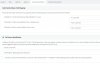
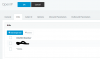
update with pictures, see i have 2 trunks with 2 numbers, 2 inbound rules even i done everything right but still...
 

Attachments

  • rules.jpg
    rules.jpg
    13.5 KB · Views: 7
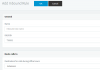
  • sip paras.jpg
    sip paras.jpg
    102.2 KB · Views: 7
  • trunk.jpg
    trunk.jpg
    36 KB · Views: 7
Last edited:
Do you use complete phone number in your inbound rules ?
edit your rules and try with *XXXXX (replace X by your last 5 line numbers)
 
Do you use complete phone number in your inbound rules ?
edit yours rules and try with *XXXXX (replace X by your last 5 line numbers)
if i do not use complete numbers i can not work even 1 trunk right? i think the problem is in the parameters, because when i am playing with them somehow sometimes 2 trunk stops working, or both works but still on 1 group directly and etc.. i can not figure out how to sort them out...
 
No , problem is if format number sent by your sip provider doesn't match with your rules, so best way to avoid this is to use end part of number in your case for example one could be *55551 and *55005, try this to see if it works for both
 
No , problem is if format number sent by your sip provider doesn't match with your rules, so best way to avoid this is to use end part of number in your case for example one could be *55551 and *55005, try this to see if it works for both
can't understand what you mean? what i must do now? can you somehow have a look on my system and help me figure out what i am doing wrong?
 
i don't know in which country you are but me i'm in France , french numbers are 10 digits and they can be for example like +33123456789 or for same number 0123456789, if you want your inbound rules works 100% , you need to match with sent format number from your sip provider.

This is why if you are unsure about how you receive numbers from your trunk , best way is to use * followed by only end part of number.
 
i don't know in which country you are but me i'm in France , french numbers are 10 digits and they can be for example like +33123456789 or for same number 0123456789, if you want your inbound rules works 100% , you need to match with sent format number from your sip provider.

This is why if you are unsure about how you receive numbers from your trunk , best way is to use * followed by only end part of number.
landlines in Georgia are 7Digits, 2** you say i must configure trunk as *155005 ? or inbound rule? but inbound rule not working because trunk is somehow not working.... i can not figure out why, the 2155551 trunk is working good now, but the second with the same parameters just drops the call.
 
Add did in each trunk like example
10788
 
are your trunks registred green in MC?
 
10789
 
do you use exactly same set of credentials for 2 differents trunks?
 
yes same credentials for both trunks, no they are red and btw 1 new information
SIP Server/Call Manager ID: 12294
Call or Registration to 2155551 Trunk has failed. sip:[email protected]:5060 replied: 404 User unknown.; from IP:92.241.68.3:5060

but trunk is working.... somehow... the call center works normally now, adding second trunk same happens - instant drop call..

update #2 look attach plz
now i changed the thing for the 1 trunk 155005 and directed to the ext not to the group. 1020 ext
when i am calling now to the number 155551 - which must be on call center... it directs to 1020 wtf? srsly i am completly broken.... what is wrong god dammit.
 

Attachments

  • omg.jpg
    omg.jpg
    16.9 KB · Views: 7
Status
Not open for further replies.

Latest Posts

Forum statistics

Threads
112,359
Messages
592,096
Members
165,532
Latest member
hughesdouglas