


- Joined
- Feb 16, 2023
- Messages
- 8
- Reaction score
- 0
Hi!
Im having some problem with a paxton net2 entry and 3cx.
Ive installed one at my office, configurated to just call the 3cx app and everything works fine.
But now ive installed the same solution at my clients place, and there i cant get the net2 entry to call.
Im using the free version of 3cx, added all users under extensions, configurated the net2 entry with the sip.
When i log in to the 3cx system i can see the net2 entry "online" in extensionlist, and under "phones".
I configurated the system the same way i did on my office.
Done the firewall check and everything, and everything green there.
I cant see a call in the "call list" when ive tried to make a call from the entry, but calling from one app to another works fine and that shows in the list.
I called the IT-department at my clients place, and he couldnt see anything was blocked in the firewall/network.
Someone have any suggestion on what might be the problem?
Best regards!
Im having some problem with a paxton net2 entry and 3cx.
Ive installed one at my office, configurated to just call the 3cx app and everything works fine.
But now ive installed the same solution at my clients place, and there i cant get the net2 entry to call.
Im using the free version of 3cx, added all users under extensions, configurated the net2 entry with the sip.
When i log in to the 3cx system i can see the net2 entry "online" in extensionlist, and under "phones".
I configurated the system the same way i did on my office.
Done the firewall check and everything, and everything green there.
I cant see a call in the "call list" when ive tried to make a call from the entry, but calling from one app to another works fine and that shows in the list.
I called the IT-department at my clients place, and he couldnt see anything was blocked in the firewall/network.
Someone have any suggestion on what might be the problem?
Best regards!

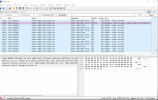
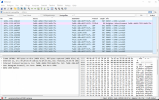
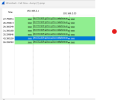
 ort
ort


