New CFD with JSON/XML Parser Wizard Works Like Magic

  • Thread starter Thread starter Constantinos Constantinou
  • Start date Start date

Constantinos Constantinou

The 3CX Call Flow Designer (CFD) introduces a wizard-driven, drag and drop functionality to parse XML and JSON responses. This is just one of the many multi-functional components available within the CFD to extend 3CX Phone System’s capabilities. The new update also boosts efficiency with the introduction of context-aware help shortcuts.
[HEADING...
Continue reading the Original Blog Post.
 
Last edited:
This is great and much needed! It's saved me a ton of time!!!! Great job building this!

Suggestion:
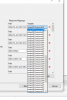
A minor, but necessary enhancement is needed to be able to see my variables.

See my example below.

14152

I was able to get around with with counting down-arrow presses, but get challenging when there many variables. Also, I had to take this approach twice since I miscounted and doubled up assignments in my first pass.

A horizontal scroll bar would be good. A larger, dynamically scaling field would be even better. Maybe make the path field size static and make the variable field (or both fields) dynamic?

Thanks again for adding this feature, even with my work-a-round, it still saved me a ton of time and simplified my project.
 
This is great and much needed! It's saved me a ton of time!!!! Great job building this!

Suggestion:
A minor, but necessary enhancement is needed to be able to see my variables.

See my example below.

View attachment 14152

I was able to get around with with counting down-arrow presses, but get challenging when there many variables. Also, I had to take this approach twice since I miscounted and doubled up assignments in my first pass.

A horizontal scroll bar would be good. A larger, dynamically scaling field would be even better. Maybe make the path field size static and make the variable field (or both fields) dynamic?

Thanks again for adding this feature, even with my work-a-round, it still saved me a ton of time and simplified my project.
If you resize the window to make it bigger (since there's the anchor bottom right), does the dropdown resize as well?
 
If you resize the window to make it bigger (since there's the anchor bottom right), does the dropdown resize as well?
Thanks for the quick response! The very first thing I tried was resizing the window.
 
  • Like
Reactions: Evolute IT
This is great and much needed! It's saved me a ton of time!!!! Great job building this!

Suggestion:
A minor, but necessary enhancement is needed to be able to see my variables.

See my example below.

14152


I was able to get around with with counting down-arrow presses, but get challenging when there many variables. Also, I had to take this approach twice since I miscounted and doubled up assignments in my first pass.

A horizontal scroll bar would be good. A larger, dynamically scaling field would be even better. Maybe make the path field size static and make the variable field (or both fields) dynamic?

Thanks again for adding this feature, even with my work-a-round, it still saved me a ton of time and simplified my project.
Thanks for your suggestion, we will definitely look into this and check what we can do in the next update!
 

Latest Posts

Forum statistics

Threads
111,991
Messages
590,167
Members
164,929
Latest member
Cloudstar