New Intel NUC wont install 3CX Linux - Support wont help.

Status
Not open for further replies.

innovative7

Platinum Partner
Advanced Certified
Joined
Oct 22, 2010
Messages
18
Reaction score
11
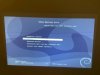
I have a new Intel NUC 10I3FNH1 and I cant get pass the first setup screens. Its putting the setup menu screen, the one you get after you press install, on the top multiple times very small. I have tried multiple monitors. Anyone have this issue? I wanted to throw this out their to document this problem. Support wont help saying its a hardware issue. Very frustrating.

I am moving on as I don't have time to deal with Linux. A new customer is waiting and I need this installed tonight. Loading Windows now. Working under Windows.

I downloaded the linux ISO today 11/22/20 so its current.
3CX Linux Setup.jpg
 
Why have you chosen this product? A raspberry Pi can handle a dozen phones or so, probably more and its cheap. Deploys fast!
 
At the end of the day, 3CX needs to fix their installer so that it works.

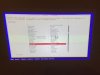
I took the time to download and install Debian to prove my point that its not a current Debian issue. It shows the windows just fine. See pictures.

3cx1.jpg3cx2.jpg

As a side note, I switched back to good reliable Windows.

@greatchoice. I would never use a Pi for a production phone system. Sorry just bad experiences with Pi devices.
 
Totally disagree with that choice. I’ve had offices on the very solid. Secondly Windows is a horrible OS to use. Constant updates and constant programs and services to interfere. I switched an office that was using windows and went down a handful of times a month. The instructions they got from the previous 3CX provide was unplug it and plug in. Not an answer. When I got there it was in an update loop. Just saying.
Otherwise why don’t you just go cloud? I use pi as a SBC not full blown install. I pay $5 a month for vultr and have 40 blfs on it. Doesnt even love the cpu
 
I guess Debian 9 (Strech) is not running well on a Intel NUC 10I3FNH1 because the 3CX ISO contain the Debian 9 OS.
 
Just so that you know, 3CX ISO is now Debian 10
 
At the end of the day, 3CX needs to fix their installer so that it works.

I took the time to download and install Debian to prove my point that its not a current Debian issue. It shows the windows just fine. See pictures.

View attachment 19260View attachment 19261

It's not 3CX's installer. That is Debian's installer. You downloaded Debian 10. The current Debian on the 3CX ISO is 9. If you grab a Debian 9 ISO (of the same version which I think is 9.12 or 9.13) it should have the same issue.

The Debian 10 Technical Preview should work fine based on your example above:

3CX Buster Tech Preview ISO
 
Hi,

- You have a UEFI based computer

- Debian 9 is not UEFI compatible, hence you face issues

- Switch your machine to Legacy (CSM) mode and it will become compatible with Debian 9
https://www.3cx.com/community/threa...nuc-10fnh-display-problems.77425/#post-353698


Alternative solution: Debian 10 does support UEFI, we provide an ISO that includes it but it is currently in preview so not meant for production. If you wait a bit longer then the above issue will be resolved
 
Status
Not open for further replies.

Latest Posts

Forum statistics

Threads
111,990
Messages
590,161
Members
164,926
Latest member
tohoken1