Solved New setup for Digital Receptionist

Status
Not open for further replies.

Kane Wong

Free User
Joined
Oct 13, 2018
Messages
233
Reaction score
9
Hello all 3CX experts.

I am new in Digital Receptionist setup, please let me know how should I start to setup a simple menu. My current requirement is...

1. During regular office hour "9am to 5pm", all calls are answered by the Front Desk receptionist but the "Digital Receptionist" should be triggered if she cannot answer the calls in 10 seconds.

2. Can the caller press a digit, for example "4" for the company directory?

3. How can I response to the callers of "Office Closed" after 5pm? During the non office hour, the phone system should pick up the calls immediately and telling the callers the "Office is now closed...".

4. If I select "Transfer to voicemail" and select the reception front desk extension, does it ring the receptionist phone, or it will forward to her voice mail directly for leaving the message?

Thank you!
 
Hello all 3CX experts.

I am new in Digital Receptionist setup, please let me know how should I start to setup a simple menu. My current requirement is...

1. During regular office hour "9am to 5pm", all calls are answered by the Front Desk receptionist but the "Digital Receptionist" should be triggered if she cannot answer the calls in 10 seconds.

2. Can the caller press a digit, for example "4" for the company directory?

3. How can I response to the callers of "Office Closed" after 5pm? During the non office hour, the phone system should pick up the calls immediately and telling the callers the "Office is now closed...".

4. If I select "Transfer to voicemail" and select the reception front desk extension, does it ring the receptionist phone, or it will forward to her voice mail directly for leaving the message?

Thank you!
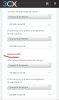
For the #1: create an IVR, create the extension and set the forwarding to the IVR extension after 10 seconds. Then, point your DID to that Frontdesk extension.

#2: yes, check the Call by Name feature. Or create it manually with a DTMF IVR.

#3: in your DID rule, set the out of hours to a second IVR used for out of office. Just put the prompt you want and set the destination/invalid to End call.

#4: There are 2, "Transfer to extension" will ring the phone then follow forwarding rules if busy/not answered. "Transfer to voicemail" is, as it says, to voicemail directly. No phone rings.
 
Thank you! When I go to the Digital Receptionist, I saw a default "HOL" rule, when and how of the rule to be triggered?

Subject to the providing steps, for number (4), my understanding is.... correct me if I am wrong.

  1. Using an Inbound rule to direct all inbound calls to my receptionist extension , e.g. 1000
  2. With this ext. 1000, I create a "Forwarding Rules" for "If I do not answer calls within: 10 seconds. Forward internal calls to: " the IVR extension, e.g.1100.
  3. The IVR extension 1100 is created in "Digital Receptionist".

For #3, I go to "Inbound Rules"
  • Create a new "DID Rule"
  • Select my main number in DID/DDI
  • In "Route calls to" - during office hour, direct the call to 1000 ext. / out of office hour, direct the call to 1100 ext.

(Because, I am using PRI, I configure the all inbound call to my main number in SIP Trunk gateway, would it cause the conflict?)
 
Thank you! When I go to the Digital Receptionist, I saw a default "HOL" rule, when and how of the rule to be triggered?

Subject to the providing steps, for number (4), my understanding is.... correct me if I am wrong.

  1. Using an Inbound rule to direct all inbound calls to my receptionist extension , e.g. 1000
  2. With this ext. 1000, I create a "Forwarding Rules" for "If I do not answer calls within: 10 seconds. Forward internal calls to: " the IVR extension, e.g.1100.
  3. The IVR extension 1100 is created in "Digital Receptionist".

For #3, I go to "Inbound Rules"
  • Create a new "DID Rule"
  • Select my main number in DID/DDI
  • In "Route calls to" - during office hour, direct the call to 1000 ext. / out of office hour, direct the call to 1100 ext.

(Because, I am using PRI, I configure the all inbound call to my main number in SIP Trunk gateway, would it cause the conflict?)

I never use the HOL, also never found how to use it so I just create my own IVR.

For your question, yes you are correct. Don't forget to also forward external calls (dropdown just below the one you speak of) to the IVR! Since your goal is primarily the external calls.

As for the config being in the SIP Trunk directly, it's the same. You can actually use both (Inbound Rule & default rule in SIP Trunk).
 
Thank you Fred;

Can you explain a little more idea about "forward external calls to the IVR?
 
When you set up holidays under Settings > Timezone & Office hours.. it will send the call to HOL IVR.
 
Last edited:
  • Like
Reactions: YiannisH_3CX
thank you all.
 
Status
Not open for further replies.

Forum statistics

Threads
111,935
Messages
589,823
Members
164,816
Latest member
natedog