New to 3CX, have various questions...

Status
Not open for further replies.

Terri Griffiths

SMB User
Basic Certified
Joined
Jul 10, 2023
Messages
107
Reaction score
11
I recently bought 3CX Startup pro 10. And have a few questions...
  1. I can’t seem to turn off Missed calls or Voicemail notifications. How do I stop all emails coming through?
  2. I can't find where to record the repeat queue comfort message. Only the Intro prompt? I want an intro, then followed by a repeat prompt with Call-back instructions, where is this done?
  3. What is the Hold & Park timer? Can it be changed? If so where?
  4. Can you park on Web Client? Only seems to work on Phone for Windows on a BLF when I create a Shared Park BLF. It only offers 2 for BLFs, SP259 and SP260. But my Web Client users can't seem to use the BLF shared parks. Is this correct?
  5. I see I am supposed to have 10 park bays (0-9), but if I transfer to *00, *01 etc on my softphone, nothing happens? Is it only certain versions of 3CX that get the option of these park bays?
  6. How many people can it conference? Audio & Audio & video?
  7. How do I log out of the Windows softphone and log in as someone else? If I Exit a Client, it always opens as me.
  8. How do I add another administrator?
  9. I Have bought the 3CX SMB, although my licence says 3CX Startup Pro 10. Does the administration tool change as it moves up to Enterprise? I seem to be missing a lot of changeable features on the admin tool, such as some of the things mentioned above.
Any advice or info will be much appreciated...

Terri
 
Definitely, you have issues here. StartUP Pro (SMB is the new name) has limitations since you don't control the overall system.

1. You cannot. The defaults are enabled for both. This can't be changed on StartUP.

2. This would be in the Music on Hold of the queue, so basically the continuous music. That's in that audio file you want the prompts.

3. Those are for the system and cannot be changed.

4. In the Panel view, you can right-click on an active call and select Park/Unpark from there.

5. Those probably don't work on StartUP as they are global park orbits (different than Shared Parks.)

6. Audio probably has no limit other than the trunks and internal users. Video is 25 (see here: https://www.3cx.com/ordering/pricing/features/)

7. Simply click the Provision from another user's Webclient (Apps > DesktopApp > Provision) and it will replace the user. There's no way currently to directly Log Out.

8. Create a user and assign them the role "Group admin" or "Group owner". (See https://www.3cx.com/docs/access-roles/)

9. StartUP (Free and SMB) are limited version of the full fat dedicated version. It is managed exclusively via the Webclient Admin console, which is also available on dedicated systems but with more control since we also have the good old Management Console which has all the other settings. You're free to change if needed, but you won't be able to backup/restore/upgrade directly. It will be a new system.
 
Definitely, you have issues here. StartUP Pro (SMB is the new name) has limitations since you don't control the overall system.

1. You cannot. The defaults are enabled for both. This can't be changed on StartUP.

2. This would be in the Music on Hold of the queue, so basically the continuous music. That's in that audio file you want the prompts.

3. Those are for the system and cannot be changed.

4. In the Panel view, you can right-click on an active call and select Park/Unpark from there.

5. Those probably don't work on StartUP as they are global park orbits (different than Shared Parks.)

6. Audio probably has no limit other than the trunks and internal users. Video is 25 (see here: https://www.3cx.com/ordering/pricing/features/)

7. Simply click the Provision from another user's Webclient (Apps > DesktopApp > Provision) and it will replace the user. There's no way currently to directly Log Out.

8. Create a user and assign them the role "Group admin" or "Group owner". (See https://www.3cx.com/docs/access-roles/)

9. StartUP (Free and SMB) are limited version of the full fat dedicated version. It is managed exclusively via the Webclient Admin console, which is also available on dedicated systems but with more control since we also have the good old Management Console which has all the other settings. You're free to change if needed, but you won't be able to backup/restore/upgrade directly. It will be a new system.
You are a legend! Thank you for this.

How about these questions too?

10. How long are recordings kept for or how much space is given?

11. How do I get the wallboard to refresh daily? So, stats back to zero? By default, statistics are reset at midnight each day. You have an option for resetting queue statistics in the PRO and ENT licence. You can choose between Daily, Weekly or the first day of each month. For standard versions only the "Reset Now" button is available

12. Wrap-Up and Reason Codes – are these available for agents? I’m guessing On PRO & ENT only.

13. How and where are pickup groups configured? I’m guessing On PRO & ENT only.

14. How or can I configure Paging Groups? I’m guessing On PRO & ENT only.

15. Is there a company Directory admin that can configure it? I’m guessing On PRO & ENT only.

16. Call Barring, can it be done on users? I’m guessing On PRO & ENT only.

16. Outbound CLI number settings? Can they be changed?
 
  • Like
Reactions: Evolute IT
Oh boy, some of these are not even available on dedicated installs my friend.

10. No idea for StartUP lol

11. It may come in a future update, as StartUP is still under heavy development, but for now that's all you got.

12. Those don't exist in 3CX. They recommend you use a CRM or something similar to note that.

13. Pickup is configured based on the rights, so managers can pickup calls, users can't. In a dedicated system, you can configure those specific roles more and also have multiple user groups to manage these rights.

14. Usually paging is in the ring groups, but I don't think they are currently available in StartUP. Yes, dedicated has those.

15. What's "call barring"? Never heard of that.

16. CID can be set per-user in Admin > Users. You'll see "Outbound Caller ID". It can be an existing DID or set a custom one (support for that will depend on your provider.)
 
You really are super helpful.

Call Barring is if I can bar users from dialling international numbers or premium rates etc. So maybe bar one from dialling anything starting with 00 or 09, or 118. Something like that. But allowing 08, 07, 01 & 02 etc.
 
  • Like
Reactions: Evolute IT
You really are super helpful.

Call Barring is if I can bar users from dialling international numbers or premium rates etc. So maybe bar one from dialling anything starting with 00 or 09, or 118. Something like that. But allowing 08, 07, 01 & 02 etc.
Usually that's done on the outbound rules and allowed country codes settings, so both not available on StartUP.

Which means, if someone dials an international number, you'll want to block it via your provider (maybe through presented CID perhaps, if the provider supports that?)
 
Web Client users can't seem to use the BLF shared parks
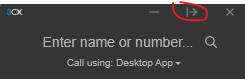
FWIW the Desktop App has BLF buttons. Click this to show the buttons:
1689086760732.png

IIRC they are working on adding those to the web client.
 
Hi Everyone.

System: Self-hosted Windows-based 3CX, Professional Annual.
Version: 18 Update 8 (Build 939)

Sudden new issue: Since Monday 2023-10-30
All OUTGOING calls are automatically placed on hold while the outbound connection is being established.
Calls are then automatically taken off hold once the connection is successfully established.
Major side effect: Users hear on-hold music instead of dial back ring tone while the outbound connection is being established.
This issue occurs on all device types including Yealink handsets, Android softphone, and web clients.

PBX delivers audio = Enabled
Support re-invites = Disabled
Support replaces = Disabled
SRTP Mode = Disabled

Any suggestions?
 
Yes, my provides is 3CX supported - they are called ICT Globe.
No, the issue is only prevalent on external outbound calls.
 
My provider has resolved the issue with the following reply: We adjusted the sip account so it no longer uses the MOH on the 3cx but uses the normal tone
This issue is now resolved
 
G
My provider has resolved the issue with the following reply: We adjusted the sip account so it no longer uses the MOH on the 3cx but uses the normal tone
This issue is now resolved
We are glad to hear that this is now working for you.
 
Status
Not open for further replies.

Members Online Now

No members online now.

Forum statistics

Threads
111,831
Messages
589,277
Members
164,660
Latest member
RJenkinsROCK