Night Mode Button

Status
Not open for further replies.

latitude

Bronze Partner
Basic Certified
Joined
Mar 22, 2010
Messages
12
Reaction score
0
My client wants to get their system as close as possible to their old system as far as features/setup, etc. They used to have a button on the receptionist phone that would put the system into "night" and forward to the IVR and when set to this, the button would be lit up. Any suggestions on doing this?

I tried queues and having everyone log in/out and that didn't work well. I tried ring groups and just defaulting to the IVR after 20 seconds or so, and they didn't like that the phone rang too much.

Any thoughts would be appreciated!
Thanks!
 
Using your ring group method then having the receptionist press a "Do-Not-Disturb" button on the reception phone to emulate night mode may do what you want. My Yealinks and Greadstreams show an indication on the LCD screen when in DND mode.
 
There is a system code to force 3CX into night mode. Just program it to a button as one-touch dialing (depends on phone model).

Regards
 
I set this up with the DND button on the receptionist phone, which works fine. The only problem is that the receptionist cannot recieve internal calls and/or calls on her direct line since the phone is in DND mode.

I registered a dummy extension on line 3 on the phone and then tried to use the dial codes for DND, but there is no indiciation via BLF or 3CX that that particular extension is in DND mode, it still shows available, which is strange. Any thoughts on this?
 
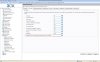
No, you should define emergency code for night mode (e.g. *69) and program it to a button (*691 to set, *692 to cancel). The idea is to use 'office hours' mechanism, this may be programmed individually for each extension & trunk line.
Regards
 

Attachments

  • 1.JPG
    1.JPG
    109.2 KB · Views: 1,494
Even with the emergency code there is no way to know, visually, that the system is in night mode, or emergency mode correct?

After you enter the emergency code for out of office will the normal system times take back over?

example...my office hours are 8am to 5PM... at 4PM i enter the emergency code. Will the system use normal hours configuration come 8am or does someone have to manually turn off the emergency code?
 
Normal day time hours will turn the system back in day mode on next event, if allowed automatic change of day/night mode.
Otherwise you need to enter manually codes like '*641' and '*642' or so (code '*64' needs to be defined firstly) to enter night mode and return back to day mode. You should be able to see the status in MyPhone application.

Regards
 
Very simple solution.... Use a phantom extension that you can manipulate as target to all incoming calls and route from there. No ring groups or crazy stuff KIS
 
Would love the ability to have 1 button to do this:
BLF -> RED when *642, GREEN when *641 and OFF when *64 - like a 3 state button.
 
  • Like
Reactions: Jeremy Bero
Status
Not open for further replies.

Forum statistics

Threads
111,852
Messages
589,384
Members
164,690
Latest member
rick.yamamoto