- Joined
- Jan 21, 2021
- Messages
- 69
- Reaction score
- 15
3CX PBX - 18.0.214
3CX assigned SSL certificate
W80DM on firmware - 103.83.0.90
W80B on firmware - 103.83.0.90
W56H phone firmware -
W52H phone firmware - 26.81.0.50
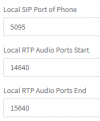
Provisioning Method - STUN
*No outbound/inbound traffic blocked on phone side
*Ports allowed on 3CX firewall
*SIP ALG turned off on Firewall
*Firewall checker on 3CX passes
Issue: Audio issues
1. Internal calls - works perfectly both ways
2.1 External inbound calls on W52H cordless - works perfectly both ways
2.2 External inbound calls on W56H cordless - does not work at all
3. External outbound calls (from both models) - no audio
Testing done:
-Tested using x2 different handsets
-Tested using an old W52P base station (audio works perfectly on the old base station with both of the handsets)
-Tested using different STUN ports (no change in outcome)
-Tested using a completely different PBX with the same W80DM and W80B and get the same results.
-Tested handsets on a different base and works fine. So established issue is not with handsets
3CX assigned SSL certificate
W80DM on firmware - 103.83.0.90
W80B on firmware - 103.83.0.90
W56H phone firmware -
W52H phone firmware - 26.81.0.50
Provisioning Method - STUN
*No outbound/inbound traffic blocked on phone side
*Ports allowed on 3CX firewall
*SIP ALG turned off on Firewall
*Firewall checker on 3CX passes
Issue: Audio issues
1. Internal calls - works perfectly both ways
2.1 External inbound calls on W52H cordless - works perfectly both ways
2.2 External inbound calls on W56H cordless - does not work at all
3. External outbound calls (from both models) - no audio
Testing done:
-Tested using x2 different handsets
-Tested using an old W52P base station (audio works perfectly on the old base station with both of the handsets)
-Tested using different STUN ports (no change in outcome)
-Tested using a completely different PBX with the same W80DM and W80B and get the same results.
-Tested handsets on a different base and works fine. So established issue is not with handsets