No caller Name on LCD display (v18 to v20)

tdvfd

Customer
Joined
Oct 15, 2018
Messages
5
Reaction score
2
Hello!
After upgrading to v20, calls between desk phones with extension numbers no longer display caller names. Only the number itself is displayed.
If you make calls from apps (Windows/Android) to a desk phone, both numbers and names are displayed.

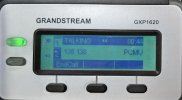
Grandstream GXP 1620 (billed as "supported (limited)") with the latest firmware 1.0.7.79 (7/16/2025) also doesn't display names.
The phone was reset and configured both through 3CX and "autonomously". There is no result.

 
Is the Grandstream GPX 1620 the only sets you are using? If not, what other phones do you use?

Do you have access to the 3CX Activity Log.? If so, does that show the name being sent, in the Invite?
 
We use
Linksys SPA921-5.1.8
Cisco SPA303
Grandstream GXP1450
GrandStream GXP1620

Code:
10/07/2025 12:06:02.644 PM    C:2257.1 Attached data: ==== ID = '6906' dnid = '202' callid = '2257' legid = '1' chid = '00000000-01dc-3769-99db-9968000008d1' refby = '0' prevCall = '0' prevLeg = '0' sip_dialog_set_id = '[email protected]' partydnid = '235' extnumber = '136' initiator = '1' devcontact = 'sip:[email protected]:5060' time = '(type = 5)' statusEvent = '2' public_push_pickupinfo = '[email protected];to-tag=68262671;from-tag=2a720c9eeac33acfo0' sip_displayname = '138' lookup_displayname = 'User2, 2nd' sdpoffered = '1' participant_uid = '00000000-01dc-3769-99db-b37b0000136e' msep_id = '[email protected]:5482' partyConnection = '6907' public_push_callerid = '136' public_push_callername = 'User1, 1st' 
...
10/07/2025 12:06:00.667 PM    Source endpoint: Ext.138; dev=Dev(649214699):[sip:[email protected]:5060 / 138]; disp.name=User2, 2nd

photo_1_2025-10-07_10-45-34.jpg
photo_2_2025-10-07_10-45-34.jpg

In v18, both the number and the name were displayed, regardless of phone models and firmware versions.
 
Hello @tdvfd,

I do not see 'the name' of the phone, just:
sip_displayname = '138'

This would mean the sending phone does not send out the name, and that would mean it does not have the name configured.
And that would lead me to think that the provisioning of the phone(s) does not populate the name in the phone to be used.

How did you provision the Cisco 303 phone(s), i think they are not supported by 3CX??

Paulo
 
Cisco 303 phone(s), i think they are not supported by 3CX

Phones that are not supported by 3cx are manually configured. Again, in v18, all desk phones (regardless of how they are configured for 3cx, their models, and firmware) displayed the caller's number and name. Nothing has changed except for upgrading the 3cx server from v18 to v20.
 
  • Like
Reactions: Volosko
Hello tdvfd,

Yes, things change in the tech world and everyonne needs to move along or get left behinde.
The first step to move to the 3CX V20 was great now you need to change the phones configuration to adopt to the new setup.
As this is not a supported phone, this will need to be done manually without support from 3CX.

You could login to the phone and check the phone 'name' field(s).

Paulo
 
  • Like
Reactions: bitn2
this will need to be done manually
Is it possible to prioritize receiving caller information from the 3CX server over the phone information?
Do I have to manually set up hundreds of phones if they don't support (or have limited support) for 3CX?!.
For example, grandstream gxp1620 (stated as "Supported (with limitations)") also does not display the caller's name.
 
  • Like
Reactions: Volosko
Hello tdvfd,

Yes, i do understand it is a big job.

Just one thing to note here, it is not about display the name... there is no name to display.
The problem is sending out the own name with the outgoing call, so the receiving phone has a name to display.
Small detail i know, but that can make a big difference where to fix the problem.

Just make sure you can 'fix' one phone, so you know EXACTLY where the problem is, than it is only copy&paste.
As i do not have this type phone, i can not help you with exact information, only help to point you where to find/fix.

Paulo
 
make sure you can 'fix' one phone
I was able to manually set up two phones (Cisco spa303 and Linksys spa921).
If I enter "Display Name" in the "Subscriber Information" section of the "Ext 1" tab, the caller's name is displayed. This means that 3CX v20 prioritizes information on phone.
The V18 gave this information itself (even if the corresponding setup field on the phone was NOT empty).
I guess there may be a 3CX v20 server configuration option that changes this behavior.
 
Same thing, v18 internal calls from phone to phone - caller name shown
v20 from app to phone - ok, from phone to app - ok, from phone to phone only number is shown.
Can i force 3cx to send callername ?
 
Can i force 3cx to send caller name on local calls without setting DisplayName on every phone in the office? (Yealink-T30)
It is sounds better to use 3cx server usernames than setting displayname everytime on phones in the office when users changes.
 
Last edited:

Forum statistics

Threads
111,955
Messages
589,925
Members
164,853
Latest member
as7h