Not working integration with Microsoft Dynamics

Status
Not open for further replies.

mikhail.iuvchenko@novait.

Customer
Basic Certified
Joined
May 27, 2019
Messages
19
Reaction score
2
Hi, colleagues.

Our client have some problems with integration.
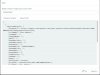
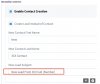
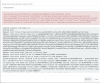
A field is not created in the CPM when calling from an unknown number, and if the call comes from a known number, an error occurs when clicking on the "open in srm" icon. The error log in the attachment.
The test from console was successful.

What could be the problem?
 

Attachments

  • ErrorDetails (1) (1).txt
    ErrorDetails (1) (1).txt
    5.2 KB · Views: 3
  • 2020-03-11 18.57.08.jpg
    2020-03-11 18.57.08.jpg
    133.5 KB · Views: 4
  • test.jpg
    test.jpg
    98.7 KB · Views: 4
Where are you seeing the error message in the text file attached? That seems to be an issue with Dynamics and you will need to check it with Microsoft:
Microsoft Dynamics CRM has experienced an error. Reference number for administrators or support: #8EA82D08
 
Where are you seeing the error message in the text file attached? That seems to be an issue with Dynamics and you will need to check it with Microsoft:

Yeah, maybe don't have the right Dynamics. The client will verify it.
Thank you!
 

Attachments

  • Screenshot at Mar 13 16-14-38.png
    Screenshot at Mar 13 16-14-38.png
    1.3 MB · Views: 5
  • 2020-03-13 16.17.26.jpg
    2020-03-13 16.17.26.jpg
    51.2 KB · Views: 5
  • 2020-03-13 16.17.20.jpg
    2020-03-13 16.17.20.jpg
    65 KB · Views: 5
  • 2020-03-13 16.17.07.jpg
    2020-03-13 16.17.07.jpg
    99.3 KB · Views: 5
This could be due to 2 things:
1) You have another contact in 3CX Contacts (not imported from the CRM), with the same phone number, then that contact will be used, and the Contact URL will not be visible. Please check this and in that case remove the contact from 3CX Contacts.

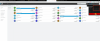
2) There is an issue creating the contact. You should go to the 3CX Console > Settings > CRM Integration > Test button, test a call from an unknown number and check the Logs tab.
 
This could be due to 2 things:
1) You have another contact in 3CX Contacts (not imported from the CRM), with the same phone number, then that contact will be used, and the Contact URL will not be visible. Please check this and in that case remove the contact from 3CX Contacts.

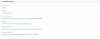
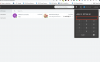
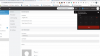
I did a test with the new number, fields for the transition to CRM no, but see the error in test
Server returned a non successful status code - HTTPStatusCode=BadRequest - Reason=Bad Request - Content={"error":"invalid_grant","error_description":"AADSTS700082: The refresh token has expired due to inactivity. The token was issued on 2018-09-06T21:32:49.8556460Z and was inactive for 90.00:00:00.\r\nTrace ID: 1440f7e9-e94a-4754-824d-ec3512917600\r\nCorrelation ID: 6ec39363-09f7-47a3-b56b-34251a533d6e\r\nTimestamp: 2020-03-13 16:15:59Z","error_codes":[700082],"timestamp":"2020-03-13 16:15:59Z","trace_id":"1440f7e9-e94a-4754-824d-ec3512917600","correlation_id":"6ec39363-09f7-47a3-b56b-34251a533d6e","error_uri":"https://login.microsoftonline.com/error?code=700082"}

1584116558852.png
1584116410249.png
 
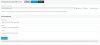
An expired refresh token means that you need to do the authorization procedure again (click the Authorize button in the 3CX configuration page).
 
An expired refresh token means that you need to do the authorization procedure again (click the Authorize button in the 3CX configuration page).


Yes, have updated the token and the tests were successful. But why the token was expired? The client did not change the settings. This token, how often does it need to refresh/resave?

1584185331691.png
 
It seems that the refresh token is expired by the server when it's not used. You should contact Microsoft support to get more details on when this happens. I have not seen this error before, so probably if the integration is actively used, this will not be a problem.
 
Status
Not open for further replies.

Latest Posts

Forum statistics

Threads
112,322
Messages
591,886
Members
165,469
Latest member
footandankle.my3fcx.us