- Joined
- Apr 9, 2018
- Messages
- 7
- Reaction score
- 0
I'm trying to sync the contact list we have with 3CX via 365.
The impersonated user account has already been created, has a licence applied to talk to Exchange and the credentials have been entered into .
However, I'm not sure what the 'configure public folders' option is about. As far as I can see, logging into the 365 admin center, I cannot see any folders or any option to create some (see below).
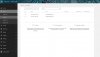
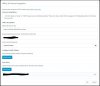
Can anyone point me in the right direction please? This has been a headache for awhile!
Thanks
The impersonated user account has already been created, has a licence applied to talk to Exchange and the credentials have been entered into .
However, I'm not sure what the 'configure public folders' option is about. As far as I can see, logging into the 365 admin center, I cannot see any folders or any option to create some (see below).
Can anyone point me in the right direction please? This has been a headache for awhile!
Thanks