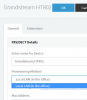
One of two extensions unregistered on Grandstream HT802

Status
Not open for further replies.

mcbsystems

Free User
Advanced Certified
Joined
Oct 9, 2019
Messages
44
Reaction score
19
3CX 16 SP4A running on Azure. Grandstream HT802 with latest firmware 1.0.10.6, configured to use local SBC. It was working fine with two analog phones in the FXS ports.

Now, the first extension shows Registered in 3CX, but the second extension shows not registered and has no dial tone.

In the Grandstream UI, both phones show On Hook.

Rebooting the Grandstream didn't help.

In the Grandstream UI, I tried disabling and enabling FXS Port 2. Didn't help.

Ran a packet trace from 3CX while rebooting the Grandstream. Oddly, I don't see any SIP registration packets at reboot, not even for the extension that shows registered.

Any suggestions?

Thanks,
 
Anything in the 3Cx Activity Log? Was this working previously? Manually provisioned? Different local port on each extension setting?
 
Nothing in the activity log. Yes it was working, not sure how long it's been out (not used much). Provisioned by 3CX AFAIK. Local SIP port for both extensions is 5060, local RTP ports are 5004 and 5012. Tried changing local SIP port on FXS2 to 5062 (the default per the Grandstream web UI) but no effect.
 
The local SIP ports must be different or you will run into problems. So leave the first at 5060 and the second at 5062, or 5061. One port is registering, so you know the settings for that are correct, compare settings on both lines. The fact that you do not see any indication of a registration attempt from the second line would seem to indicate it is not "pointed" at the correct destination.
 
You connected it to the SBC so you will not see registrations in the capture, this is to be expected. Captures can be run on the SBC machine instead or on a mirrored switch port, and you will be able to see what the FXS does

Also note it could not be provisioned by 3CX, as we do not support SBC provisioning for FXS gateways so this implies manual configuration to some degree.
1584701402096.png

You can download the config file from the PBX and upload it to your device (after resetting it).
Then modify the settings to register on the SBC. This is not supported, but you might be able to get it to work.
 
Thank you both for this input.

I found a few minor discrepancies between the port1 and port2 configs (Preferred DTMF method, codec order). As expected, that didn't affect registration. I did set the port2 SIP port to 5062.

That makes sense about needing to trace at the SBC. When I did that, I see two registrations for x.198 and none for x.199.

Thanks for the reminder that this is a non-standard config. Finally found my notes on how I set it up:

1. Manually update firmware (couldn’t get direct download to work). If you get an "already in progress" message, check the Status page until Provisioning is Not running.
2. In 3CX dashboard, set up x.198 and 199, then under Advanced > FXS/DECT, set up HT802 and assign x.198 and 199.
3. Set Update Via to HTTPS. Set Config Server Path to customer.region.3cx.us:5001/provisioning/xxxxxxxxxx/cfg010101010101.xml and reboot. This will set up FXS Port1 as configured in 3CX
4. Delete the Firmware Server Path and Config Server Path.
5. In FXS Port1 and FXS Port 2, change the server hostname to the SBC IP address, 192.168.x.x:5060.
6. Test calling with an analog phone.

How would I download the config file from the PBX? I tried using these instructions, but when I check the HT802 under Phones, the Config link is grayed out.

Interesting: at the moment, the HT802 is listed twice under Phones, once with its actual IP address and once in bold with IP 127.0.0.1 (as if just discovered and awaiting provisioning).
 
Last edited:
I really think that you will have forget about downloading the configuration for the second line and manually edit it , which, should not be that difficult if the GUI is like Grandstream ATAs that I have used in the past.
 
Last edited:
Okay did a factory reset and followed my procedure above (edited a bit). Step 3 successfully configures all settings for both extensions except the SIP server. After updating the Primary SIP Server for both ports, I'm back where I started: only the first extension registers. And based on my trace, the second extension doesn't even try to register--it's not a failed registration; it's not attempting to register.

Next I set FXS Port 1 to inactive. Now the second extension registers fine, confirming that the settings are correct.

It seems the HT802 isn't even attempting to register x2 when x1 is registered, but I can't see why.

BTW once I got the correct port, it was easy to download the provisioning file in a web browser. By default, the HT802 uses HTTPS, but the 3CX management console shows the provisioning URL as HTTP with port 5000 (which is closed on my firewall). Changed that to https: and 5001 and it worked.
 
The latest firmware for the HT802 is 1.0.17.5, have you considered an upgrade?
 
The latest firmware for the HT802 is 1.0.17.5, have you considered an upgrade?
Willing to try it, but a bit concerned about getting ahead of the version officially supported by 3CX.

I've been trying to think what could have changed. Maybe the 3CX SBC no longer accepts multiple registrations from one IP address? Looks like they're on SBC 15.5.7436. The link in ProgramData\3CXSBC/Updates/updater.ini points to version 15.5.7503. The public download link is for 3CXSBC16.

But no, that doesn't make sense, even if the SBC didn't support it, I should still see the registration requests coming in when doing a packet trace.

FWIW, I tried turning off the Windows firewall on the SBC computer, but after rebooting the HT802, still only the first extension registers.

I'm increasingly thinking that this must be an HT802 issue, though so far I haven't found similar reports online. Maybe I will post to the Grandstream forum.
 
I'm increasingly thinking that this must be an HT802 issue,
I would agree. if the ATA were behaving as expected, then both lines would show as (at the very least) , attempting to register. I don't know why there would be any sort of option that would prevent the second line from registering if the first had already done so.

Have you thought about setting up the ATA to use STUN and by-passing the SBC, as a test?
 
Status
Not open for further replies.

Forum statistics

Threads
111,940
Messages
589,846
Members
164,830
Latest member
business@brightwaylogisti