Solved Only one DID works when set to Main Trunk No

Status
Not open for further replies.

tastycoders

Joined
Mar 6, 2018
Messages
26
Reaction score
4
I have three DID's. I can get one to work for inbound when setting it up as the Main Trunk No.

The other two I have going to two separate phone extensions. When I call them nothing happens.
I was able to try a test call to the numbers. The call is being delivered to my IP address of xxx.xxx.xxx.xxx:5060 but we are getting a "SIP/2.0 407 Proxy Authentication Required" response from the PBX.


I am at a loss as to how I can get them to work.


-Jason
 
Hello @tastycoders

Do you have more that one trunks? Like leejor mentioned check the activity log and try to identify the format the calls are coming in from the provider. Once you do, adjust your DIDs to match that format.
 
I have only 1 trunk and a total of 3 DIDs. When I set one of the DID's to the Main No for that trunk that single DID works. But if I try to assign the other two DID's to an extension they do not work and the provider says they get this: SIP/2.0 407 Proxy Authentication Required" response from the PBX.
 
Ensure the DID is listed under the trunk setup and has an inbound rule assigned...
 
I have only 1 trunk and a total of 3 DIDs. When I set one of the DID's to the Main No for that trunk that single DID works. But if I try to assign the other two DID's to an extension they do not work and the provider says they get this: SIP/2.0 407 Proxy Authentication Required" response from the PBX.

The numbers (DIDs) as you have them set do not match exactly what the provider is sending and the PBX cannot route them to an Inbound rule as it does not recognise them. The main trunk number works due to the catch all functionality of the PBX. As i mentioned above check the activity log and see how the numbers arrive from the provider and edit your DIDs to match those.
 
I used to use *xxxx and only catch the last 4 as the phone company changed it once on me from 4 digits to 10. i didn't want any more problems.
 
can you confirm that is what is being sent? all digits?
Try * with the last 4 digits only.
*9091, *9092, *9093 to see if it helps in both locations.

I use flowroute too... just noticed that.
I do *10digits
 
WOW! yes that did it! *9092 *9093
@craigreilly Thank you!

How can I set it to show only 9091 as the number we dial out from on the main SIP trunk? Right now it just says unknown when I call someone.

-Jason
 
You want 3cx to only show 9091 as your caller id?
I think Flowroute by defaults uses the Caller ID of the extension. So make the change under the extension properties.
 
@craigreilly,
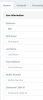
I don't see a place for setting this at the extension level.
 
Extension
Open detail
General Tab - under mobile phone.
 

Attachments

  • Screen Shot 2018-03-07 at 10.33.18 AM.png
    Screen Shot 2018-03-07 at 10.33.18 AM.png
    25.5 KB · Views: 25
OK yea I added the 10 digit 9091 and that worked for showing the number.

Thank you!
 
Glad to see the issue has been resolved. As an additional info when you use * you should make sure that your number is longer that 6 digits. So i would edit the numbers to *709091 to avoid routing issues.
 
Status
Not open for further replies.

Latest Posts

Forum statistics

Threads
111,884
Messages
589,542
Members
164,742
Latest member
Zain101