Solved Out of office - simply doesnt work

Status
Not open for further replies.

AlexGBell

Bronze Partner
Basic Certified
Joined
Jun 8, 2020
Messages
13
Reaction score
2
Hi _ i have gone through all the procedures and I am sure I have it all setup correctly but out of office will not work.
I have activated it in the inbound rules to go to my mobile (For testing) I switch to out of office and all I get is "The person you are looking for is not available." I have added my phone to the outbound calls and moved it up using an extention and leaving it blank. No matter what I do the out of office call will not divert.
 
Please can you screenshot the inbound rule , marking out sensitive info
 
Last edited:
Did you setup office hours? and are you testing within Open hours or closed? If you do have office hours you can always setup a dial code to force Out of Office
 
Did you setup office hours? and are you testing within Open hours or closed? If you do have office hours you can always setup a dial code to force Out of Office
The Office hours work fine but the call divert wont work.
 
the forward call will use a system account to dial the number

currently you are restricting outgoing calls to a extension group - this system account is not a member

you need to create a outbound rule just for mobile number based on prefix and / or length of number (do not add extension or ring group)

does your sip provider require an + as part of the number, you may want to check your e164 settings
 
Last edited:
Ok so I created an extention. Set the forward to go to mobile if out of hours then set the inbound rule to go to the ext. Set the extention out of office. Tried to call still goes to voicemail.
 
Which voicemail is the call going to ?

You are using DDI numbers, is the format of the DDI number being passed to 3CX matches your DDI rule. You can use an * in the DDI number , for info https://www.3cx.com/docs/manual/inbound-did-call-routing/

You need to check the activity log, to see the flow of the call and the number being presented to 3CX.

How you putting the system into Out of Hours ? To put the system in 'out of hours', you need to dial *642 on a handset, when you have finished testing dial *64 - https://www.3cx.com/docs/pbx-dial-codes/#h.8i26uvwp94nb
 
1591778309941.png
Thats in the log - I have copied two other clients 100% and it works with them just not here. The number in the log above is not the one I am trying. I have no idea where it gets that number from.
 
Also if somone calls the extention "501" it diverts to my mobile. When I set the time as out off office - all I get is "the person you are calling is not available.
 
@AlexGBell Please take a look at my previous post, you must ensure there is a rule that the system can use. Currently your rules are not allowing the system to make calls, they only allow extensions.
 
@AlexGBell Please take a look at my previous post, you must ensure there is a rule that the system can use. Currently your rules are not allowing the system to make calls, they only allow extensions.
I copied the rules from 2 other sites that work. Also if you call the extension from an internal phone it diverts straight to my mobile.
 
Yes this is 3CX normal behavior, as already said when IVR do the forwarding, this is a SYSTEM EXTENSION who initiate the transfer and not an internal extension. Your rules are not done with groups and extensions so it's impossible to use from system extension.
If you want it works do what's needed
1591862791035.png
 
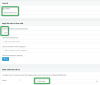
Ok how about just for a test, to create one rule that allows anything, check if it works, and then remove that rule. Only add 3 things - nothing else!

1. A rule name
2. Prefix as you see below
3. Select your trunk route
4. Save the rule and move it all the way up to the top so it will be the 1st rule
5. Test to see if it worked for you

1591878821386.png
 
Sorry about the delay - I think I way over complicated the issue. There were three entries on the sip account with the same number. I am aware that there is a local number then an international number. +61 1111111 but there was a third number entry as well and this is the one diverting the rules.


So the easy method was to create a virtual Extension and set the ext to dial the mobile simultaneous. Works as long as the last sip truck number is followed.

Deleted and cleaned up and working.

Thanks for the help.
 
  • Like
Reactions: JohnS_3CX
Glad to hear it was resolved!
 
Status
Not open for further replies.

Forum statistics

Threads
111,953
Messages
589,911
Members
164,846
Latest member
Richard77