OutBound Caller ID is displayed with an extra digit

Status
Not open for further replies.

Jenn V.

Free User
Joined
Feb 27, 2019
Messages
17
Reaction score
0
Hi - I am using a partner siptrunk and have caller ID set up to push from the users extension.
When we dial on 3CX the caller ID that is showing up has an additional +1 added before the number. So if I dial a US number we see +1(650 XXX XXXX) . Likewise if we call an international number and use an international caller id as well +1 44 117 XXX XXXX. I've tried this with two separate sip trunk providers who have both assured me they are not adding the +1. Is there any setting that I can change to make sure that there is no +1 added to the caller id?
 
I wonder if it has anything to do with E164 processing?
I only have a couple settings in mine...
My trunks are only sending out what I send. 10 digits.
Using Flowroute, Twilio and Voip.MS

9677
 
Who is seeing the +1, all called numbers? Some destination providers will sometime add a 1, or +1 onto north American Numbers, but that is done at the far end and not necessarily in all cases. Have you looked at the 3CX Activity log to confirm the caller ID being sent? the fact that you sometimes send an overseas caller ID may not make a difference, it may simply be treated (by the terminating provider) as a North American number and the +1 added.
 
Last edited:
I wonder if it has anything to do with E164 processing?
I only have a couple settings in mine...
My trunks are only sending out what I send. 10 digits.
Using Flowroute, Twilio and Voip.MS

View attachment 9677
HI Criag - Thank you for responding. I didn't have anything checked in the E164 processing in our PBX. I updated the settings to what is on your screenshot but it did not remove the 1. I am using siptrunk.com and they have confirmed they are only sending out the 10 digits.
 
HI Leejor - Everyone is seeing the +1 on the caller id. I've tried calling to a US cell phone and UK Vonage phone as well as a UK Cell phone on two separate sip providers. I have not looked at the activity log and will do so. I am not sure if I have a setting wrong but I can only see calls that do not go through on the 3CX activity log. I am new to this so perhaps I just need to change a filter.
 
Check the Activity Log.
 
It is unusual that the + is displayed, or would even sent in the numeric caller ID field. I have seen international numbers duplicated in the name field, on a caller ID device, and sometimes include a + precessing the country code.
 
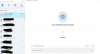
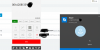
Thank you, I will pull the activity log to get that information, I am just waiting for our calling to stop for the day. However, thought I'd send some screenshots. I was testing on Skype this time and just wanted to show you how it is showing up on the caller id of SKYPE and 3cx. I also noticed two calls in the call log that I made that showed as coming from 144 number. So I am wondering if the 1 is coming from 3CX as my providers have assured me they are not sending out the call with a +1 or 1 infront.
 

Attachments

  • Caller ID.png
    Caller ID.png
    88.5 KB · Views: 16
  • Skype.png
    Skype.png
    150.5 KB · Views: 16
  • Skype 2.png
    Skype 2.png
    235.4 KB · Views: 16
  • 3cx Call log.png
    3cx Call log.png
    53.7 KB · Views: 15
The log will confirm what you are sending.

As i say, some providers have a habit of sticking on prefix digits so that the caller ID becomes a dial-able number. the +1 may be based on the origination of the incoming trunk (to them) rather than the actual number, as in the case when you are sending a a UK country code.
 
I was able to pull the activity log but am not sure how to read it. When I look at the from field it looks like

From: "Bristol Office Phone 1"<sip:[email protected]>;tag=efe8850bf3aa4489b4b7ca4a4dc7af81 Call-ID: fbf805f2c4c1413fab036742ead3e4af

Is there anywhere else I should look? I am new at this.
 
Well first you'd want to look for the actual call going out. You should see a line with something similar to the phone number you calling.
 
Well first you'd want to look for the actual call going out. You should see a line with something similar to the phone number you calling.
Yes - that is what I did, I found the line that had the number that I was dialing and then loooked for anything that said From or Caller ID....that was the closest I found.
 
So the line you posted is showing the call from your extension into the PBX. You want the line showing the call going out to your provider.
 
So the line you posted is showing the call from your extension into the PBX. You want the line showing the call going out to your provider.
HI - Ok just sending everything to the group. I don't see the caller id being passed but I am completely new to this.
Code:
02/27/2019 10:44:34 PM - Call(C:17), Extn:138 on exit: DlgInfo(17-1245/Terminated / I)
02/27/2019 10:44:34 PM - Call(C:17), Extn:138 on entry: DlgInfo(17-1245/Early / I)
02/27/2019 10:44:34 PM - Notify dialog-info: Extn:138: sip:[email protected]:5060;rinstance=1-b7e94534f17b46daaa84adfba372e4f6, Call(C:17)
02/27/2019 10:44:34 PM - L:17.1[Extn:138] Sending: OnSendResp Send 200/CANCEL from 0.0.0.0:0 tid=Pj4ceffcc20c314755baa83cb5ff196c05 Call-ID=fbf805f2c4c1413fab036742ead3e4af: SIP/2.0 200 OK Via: SIP/2.0/UDP 127.0.0.1:5080;branch=z9hG4bK-524287-2---Pj4ceffcc20c314755baa83cb5ff196c05;rport=5080 Via: SIP/2.0/UDP [::ffff:65.130.174.92]:54371;branch=z9hG4bK-524287-1---tunneltid;rport;tnlid=clnt.1-b7e94534f17b46daaa84adfba372e4f6 Via: SIP/2.0/TCP 192.168.0.42:50195;rport;branch=z9hG4bKPj4ceffcc20c314755baa83cb5ff196c05;alias Record-Route: <sip:[email protected]:5080;user=proxy;uri=clnt.1-b7e94534f17b46daaa84adfba372e4f6> Contact: <sip:[email protected]:5060> To: <sip:[email protected];tag3cx=3fcf34b422354a76907df85a08d2a5b2>;tag=dd61a817 From: "Bristol Office Phone 1" <sip:[email protected]>;tag=efe8850bf3aa4489b4b7ca4a4dc7af81 Call-ID: fbf805f2c4c1413fab036742ead3e4af CSeq: 17983 CANCEL Content-Length: 0
02/27/2019 10:44:34 PM - Call(C:17), Extn:138 on entry: DlgInfo(17-1245/Early / I)
02/27/2019 10:44:34 PM - Notify dialog-info: Extn:138: sip:[email protected]:5060;rinstance=1-b7e94534f17b46daaa84adfba372e4f6, Call(C:17)
02/27/2019 10:44:30 PM - L:17.1[Extn:138] Sending: OnSendResp Send 183/INVITE from 0.0.0.0:0 tid=Pj4ceffcc20c314755baa83cb5ff196c05 Call-ID=fbf805f2c4c1413fab036742ead3e4af: SIP/2.0 183 Session Progress Via: SIP/2.0/UDP 127.0.0.1:5080;branch=z9hG4bK-524287-2---Pj4ceffcc20c314755baa83cb5ff196c05;rport=5080 Via: SIP/2.0/UDP [::ffff:65.130.174.92]:54371;branch=z9hG4bK-524287-1---tunneltid;rport;tnlid=clnt.1-b7e94534f17b46daaa84adfba372e4f6 Via: SIP/2.0/TCP 192.168.0.42:50195;rport;branch=z9hG4bKPj4ceffcc20c314755baa83cb5ff196c05;alias Record-Route: Contact: To: ;tag=dd61a817 From: "Bristol Office Phone 1";tag=efe8850bf3aa4489b4b7ca4a4dc7af81 Call-ID: fbf805f2c4c1413fab036742ead3e4af CSeq: 17983 INVITE Content-Type: application/sdp Content-Length: 385 v=0 o=3cxPS 29685998073937920 27003921557880833 IN IP4 127.0.0.1 s=3cxPS Audio call c=IN IP4 127.0.0.1 t=0 0 m=audio 7062 RTP/AVP 3 18 0 8 9 96 a=rtpmap:3 GSM/8000 a=rtpmap:18 G729/8000 a=fmtp:18 annexb=no a=rtpmap:0 PCMU/8000 a=rtpmap:8 PCMA/8000 a=rtpmap:9 G722/8000 a=rtpmap:96 telephone-event/8000 a=fmtp:96 0-15 a=sendrecv m=video 0 RTP/AVP 31 c=IN IP4 127.0.0.1
02/27/2019 10:44:30 PM - Call(C:17), Extn:138 on exit: DlgInfo(17-1245/Early / I)
02/27/2019 10:44:30 PM - Call(C:17), Extn:138 on entry: DlgInfo(17-1245/Initial / I)
02/27/2019 10:44:30 PM - Notify dialog-info: Extn:138: sip:[email protected]:5060;rinstance=1-b7e94534f17b46daaa84adfba372e4f6, Call(C:17)
02/27/2019 10:44:28 PM - [CM503025]: Call(C:17): Calling T:Line:10003>>004411737065XX@[Dev:sip:[email protected]:5060] for L:17.1[Extn:138]
 
The log will confirm what you are sending.

As i say, some providers have a habit of sticking on prefix digits so that the caller ID becomes a dial-able number. the +1 may be based on the origination of the incoming trunk (to them) rather than the actual number, as in the case when you are sending a a UK country code.
Hi Leejor - Do you know of a way for the provider to change this or is it just something that we can not do anything with? If we are needing a UK caller ID and need to call the UK is the best thing to get a UK Sip trunk? We call all over the world and if the caller id does not work appropriatly, then our calls do not get answered.
 
02/27/2019 10:44:28 PM - [CM503025]: Call(C:17): Calling T:Line:10003>>004411737065XX@[Dev:sip:[email protected]:5060] for L:17.1[Extn:138]

So what you are looking for should be right around this section where the call goes out to inphonex. You may need to increase the log verbosity to see that. You are looking for a section where it says To:<sip:[email protected]> and then a subsequent From: "CIDNAME"<sip:CIDNUMBER@

That CIDNUMBER is what we are looking to confirm what is going out to your provider.
 
I would confirm what digits you are sending. Until you do that, it's all speculation.
 
Hi sorry for the late reply. I had been doing the logs on verboose and that is what it was giving me so I

So what you are looking for should be right around this section where the call goes out to inphonex. You may need to increase the log verbosity to see that. You are looking for a section where it says To:<sip:[email protected]> and then a subsequent From: "CIDNAME"<sip:CIDNUMBER@

That CIDNUMBER is what we are looking to confirm what is going out to your provider.

qnwWX3CQiqVHredM1AUA..;from-tag=e17d9e4c;to-tag=b0e37f38]


Let me just repeat,I am very new at this so appologies if I have missed somehting. I can confirm that i was on the Verboose logging. I re did the test calls a number of times and this is what I get, I do not see the number that you mention...just a string of random letters and numbers after the caller ID.

02/27/2019 10:44:30 PM - L:17.1[Extn:138] Sending: OnSendResp Send 183/INVITE from 0.0.0.0:0 tid=Pj4ceffcc20c314755baa83cb5ff196c05 Call-ID=fbf805f2c4c1413fab036742ead3e4af: SIP/2.0 183 Session Progress Via: SIP/2.0/UDP 127.0.0.1:5080;branch=z9hG4bK-524287-2---Pj4ceffcc20c314755baa83cb5ff196c05;rport=5080 Via: SIP/2.0/UDP [::ffff:65.130.174.92]:54371;branch=z9hG4bK-524287-1---tunneltid;rport;tnlid=clnt.1-b7e94534f17b46daaa84adfba372e4f6 Via: SIP/2.0/TCP 192.168.0.42:50195;rport;branch=z9hG4bKPj4ceffcc20c314755baa83cb5ff196c05;alias Record-Route: Contact: To: ;tag=dd61a817 From: "Bristol Office Phone 1";tag=efe8850bf3aa4489b4b7ca4a4dc7af81 Call-ID: fbf805f2c4c1413fab036742ead3e4af CSeq: 17983 INVITE Content-Type: application/sdp Content-Length: 385 v=0 o=3cxPS 29685998073937920 27003921557880833 IN IP4 127.0.0.1 s=3cxPS Audio call c=IN IP4 127.0.0.1 t=0 0 m=audio 7062 RTP/AVP 3 18 0 8 9 96 a=rtpmap:3 GSM/8000 a=rtpmap:18 G729/8000 a=fmtp:18 annexb=no a=rtpmap:0 PCMU/8000 a=rtpmap:8 PCMA/8000 a=rtpmap:9 G722/8000 a=rtpmap:96 telephone-event/8000 a=fmtp:96 0-15 a=sendrecv m=video 0 RTP/AVP 31 c=IN IP4 127.0.0.1
 
I was able to pull the dialer log and noticed in this report there was a 1 infront of the caller id14411731805XX.....could this be it?

19/03/07 01:18:28.931|200002| Trc|75|0009|: Ins: Call(2289) [Ringing] DN=104 IP=10000 EP=14411731805XX
Attached: [chid=0000016956CD96D1_2289;prevCall=0;prevLeg=0;sip_dialog_set_id=cNfKacAEfX1SL39tPROkrg..0144ebb4d;extnumber=14411731805XX;devcontact=sip:[email protected]:5060;rinstance=1-a0a49186-068a-43b7-95f8-fcd6ffa90ac7;inst="1af4f564";lookup_displayname=Jennifer Vil....
 
14411731805XX
This is your number...the caller ID to be displayed ? If so, then you are sending a 1, as a leading digit.
 
Status
Not open for further replies.

Latest Posts

Forum statistics

Threads
112,358
Messages
592,092
Members
165,528
Latest member
florentrobineau