Outbound Caller ID Is Not Displayed

Status
Not open for further replies.

olivermsubadra

Joined
Feb 18, 2016
Messages
33
Reaction score
0
When calling an external cell phone, the number that appears on the cell phone's screen is the DID of the operator extension. (This number has also been used as the SIP port identifier, and the SIP's external number.) How can I get the extension's outbound caller ID to be displayed instead?

I've played around with all of the caller-related outbound parameters, and have had no luck yet.
 
In the extension settings, what number do you have in the field Outbound caller ID?
 
Currently, each Outbound Caller ID field contains the DID number of the extension.
 
From my experience I've found that if I choose to put a number in that field, then that is what shows on calls to outside numbers.
 
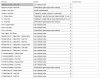
I'll carry on experimenting. The only other thing I can think of is setting up the outbound parameters differently, but I think I've run out of combinations ... Is anyone out there (with working caller ID) willing to share theirs? I have attached mine to this post.
 

Attachments

  • Outbound Parameters.JPG
    Outbound Parameters.JPG
    108.9 KB · Views: 581
Seeing that you have tried quite a few combinations, I would recommend you give your Provider a call and:
1) Ask them if they allow you to present a different caller ID
2) If yes, ask them what SIP field they require the new Caller ID in (also ask if it must be in a specific format).
3) Depending on what they tell you, in the corresponding SIP Field in the Management Console change the variable to "OutboundCallerId".
4) Make a test call from an extension while running a packet capture, open it with Wireshark and confirm if the correct value is in the correct SIP field or not.
 
Status
Not open for further replies.