Solved Outbound Calling - Line number option not acting

Status
Not open for further replies.

aastitvabeing

Customer
Joined
Feb 22, 2019
Messages
27
Reaction score
3
Hi,

The Line option in Outbound is supposed to call based on the outbound SIP policy.

But unfortunately, when we are trying to call using Line 2, 3 and 4, the call is getting routed through Line 1 only.

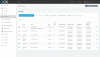
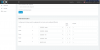
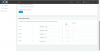
Please note the screenshot.

Regards,
Deepak
Web Admin
 

Attachments

  • 3CX Error-Line2.png
    3CX Error-Line2.png
    99.9 KB · Views: 65
  • 3CX Error-Line1.png
    3CX Error-Line1.png
    37.3 KB · Views: 61
This is correct, how you have set it up. Route 2, 3 , 4 etc will only kick in if can not make the call using the previous route. So the way you have set it up all calls with use route 1, if route 1 is down then it will use route 2, and so on.

Guessing you want to route calls using the correct country codes , you need to configure outbound rules with prefix of each country and setup the correct routes.

Info on outbound rules - https://www.3cx.com/blog/voip-howto/outbound-rules-a-complete-example/
 
  • Like
Reactions: YiannisH_3CX
@Saqqara - Thank you for your update. I am not configuring to set country based dialing policy, but a route based policy, as per the availability of the SIP trunk.

So, I had pulled down the route 1 SIP, to see if the calls are getting routed to Line2. As per the link mentioned by you and the outbound call policy principles, calls should get routed from the available SIP trunk in Line2.

The calls are not getting routed by Line 2 and giving me a voice error of 'Cancelled'.
 
You need to look at the activity log, to see why the calls are failing with that particular sip provider.

Are you presenting the sip provider with the correct format of telephone number ?,

Is the Sip provider blocking certain calls i.e. international calls.

As you are getting an voice message, I would say the issue is with the SIP provider.
 
@Saqqara - Thank you so much for your quick response.

  1. The 3CX activity log is recording the call but with duration 2 sec.
  2. The call is not reaching to the service provider.
  3. When I am enabling the Line-1 SIP Trunk option the calls through are doing very well. The record of these calls is getting registered with the SIP Trunk provider log too.
  4. The moment, I am pulling them down the SIP Trunk -1 configured in Line-1, the calls are not getting routed through Line-2.
  5. The SIP trunk provider for Line-1 and Line-2 SIP Trunk are the same. But they are two separate SIP Trunks, with 2 separate user ID.
  6. I have checked with SIP trunk provider support. They have confirmed that the calls are not reaching to the SIP trunk 2, configured for Line-2 in 3CX.
The error mail that I got from 3CX server is given below:

Device +9193xxxxxx dialed on (AnyLine@xxxxx- INDIA) had no available outgoing trunk(s) for Call(from "Reception ABF"<sip:[email protected]>;tag=488eab16-da4d-4f30-bf45-49114f60e1fd to +9193xxxxxxx)

This clearly means Line-2 is not being taken up.

I also checked the SIP Trunk configuration, to be double sure. There is no restriction in terms of country code or otherwise.


Regards
 
Last edited:
Can you swap the outbound rules to trunk 2 is at the top to ensure it is working?
It looks like it only tried on India and did not fail over for some reason.
 
Hello @aastitvabeing

The routes of the PBX are there to route calls out different trunks if the primary trunk is not available or sending an error. And there is a lists of error codes that triggers the failover to the second route. More here: https://www.3cx.com/docs/multiple-outbound-call-routes/
Make sure that your outbound rule criteria match the call you are trying to make and try again.
 
I would build on what @craigreilly has suggested. Create new outbound rule, for testing, that uses only the second provider. You can build it to use one number (your mobile perhaps) only for test purposes. Put that rule above the "general" rule in the outbound rules so it will be selected when matched. If you dial that particular number it should then route out on that trunk. Does that work? If not, then you will need to confirm with the provider, why not. Have you used the second route successfully in the past?
 
Last edited:
  • Like
Reactions: craigreilly
@craigreilly @YiannisH_3CX @leejor - Thank you for all your co-op.

Case-1> I changed the Line -1 from India trunk to another trunk of the same service provider. The result is, the line is not going through. Please note the image attached (a) 3CX Error-Line3 (b) 3CX Error-Line

Case-2> Now, I changed the Line-5 to Callcentric, keeping the Line-1 same as in Case-1 above. The calls are automatically jumping to Line-5 and getting routed through Callcentric.

Case-3> The moment I am enabling the Line-1 to India, the calls are going through Line-1.

Case-4> I tried creating another Outbound Rule, with predialing of 8, to segregate the outbound. Still, 3CX is not routing through other Zadarma SIP apart from India. But the moment I am configuring Line-1 to Callcentric, the calls are getting routed easily through Callcentric SIP trunk.

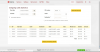
I contacted Zadarma, and they are saying the issue is with your EPABX and not Zadarma, as the other SIP lines are enabled, but they are not receiving the call. I have also included the statistics of Zadarma. The USA number also is getting called from the same interface 769107. That is the Zadarma India SIP. Please note the image (c) 3CX Error-Line5.

This clearly means 3CX is getting only routed through the other Zadarma SIP apart from Zadarma India.

Inference - 3CX is not taking the other Zadarma SIP. Maybe because all the SIP trunk has similar SIP ID sip.zadarma.com.

I know the post is becoming a bit complex. In case any more clarity is required do update me.
 

Attachments

  • 3CX Error-Line5.png
    3CX Error-Line5.png
    107.7 KB · Views: 13
  • 3CX Error-Line4.png
    3CX Error-Line4.png
    32.4 KB · Views: 12
  • 3CX Error-Line3.png
    3CX Error-Line3.png
    70.3 KB · Views: 12
Last edited:
You really need to look at the activity log, showing us screenshoot in your previous post does not help.

On the sip line, have you enabled incoming and outgoing calls.

If you disable all the sip lines by changing the server name (this will stop the sip line registering) and test each line one by one what happens - changing the outbound rule to use the enabled sip in route 1.

What happens if you dial the sip number, does 3cx see it and route it according

If this does not work, you will have to Wireshark trace
 
Why do you have , what appears to be, four trunks, same provider, different "destinations", all through the same host (sip.adzarma.com)? It appears, from your post, that all four "trunks" go to the same provider (same server/location) and not something like sip.adzamara.co,uk, or sip.adzamara.us.com? Why are you not simply using one trunk route, to that provider, for all calls?
 
Sorry for delayed response. I was only able to sit and work on the 3CX.

I have now kept one trunk, and only one trunk is enabled by the service provider.

The calls are not getting routed by 3CX and giving me an error of cancelled.

@leejor - The reason for configuring different SIP trunks are the following:
  1. Each trunk gives 3 channels.
  2. For each trunk, the Caller ID is based on the country number, in the Zadarma portal.
 
I could solve the problem. Oops. Instead of configuring the generic trunk, configured WordWide>Skype and then changed the SIP address. It is working good, and wonderful. Line 1 is configured to India Zadarma SIP, Line 2 is configured with US Zadarma SIP, and Line3 with UK Zadarma SIP. All the SIP is taking as the country extensions given.
 
Compare the outbound trunk settings, in the original Generic Trunk settings, with those used in the current (new) template. Obviously there was originally some setting that the provider did not like. Seeing as you use Zadarma, what made you choose to try a Skype template?
 
  • Like
Reactions: aastitvabeing
Glad to see the issue has been resolved.
 
Status
Not open for further replies.

Forum statistics

Threads
111,916
Messages
589,717
Members
164,785
Latest member
Texas Clay -