Solved Outbound Calls not working - Twilio

Status
Not open for further replies.
I am using an Asus router.
SIP ALG is disabled/off.
3CX firewall check passes every test.
 

Attachments

  • 3cx-5.png
    3cx-5.png
    76.4 KB · Views: 22
In speaking with Twilio, the reason outbound calls are failing is because I am not authenticating with them. And the reason I am not authenticating with them is because my local/private IP address is being passed, not my public IP that has been added to the Twilio ACL config.

Could someone tell me where this ip/hostname is defined in 3CX, and how to change it?

3CX-log.png

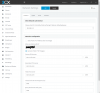
I have verified that my correct public IP is being returned from the 3CX STUN servers (it's reported on the "Information" block on the dashboard). Below are my current network settings.

3CX-network-settings.png
 
What you are seeing in the event log is correct as the response is for the invite from your extension "John Dugan"<sip:[email protected]>". The PBX will send the correct info in the Invite to the provider if the default template is used. I have just verified the settings and i have successfully made an outbound call.
Make sure that you follow the guide and make sure that your public IP has not changed. As you can see in the guide a static public IP is required for this to work. If your IP changes then calls will fail.
Also make sure that the correct number format is sent as you need to present the numbers in a E164 format. You need to configure your outbound rules to reflect this correctly.
You could run a wireshark capture to verify that numbers are sent correctly and the IPs are correct.
 
> The PBX will send the correct info in the Invite to the provider if the default template is used.

Where is the "default template" defined? Are you talking about simply following the 3CX/Twilio documentation, or something conceptually distinct, ie: an actual file with code that defines a template? If the latter, where are those files stored and how are they accessed and modified?

I am running 15.5 on Debian. I don't see any mention of templates on Debian in the documentation I cam across.

> As you can see in the guide a static public IP is required for this to work.

I understand. I am only testing 3CX + Twilio now for a larger deployment. Generally speaking, my dynamic IP remains unchanged unless I have issues with the physical line, and/or require the connection to refreshed/troubleshooted from my ISP's end. That said, I still do have "Dynamic Publish IP (IP changes)" selected in my 3CX network settings. Is it required that I select and define "Static Public IP (IP Address does not change)" for outbound calls to work?

> As you can see in the guide a static public IP is required for this to work.

I am confident that my outbound rules are correct.

--

I appreciate the help!
 
Where is the "default template" defined? Are you talking about simply following the 3CX/Twilio documentation, or something conceptually distinct, ie: an actual file with code that defines a template? If the latter, where are those files stored and how are they accessed and modified?

If you add a trunk you have the choice to choose a country and select a supported provider from that list. Twilio can be found under Worldwide. After selecting Twilio and clicking OK you are presented with the trunk settings pre-configured for Twilio. That is the default template. For providers that are not supported you need to use a generic template.

Is it required that I select and define "Static Public IP (IP Address does not change)" for outbound calls to work?

No, Twilio does not know the setting you have selected in the PBX. The guide suggests that you need to have a static IP so that it does not change. If the IP changes Twilio cannot identify you.


Run a wireshark capture while you attempt an outbound call and check if the number is sent correctly from the PBX.
 
If you add a trunk you have the choice to choose a country and select a supported provider from that list. Twilio can be found under Worldwide. After selecting Twilio and clicking OK you are presented with the trunk settings pre-configured for Twilio. That is the default template. For providers that are not supported you need to use a generic template.

I did that. The issue is resolved now. The problem was that I needed to switch the "Type of Authentication" in SIP Trunks > {Twilio Trunk Name} from "Register/Account Based" to "Do not require - IP Based".
 
Glad to see the issue has been resolved and thank you for sharing your solution
 
I have started to test this and cannot get outbound calls to work, I created a credential list but no matter what i put in it, everything is ignored and now i cannot remove the list and inbound calls have stopped. can anybody shed light on the credential list?

do I need to change all the users in 3cx to have longer passwords
Do i need to create a user name/password in Twilio and then add that to 3cx???
 
I use IP based with Twilio without a credential list.
If you are using IP Based - why create a credential list?
 
I added the credential list as i could not get a single call to go out and the 3cx walkthrough said you need them but not what to do with it, now inbound calls have stopped and i cannot get rid of the list
 
All products - elastic sip - authentication - credential list
i'm not going to add one to my trunk for fear I won't be able to remove it.
i just want tn ensure you are going to the right place.
next step - contact Twilio to help remove.

on twilio - my outbound rules are prepended with a +
so that perhaps?
 
I tried their chat but didn't have any clue about anything, the inbound calls worked fine for a bit but now its all gone to rubbish since i added the list that cannot be edit, deleted or remove user.
 
I tried their chat but didn't have any clue about anything, the inbound calls worked fine for a bit but now its all gone to rubbish since i added the list that cannot be edit, deleted or remove user.
 

Attachments

  • 2018-04-09 10_02_04-Twilio Console - Sip Trunking Authentication Cls.png
    2018-04-09 10_02_04-Twilio Console - Sip Trunking Authentication Cls.png
    41.5 KB · Views: 45
All products - elastic sip - authentication - credential list
i'm not going to add one to my trunk for fear I won't be able to remove it.
i just want tn ensure you are going to the right place.
next step - contact Twilio to help remove.

on twilio - my outbound rules are prepended with a +
so that perhaps?

does your system work with their sip in its current format?
 
it says "cannot be deleted when associated with a current trunk" or something similar, but no way to remove association
 
it says "cannot be deleted when associated with a current trunk" or something similar, but no way to remove association

Go to the Trunk in Twilio then Termination, place your cursor in the line for Credential Lists, press backspace to clear. Then click save.
 
I managed to create a new blank list, added that, deleted the old then the new so now back to no lists but still nothing is working
 
the calls coming in and out are failing again because of the caller id "The supplied caller ID has not been verified for the account." even though it was working and is their number.
 
the calls coming in and out are failing again because of the caller id "The supplied caller ID has not been verified for the account." even though it was working and is their number.

You can verify under Phone Numbers > Verified Caller IDs
 
You can verify under Phone Numbers > Verified Caller IDs
it is their number so should stay working as my number wouldnt work even after the text
 
Status
Not open for further replies.

Latest Posts

Forum statistics

Threads
111,885
Messages
589,545
Members
164,744
Latest member
johnblackwood1