Paging Speaker not registering

Status
Not open for further replies.

SAM Inc.

Joined
Jan 23, 2015
Messages
8
Reaction score
0
We have 6 speakers through the office on different floors. All of them work. But for some reason, one of them isn't registered. So you can't page to it as an isolated page. It does work however if you send an office wide page?

How can I get this speaker registered so that they can have the option to page only to that one if needed?
 
If these are stand-alone SIP devices, and one does not show as registered (in 3CX), then check the 3CX server logs to see if it says why it's not registered (incorrect password?), or re-provision the settings on the device and see if that makes a difference.

What male/mode, are these devices? That info might help.
 
Check to see if your paging system is using multicast, sounds like it may do both that would explain why it's not registered but does the paginging.

if it's multicast check your ring groups
 
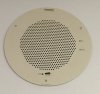
Ok here is a pic of the type of speakers we're using.


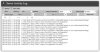
I checked the Server Logs and the only thing it shows is what I already know.


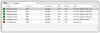
Another shot showing unregistered:
 

Attachments

  • FullSizeRender.jpg
    FullSizeRender.jpg
    208.6 KB · Views: 722
  • speaker 6 -2.jpg
    speaker 6 -2.jpg
    196.4 KB · Views: 723
  • speaker 6.jpg
    speaker 6.jpg
    87.5 KB · Views: 723
jasit said:
Check to see if your paging system is using multicast, sounds like it may do both that would explain why it's not registered but does the paginging.

if it's multicast check your ring groups

Sounds hopeful...how do I check that?

--scratch that.. found it.
Not resolved yet though.
 
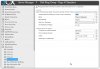
check your ring groups it looks like your speakers might support multicast, here is a picture of my setup.
 

Attachments

  • ring group.PNG
    ring group.PNG
    26.9 KB · Views: 724
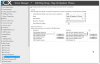
Ok here are 3 screen shots showing what is set up.
Just looking at them I can't tell why the one speaker (speaker 6) is not registering.
 

Attachments

  • mulit 1.jpg
    mulit 1.jpg
    198.7 KB · Views: 719
  • multi 2.jpg
    multi 2.jpg
    236.2 KB · Views: 719
  • multi 3.jpg
    multi 3.jpg
    229.3 KB · Views: 718
K, so the first image shows you are using a combinations of multicast paging and sip paging, which is why its working with the all the speakers extension 8080 is associated with multicast.

if you goto the cyberdata website, you can download the manual and the app to reconfigure the sip settings. just don't wipe out the multicast settings.


instead of using sip, you can have multiple multicast settings too, I believe. the nice part of multicast is that the system doesn't need to make individual sip connections to each of the speakers to send out a page, the speakers listen on the multicast channel and broadcast what ever is sent.
 
K, so the first image shows you are using a combinations of multicast paging and sip paging, which is why its working with the all the speakers extension 8080 is associated with multicast.

if you goto the cyberdata website, you can download the manual and the app to reconfigure the sip settings. just don't wipe out the multicast settings.


instead of using sip, you can have multiple multicast settings too, I believe. the nice part of multicast is that the system doesn't need to make individual sip connections to each of the speakers to send out a page, the speakers listen on the multicast channel and broadcast what ever is sent.
 
Status
Not open for further replies.

Members Online Now

Forum statistics

Threads
111,835
Messages
589,289
Members
164,667
Latest member
Infinity Network