Solved Park Keys

Status
Not open for further replies.

Tarheels

Platinum Partner
Advanced Certified
Joined
Dec 22, 2016
Messages
64
Reaction score
1
My park keys show they are registered but when they are pushed they say park failed unknown
 
Can you see anything in Activity Log when trying to park a call?
 
Hi Tarheels,

What handsets are you using and what firmware version are you running on them ? Or is this issue using the Park keys on the Soft-client ?
https://www.3cx.com/sip-phones/

What do you see in your logs ? you may get an error - for example:

Call to sip:[email protected]:5060 has failed. Cause: 486 Busy Here, from IP: 127.0.0.1:40000
Reason: Busy.
 
  • Like
Reactions: eddv123
I am using firmware 28.82.0.20. 3cx Version 15.5.5 standard edition
 
I put the phone back to firmware 28.81.0.110 and now the park keys work. 3CX says that isn't a supported firmware version.
 
Std template or custom ?

You will get the message about the firmware, as 3CX is highlighting your are running a previous version - you can ignore it
 
Standard. So I shouldn't upgrade the firmware when I see it not supported in 3cx
 
As it would appear you had issues, and going back has resolved it - i would not upgrade yet until you can resolve the issue

You could

1. Check for templates updates
2. Check the blf keys, under the extension to see if these are correct
3. Upgrade one phone firmware, and re-provision the phone to see what happens

How are the phones connected - local lan, sbc or stun
 
The phones were local but i am putting them on a sbc.
 
The park keys were losing registration
 
There should be other issues then, either with your network or with the firmware of phones. Try upgrading to latest supported firmware and reprovision them, as Saqqara advised and try to identify the issues, if continued, with Wireshark.
If not a firmware bug, there should be a distinct reason for losing registration.
 
Could try resetting the phones, and reassigning to the extension.

Press the 'OK' button on the phone until you get 'Reset to Factory default'
Delete the phone against the extension with console
Reassign the phones to the extension

As above, no need to run SBC on an internal network setup - are the phones and server on the same network address range ?
 
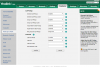
I had the same problem and solved it by setting park settings like this:
park.PNG The key was clearing the park codes which were needed in previous version. IT works with park enabled or disabled as 3CX handles this.
 
I've been working with Yealink regarding this issue and I may have located the fix. It seems that I had to manually add an option to the provisioning templates that is not present by default.

features.call_park.park_mode=2
## It configures the call park mode. 0-XSI, 1-FAC, 2-Transfer

@jimbo59 You're fix wouldn't work for me as 'Transfer' isn't an option in my particular phone for some reason. FAC was the only option after the upgrade to the newest firmware.
 
I have passed this onto our IOT team of IP-Phone to check.
 
After contacting Yealink, the default value of this field should be in all V82 Firmwares Transfer.
However to ensure the setting, it will be added in the template.

In case you dont have this option at all in the GUI of the device, you must contact Yealink directly as this is nothing which can be controlled by 3CX.
 
Status
Not open for further replies.

Latest Posts

Forum statistics

Threads
111,880
Messages
589,533
Members
164,733
Latest member
HLISolutions