PBX Express in AWS

Status
Not open for further replies.

FrankMr

Free User
Joined
Oct 5, 2017
Messages
15
Reaction score
0
Hi Frank,

Can you tell me what region you selected please?
 
Hi John,
i selected eu-central-1.
In aws i've an instance type t2.micro, just for a test.

Best,
Frank
 
did you create keypair in same region you selected eu-central-1 ?
 
Hi,

It works fine, so I would recommend to double check you followed all the steps in the guide accordingly.

We just tested this using Chrome and as per the guide above successfully.
 
Hi,

It works fine, so I would recommend to double check you followed all the steps in the guide accordingly.

We just tested this using Chrome and as per the guide above successfully.
Hi John,
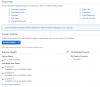
i use chrome, I attached the screenshot.
Could be possible that the instance t2.micro it's not compatible?

Best,
Frank
 

Attachments

  • 3cx.PNG
    3cx.PNG
    8.7 KB · Views: 11
  • aws.png
    aws.png
    29.7 KB · Views: 11
The PBX Express wizard should create the machine for you, you don't need to have one already.
 
This was my mistake first time i used this too, manually created a vm before pbxexpress do it alone
 
The PBX Express wizard should create the machine for you, you don't need to have one already.
I tried without instance but it's the same :/ any idea?

Best,
Frank
 
Try running it via an incognito window, to ensure no chrome extensions can get in the way.

And, note step 8 where the data center must match with the region
 
Try running it via an incognito window, to ensure no chrome extensions can get in the way.

And, note step 8 where the data center must match with the region

I tried but it's the same :(
Now in aws i have only the keypair like in attached, it's right?

11954
 
Status
Not open for further replies.

Forum statistics

Threads
111,933
Messages
589,810
Members
164,808
Latest member
jsbjsb