Port 5015 on Azure only IPV6

Status
Not open for further replies.

srttbe

Bronze Partner
Basic Certified
Joined
Apr 18, 2014
Messages
11
Reaction score
2
Hello,

I'm installing a 3cx on azure using the official image and a static public address.

At the first run, the port 5015 is only open for IPV6 as netstat -patu show
After a reboot, the port 5015 is not open at all, after a reboot either.

Checking the status of 3cx* services shows nothing, trying to start the service is useless.

We are connected with a VPN on azure so we can access the private IP without any issue.

After a double check is not a firewall issue.

What can I do.

Thank for your help.

Michel.
 
Hello Cobaltit, thank for your reply.

I have already deployed several 3CX with the marketplace image, in principle it works. The one I want to install is already on our tenant. It's a V16 and I upgrade it to V18. It has to be installed in a specific subnet that already has the NSG configured specifically for 3CX and in a specifc ressource group to allow our accountig process. It's not installing a 3CX on a new basic Azure tenant. :)

In addition, our Azure tenant hosts many other VMs and granting access to an external company poses obvious security issues, not to mention access to our M365s which are on the same AD. I forgot, everything is in MFA.

Best regards.

Michel.
 
@srttbe when you create the machine and then you reboot it, then yes it is logical to loose the installation wizard as it a one time run and you need to re-enable it with " usr/sbin/3CXWizard --cleanup "
Now about IPv6, when you create the machine from Marketplace, on the Subnet section what do you see there ?
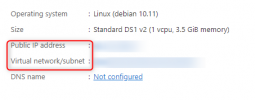
Also, after the creation when you click to go to Resource, what is the Public IP and the Virtual network you see there ?
You can also click on the Virtual network and check what is provided there.
 

Attachments

  • creation.png
    creation.png
    12.4 KB · Views: 9
  • public.png
    public.png
    12.9 KB · Views: 10
Hello Nikos; Thnak for your reply.

The setup is usual, without IPV6 and with the IPV4 stack working, I can access SSH with IPV4 and ping outside from the VM.

This said, /usr/sbin/3CXWizard --cleanup activates the port 5015 on IPV4 and solved the issue. I do not know why it did not run at the initial startup.

Thank for your help.

Best regards.
 
  • Like
Reactions: NikosT_3CX
@srttbe to be honest its impossible from the PBX side to do someting like this, this mainly depends on the subnet and what its assigned to the VM.
Think about it, 3CX is a sofware and only listens to the assigned IP on the OS. If you cant find IPv4 there, not a lot we can do :)
I am glad all is smooth now for you !!
 
Maybe the PBX doesn't know it's impossible. :)

I can assure you that between the installation and the cleanup I have not changed the network configuration at all.

No matter, it's work.
 
  • Like
Reactions: NikosT_3CX
Status
Not open for further replies.

Forum statistics

Threads
111,974
Messages
590,083
Members
164,900
Latest member
Silent_Guru