Port selection for Outbound calls on Patton 4114 incorrect.

Status
Not open for further replies.

rocketman

Joined
Dec 19, 2008
Messages
11
Reaction score
0
I have the Patton 4114 with extensions 10000 - 10003 as follows:

10000 = fxo 0/0
10001 = fxo 0/1
10002 = fxo 0/2
10003 = fxo 0/3

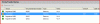
Ports fxo 0/1 and fxo 0/3 do not have anything plugged into them, but the port status screen shows my outbound calls on port 10001. Is the is configuration issue with the 3CX software, a Patton issue, a user confusion error (that would be me), or a bug? Here is a screen shot.
 

Attachments

  • port status.GIF
    port status.GIF
    10.2 KB · Views: 1,733
3cx see only the sip lines from patton and login to them. 3cx can not see the status of the fxo ports behind the sip lines. The easiest way is to deactivate the port 10001 and 10003. I hope I understand your question because my english is not very well.
 
Hi

If there is nothing plugged into the ports, can you confirm that you have disabled the 'Allow inbound' AND 'Allow Outbound' calls from these lines within the 3CX UI > PSTN Gateways > Patton > Line number ? Please check this out since a line / port that is disabled from calls would not be polled when addressing the Patton for the first available line.

Please advise so that we may investigate if required.
 
Disabling inbound and outbound calling on those lines did force it to use 10002 instead of 10001. However, I still cannot understand how to specifically direct the calls to a certain line. Are you saying that the four virtual ports are NOT tied to the physical ports in any way?

Is there a way to direct a call to specific port on the 4114? I intend to use all four ports, but I want to control what calls go to which ports (lines) as they all have different Caller ID and billing plans.

By the way, matictec, your English is very good and I had no trouble understanding your post. Thanks.
 
Maybe using the method described in this post?

http://www.3cx.com/forums/routing-extensions-to-specific-outbound-ports-8574.html
 
Well, that's my other post on a similar subject. The only problem is I have the Patton 4114 and he has the Grandstream so I don't have the choices he has. I just don't know enough about this to come up with any workarounds; I simply loaded 3CX and ran the template for the 4114 and it worked. Just can't seem to get the outbound port selection figured out.
 
Hi

The only way to achieve this is an unsupported method as follows;

1. Create Patton 4114 config using the 3CX documented way.
2. Save and upload the confg file.
3. Delete the lines from 3CX
4. Redo each Patton line 4 times, using that same IP but cycling the ports to 5060/2/4/6.

This will give you 4 gateways instead of 1 in your outbound rules to choose from...then if in your court to set rules as required.
 
Thanks, William. I got it to work by having a different outbound prefix for each line so 9 goes to line one, 8 goes to line 2, etc. I will continue the testing to see if I can get all the functionality I have in the Panasonic system. Thanks again.
 
Re: Port selection for Outbound calls on Patton 4114 incorre

Hi rocketman, did you follow Williams instructions. I cannot clearly see the Patton and 3CX sections of the config file. Are you able to clarify this point? Kind regards,

Graeme
 
Status
Not open for further replies.

Members Online Now

Forum statistics

Threads
111,860
Messages
589,437
Members
164,700
Latest member
Apollo Cloud