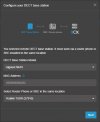
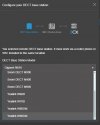
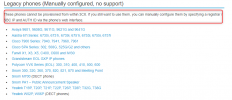
Thank you for responding! I guess my info at the bottom of my original post does not make sense. I have updated it below.
I have the W52P DECT Phone. The W52P is the one I am having issues with. I am able to update the base firmware but not the handset. When I try to upgrade the handset I get "RPS Failed" on the handset screen. I have been speaking with Yealink and have pasted our conversation below if that helps. Also, I do not see any firmware on the Yealink website that says that it is for the handset specifically.
• 3CX Version: Free
•
Is the 3CX Server Hosted and where? Hosted by 3CX
• Router Phone: Yealink T53W
•
IP Phone Make/Model/Firmware version: Yealink W52P. Base firmware version 25.81.0.30
•
Provisioning Method: Followed steps online.
https://www.3cx.com/sip-phones/yealink-dect-w52p/#h.7dibl1nchwtg
•
Trunk Provider or VoIP Gateway Make/Model: Flowroute
•
Has the Firewall Checker passed: NO
•
Are custom Phone Templates being used: NO
Yealink Ticket Information:
Alain_Yealink Reply Issue Mon Feb 26 14:32:37 CST 2024
Hi Sir
Please access the base station website and implement this parameter:
phone_setting.indicate_rps_result.enable = 0
BR
Alain
mcussins Reply Issue Mon Feb 26 14:41:46 CST 2024
Hi Alain,
Thank you for your help!
Can you please let me know where I would implement this parameter?
Basically, where do I need to navigate to once I am base station website and how do I do it once I am there?
Thanks again,
Mike
Alain_Yealink Reply Issue Wed Feb 28 17:55:46 CST 2024
- Add Attachment "template.cfg"
Hi Mike
Please import the attachment in the Website->Setting->configuration and implement it.
BR
Alain
mcussins Reply Issue Thu Feb 29 08:07:54 CST 2024
- Add Attachment "template config file.jpg"
HI Alain,
Thank you for providing the attached file!
I imported the template.cfg file using the Import CFG Configuration File option. Please see attachment.
I installed the latest firmware found on your website (25.81.0.160). Which I obtained from Yealink's website
https://support.yealink.com/en/portal/docList?archiveType=software&productCode=9a7f15b8a9e10ded
I upgraded the base and that worked fine. Then I tried to upgrade the handset and received an "RPS Failed" message on the handset.
Please let me know what I need to do to make this work or if I did something wrong.
Thanks again for your help!
Mike
Alain_Yealink Reply Issue Thu Feb 29 14:49:25 CST 2024
Hi Mike
May I know how many handsets have been affected by the "RPS failed" issue?
Since W52P is a very old product right now, Some of issues may caused by the hardware.
BR
Alain
mcussins Reply Issue Fri Mar 01 03:20:00 CST 2024
I have one handset. I know it old but it was still working when I received it. It was still able to make calls for the previous owner.
Did I input the configuration file in the right place?
Thanks again for you help!
mcussins Reply Issue Sun Mar 03 05:46:20 CST 2024
Wouldn't the "RPS Failed" error happen because it was registered to someone else?
If so, wouldn't we need to remove the previous owner so I can use the phone.
That is what was done with another phone I have (Yealink T53w).
Thanks again for your help!
Alain_Yealink Reply Issue Wed Mar 06 11:23:12 CST 2024
Hi Sir
I have removed the MAC address from our RPS server. Please try it again and give us feedback.
BR
Alain
mcussins Reply Issue Fri Mar 08 00:14:32 CST 2024
Hi Alain,
Thank you for removing the MAC address!
I installed “Base for W52P&W56P-25.81.0.60.rom” on the base. I downloaded the firmware from
https://support.yealink.com/en/portal/docList?archiveType=software&productCode=9a7f15b8a9e10ded
The firmware on the handset is 26.73.0.24.
I tried to upgrade the firmware on the handset using “Base for W52P&W56P-25.81.0.60.rom” and it still gives me the same "RPS Failed" error.
I have factory reset both the base and the handset and went through the process several times and I still get the same error.
The phone worked for the previous owner and actually worked when I plugged it in to my network. I was able to make calls with it but it was registered to their number so I factory reset the phone.
Can you answer the following questions?
1) Am I installing the correct firmware version?
2) 3CX says that I need to use 25.81.0.30 firmware. Can I use the 25.81.0.60 or the 25.81.0.160?
3) Is the same firmware used on the Handset and the Base?
4) Does each version of the firmware contain all the information of the previous versions?
5) To ask it another way. Do I need to install older versions of the firmware and then progress to the more recent versions to get all the upgrades?
6) I am following the process that 3CX recommends to manually reset, upgrade and provision the phone. Can you tell me if the process is accurate?
https://www.3cx.com/sip-phones/yealink-dect-w52p/#h.7dibl1nchwtg
Thank you again for all of your help!
Mike
Alain_Yealink Reply Issue Wed Mar 13 16:33:34 CST 2024
Hi Sir
Here are the answers for your questions:
1) Am I installing the correct firmware version?
->The version is correct but it's very old, Need to update it to the latest firmware version, You can download the firmware version via this link:
https://support.yealink.com/en/portal/docList?archiveType=software&productCode=9a7f15b8a9e10ded
2) 3CX says that I need to use 25.81.0.30 firmware. Can I use the 25.81.0.60 or the 25.81.0.160?
->I recommend you use the 25.81.0.30, Beacuase this version is certificated by 3CX which means some of function are supported by 3CX on this version.
3) Is the same firmware used on the Handset and the Base?
-> Handset and Base use the different firmware versions.
4) Does each version of the firmware contain all the information of the previous versions?
-> No, Firmware version change only contain the configuration and parameter, We don;t release the changelog on the Rom download file.
5) To ask it another way. Do I need to install older versions of the firmware and then progress to the more recent versions to get all the upgrades?
->We recommend you use the latest firmware version to avoid some exist bugs.
6) I am following the process that 3CX recommends to manually reset, upgrade and provision the phone. Can you tell me if the process is accurate?
https://www.3cx.com/sip-phones/yealink-dect-w52p/#h.7dibl1nchwtg
-> The way is correct, But the problem is not related to the factory reset, It related to this base station doesn't get authorized by server.
Alain