Provisioning of Fanvil W610W fails

nurfz

SOHO User
Joined
Oct 5, 2022
Messages
3
Reaction score
3
Hi there,

I already successfully added one W610W WiFi IP phone to our cloud 3CX but fail to add new ones.

  • 3CX cloud-hosted at xxx.my3cx.de - latest Version 20.0 Update 7 (Build 1060 Release)
  • Fanvil W610W Firmware 2.14.0.19 - the one listed as supported and tested here: https://www.3cx.com/docs/phone-firmwares/
  • Latest Firmware 2.14.4 doesn't work either - https://fanvil.com/service/doc/soft/w610w/index.html
  • The phones web interface works fine (still unprovisioned with default user/password)
  • Our SBC is running on a Raspberry Pi (in the same network as the WiFi phones are; the Raspberry Pi can ping the phone)
I followed the instructions but after the phone reboot, it does not get provisioned.

When opening the provisioning URL showed by 3CX, it is 404 Not Found:

https://xxx.my3cx.de/provisioning/xxxxxxxxxxxx

This looks more like a 3CX problem to me, when the provisioning URL is 404?!

Any ideas?

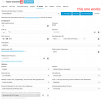
I attached two screenshots, one phone is working, the other not.
 

Attachments
  • 1.png
    1.png
    110.7 KB · Views: 7
  • 2.png
    2.png
    96.9 KB · Views: 7
Last edited:
Hello

Just to be sure, did you try to download the config file yourself?
https://xxx.my3cx.de/provisioning/xxxxxxxxxxxx / MAC .cfg

You should be able to download this.
I have tested this on my own system, and that does seem to work, does this also work for you?

When looking at the 2 screen-dumps I have noticed a difference, could this be a change is firmware of the W610E phone, or the Template did change on the 3CX server.

Paulo
 
Thanks Paulo!

Oh, ok, the provisioning URL with "/" + MAC + ".cfg" appended DOES WORK. So that part is fine.

I just don't get the phone to configure itself after reboot. It's connected to the correct wifi though.

I think the difference in the screenshots is just because 3CX and the phone are not "paired" in the second screenshot.

Any idea how to get the Fanvil phone to use the provisioning URL?
 
Hi,

- Your SBC3CX must already be up and running before the device will request it's config file, otherwise no config file will be generated

- Your RPS functionality needs to be enabled in Phones > Options before you add the phone. Confirm via the Event Log that RPS was sent successfully for that MAC.

- Your Fanvil must be factory reset first. Then, when you power it up and connect it to WiFi, it will take a minute or so to fetch its config file from 3CX and become provisioned.

- Pay attention to the limitations about names and BLFs here otherwise the phone will not provision even if all the above is perfect: https://www.3cx.com/sip-phones/fanvil-w-series/

- Even if you don't add the phone to 3CX, if you connect it to a WiFi that the can "talk" to the same LAN as your 3CX SBC, it will make the phone appear in Phones > PNP and you can assign it from there.
 
- Your RPS functionality needs to be enabled in Phones > Options before you add the phone. Confirm via the Event Log that RPS was sent successfully for that MAC.
That's it! After enabling this option, adding the phone again and rebooting it, it works!

I don't know why it worked last time with my first Fanvil. I certainly did not change this option.

Thank you!
 

Members Online Now

Forum statistics

Threads
111,834
Messages
589,287
Members
164,663
Latest member
svdDGS