Provisioning of Gigaset DECT N510 is not working

Status
Not open for further replies.

Jack4ever

SOHO User
Joined
Aug 26, 2020
Messages
36
Reaction score
3
is there somebody who can help provisioning a DECT N510 ?
I followed the steps described in the link below
https://www.3cx.com/sip-phones/manually-provision-gigaset-n510/

If the provisioning would be working I assume the device will added in the phone list ??
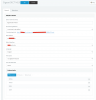
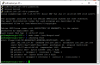
in the log file I don't understand everything what is written - but I can't find anything in the list with the MAC address of that device (FXS/DECT extension)
So where is it ? I guess the provisioning is not working.

I am running a PBX hosted by 3CX
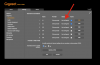
 

Attachments

  • Schermafbeelding 2020-09-01 om 22.27.47.png
    Schermafbeelding 2020-09-01 om 22.27.47.png
    95.7 KB · Views: 32
  • Schermafbeelding 2020-09-01 om 22.19.21.png
    Schermafbeelding 2020-09-01 om 22.19.21.png
    81.3 KB · Views: 30
just use google one 8.8.8.8
 
so with a 3cx cloud hosted pbx , STUN is impossible to use, you need to use only SBC
 
if you are unsure what you did for PI install , it 's easy way to scratch SD card, scratch settings in 3cx console and restart following steps from 3cx doc
 
Okey...raspberry pi is connected with laptop

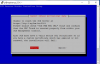
When I check the file that I created I have doubts if it is correct.
not sure about these adresses

static ip_address=192.168.1.111/24

static routers=192.168.1.1
View attachment 17837
 
do you think this is oke ?
1599075993382.png
 
I started from scratch - reformatted the SD card etc...
same result
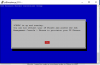
I am not sure about the port number 5001
1599079682128.png
 
I removed the port number and now its downloading :):):):):)
 
when cloud pbx most of the time port is 443 and not 5001 so when 443 is used you just need https://FQDN

You did a good job, for so few time being on 3CX.
next step is to restart trying to connect Gigaset N510, as this is an EOL device, there's no guide to use with SBC as it is 3CX unsupported even if it works fine
 
To succeed you need to connect N510 on same LAN as SBC and set a static IP, then you need to set like this behind SBC
  1. Domain : 3CX FQDN value
  2. Proxy Server Address : 3CX-SBC IP value
  3. Registration Server : 3CX FQDN value
  4. Outbound Server Address :3CX-SBC IP value
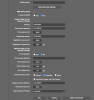
These 4 settings are available in advanced parameters for each extension set in N510 in Telephony/ connections
 
Last edited:
it is not on the same LAN
1599082919896.png
without this I guess it will not work properly ??
 
you need to replace by values not the text i pasted in my previous answer. Sorry if you thought it was this to be set in N510 GUI
 
change also on bottom "select network protocol " from automatic to UDP
 
you need to replace by values not the text i pasted in my previous answer. Sorry if you thought it was this to be set in N510 GUI
haha how stupid of me
ofcourse
 
it's time to sleep now so you are forgiven :p :)
 
  • Like
Reactions: Jack4ever
To succeed you need to connect N510 on same LAN as SBC and set a static IP, then you need to set like this behind SBC
  1. Domain : 3CX FQDN
  2. Proxy Server Address : 3CX-SBC IP
  3. Registration Server : 3CX FQDN
  4. Outbound Server Address :3CX-SBC IP
These 4 settings are available in advanced parameters for each extension set in N510 in Telephony/ connections

in fact I struggle to find this information

I assume the first is https://iip-1.my3cx.b
but the other...???
 
sbc ip is 192.168.2.118
 
Status
Not open for further replies.

Latest Posts

Forum statistics

Threads
111,962
Messages
589,986
Members
164,867
Latest member
swegner