Provisioning of Gigaset DECT N510 is not working

Status
Not open for further replies.

Jack4ever

SOHO User
Joined
Aug 26, 2020
Messages
36
Reaction score
3
is there somebody who can help provisioning a DECT N510 ?
I followed the steps described in the link below
https://www.3cx.com/sip-phones/manually-provision-gigaset-n510/

If the provisioning would be working I assume the device will added in the phone list ??
in the log file I don't understand everything what is written - but I can't find anything in the list with the MAC address of that device (FXS/DECT extension)
So where is it ? I guess the provisioning is not working.

I am running a PBX hosted by 3CX
 

Attachments

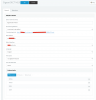
  • Schermafbeelding 2020-09-01 om 22.27.47.png
    Schermafbeelding 2020-09-01 om 22.27.47.png
    95.7 KB · Views: 32
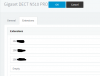
  • Schermafbeelding 2020-09-01 om 22.19.21.png
    Schermafbeelding 2020-09-01 om 22.19.21.png
    81.3 KB · Views: 30
are you trying to use N510 on same LAN or remotely?

did you manually paste provisioning url into N510 GUI ?
 
are you trying to use N510 on same LAN or remotely?

did you manually paste provisioning url into N510 GUI ?
the same LAN
yes I paste the provisioning address into the N510 as described in the steps by 3CX
 
which firmware release is running on N510 ?
 
not sure it may help but I have several N510 working fine in newer firmware 42.250
Your extensions are added in fxs/dect Extensions?
1599031882436.png
1599032005010.png
 
Last edited:
Firmware version:42.231 (422310000000 / V42.00)
I thought I was using the latest update. (even if I pressed the update button)

To do the firmware upgrade manually I need to get that file on a http server.
Trying to do this via CPANEL - but no idea how to find the url address of that file. (this is all new for me)
I can't use the download link of Gigaset itself because it is a zipfile.
 
Hi Jack,

Is your PBX hosted in the cloud?
 
finally his PBX is on cloud without SBC on location, so provisioning is not working
 
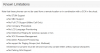
Ah ok, as per the known restrictions for this device, it cannot in this scenario

https://www.3cx.com/sip-phones/gigaset-n510/
1599045516797.png

However, if you have a local PBX or use your own hosting solution with site to site VPN, it should be ok.
Otherwise it might be a better idea to upgrade to a newer supported model that is not limited to LAN only.
 
also works fine behind an SBC
 
  • Like
Reactions: Jack4ever
also works fine behind an SBC
I followed your advice and installed an SBC on raspberry pi - for the first time .
as you said this would give a more stable connection during phone calls - and easier to add device extensions.
I think installation was going wel but it seems I need to install an SSL certificate.

The raspberry pi asked for authentication key id : after entering this the raspberry could not make connection.
I am missing an SSL certificate (I guess)
How can I do this ?

In the 3CX help file I only found installing from local installations on windows or Linux.
 
Last edited:
I think installation was going wel but it seems I need to install an SSL certificate.
normally you don't need to add certificate as it is already provided in 3cx install with Let's encrypt

is SBC connected green in trunk section ?
 
normally you don't need to add certificate as it is already provided in 3cx install with Let's encrypt

is SBC connected green in trunk section ?
no it is red.

I need to check everything again... but first I want to use the raspberry pi with my laptop instead of my tv. (with SSH - need to figure this out first)
Very annoying when the keyboard is not doing what you want.
 
did you set a static ip on PI?
do you have keyboard in qwerty or azerty? which one do you use in belgium?
 
once on line SBC cshould be connected green like example
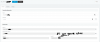
1599071959107.png
in SBC settings you should find details including Pi LAN address you set static during Pi install
1599072181514.png
 
you said your pbx is on cloud , where ? google? Amazon. ovh? Azure ? else?
 
you said your pbx is on cloud , where ? google? Amazon. ovh? Azure ? else?
it is hosted by 3CX .
They provide SSL certificate automaticaly like you said.
Maybe the DNS server address is wrong that I entered in the Raspberry pi. (I am not so good in these things) . I searched in my router for this address.
 
Status
Not open for further replies.

Latest Posts

Forum statistics

Threads
111,962
Messages
589,991
Members
164,867
Latest member
swegner