Provisioning X210-V2 as a Router Phone over 5G Modem

Status
Not open for further replies.

tmeahl

Customer
Joined
Jun 29, 2021
Messages
17
Reaction score
2
We have a remote employee who can only get internet access using a 5G Modem. We are currently using RingCentral and trying to migrate over to 3CX. The RingCentral phone works without issue on the 5G Modem.

We're using On-Premise, and I provisioned the X210-V2 out of the office using the Web Client. I figured it would work just fine acquiring a new IP when she plugged it in from her home, but the phone says "SIP Register Failed". We tried resetting the phone and re-provisioning starting fresh from her 5G router, but that didn't work either.

Is anyone aware of any settings on a 5G Modem/Router that may need to be adjusted to get this working?

Thanks for any input!
 
You’re setting it up as a router phone then? If you think it’s the location you could set it up elsewhere. Router phones are portable since they connect through themselves.

Also that’s wireless correct? Plug in to set it up then use wireless. Others have posted the router phone setup doesn’t like wireless…which 3CX will tell you is not recommended, because wireless.
 
I am not using wireless, it's plugged directly into the ethernet jack of the 5G modem.
Yes I set it up as a router phone through the Admin of the Web Client.
I first set it up from my house and it worked just fine, unplug the X210-V2, plug it into the 5G modem, and it gives "SIP Register Failed"
The strange thing is that the RingCentral phone works without issue on the 5G modem
 
That IP isn't blacklisted is it? Can they log in to the web client from home?
 
I am using a router phone, X210-V2 isn't that the same as SBC? I am not connecting over STUN

Yes it works while using Android app over WiFi on the 5G router

I double checked, there are no blocked IP's
 
Have you checked the 3CX Activity Logs (Verbose), to see if there is any useful information on what might be happening when the router phone attempts to connect?
 
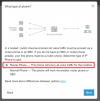
I suggest deleting the phone from 3CX, and then adding it again using the webclient admin panel (not the classic management console).

1689144213000.png

This guide explains the how-to and contains the prerequisite firmware
https://www.3cx.com/sip-phones/fanvil-x3-x5/


When you are done with all the above, your very last step should be to factory reset the phone.
 
  • Like
Reactions: [email protected]
Status
Not open for further replies.

Members Online Now

No members online now.

Forum statistics

Threads
111,835
Messages
589,289
Members
164,665
Latest member
dominik.pepel