Solved Query department holiday from call flow designer

Status
Not open for further replies.

Thomas Six

Platinum Partner
Advanced Certified
Joined
May 31, 2017
Messages
133
Reaction score
44
In the call flow designer, you can select 3cx holidays in a Date & Time condition. But when using with V20, which holidays will be used? The holiday from Default department?

And is it possible to use the holidays configured for another department?
 
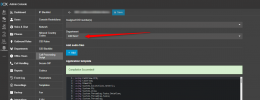
Yes it will follow the Default Office hours and Holidays. Keep in mind though that in the latest Update 1 you now have the option to assign the CFD to a Department:
1713242579003.png
 
What will happen if you select another department then the default one? Will it use the holidays of that specific department when you select 3cx holidays in the call flow designer?
 
Yes, it will check the Holidays for this department.
 
Hello

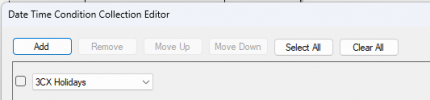
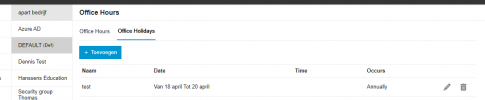
I did a test, but this is not working. Even the default holidays are not used anymore since upgrade to Version 20.0 Update 1 (Build 673 Beta).

1713529578816.png
1713529700742.png

1713529721656.png
 

Attachments

  • 1713529686650.png
    1713529686650.png
    8.5 KB · Views: 24
If you create a new holiday for the default department it does not following?
 
that's correct.
 
Can you please create a support ticket so we can check this further?
 
I've made a support ticket 1953924
 
Great, we will take it from there.
 
Currently, the CFD will check only global holidays, as there were in v18. We are working on releasing a new CFD version in which it will be possible to query holidays set under departments.
 
And how can we set 'global holidays' in 3CX v20?
 
This will apply to the Default department Holidays
 
And how can we set up a 'DEFAULT' department?
  • naming it 'DEFAULT' doesn't work
  • I have a department with a (def) after it's name, but CFD doesn't use this
 
And how can we set up a 'DEFAULT' department?
  • naming it 'DEFAULT' doesn't work
  • I have a department with a (def) after it's name, but CFD doesn't use this
3CX already has the default department, you don't need to create it. A CFD app will follow the working hours of this default department in v20. Once 3CX allows assigning a CFD app to a specific department, then the CFD app will follow that department's hours.
 
The problem is that the CFD doesn't follow the default department for the holidays, after the upgrade to v20.
 
When will this be solved? With version V20 you cannot use 3cx office hours anymore in the call flow designer.
Thanks in advance
 
Hello guys,

After digging a bit on this, I realized that the current version of the CFD Tool will generate C# code that will not use the new office hours from the departments. So until 3CX releases a new version of the CFD Tool containing the changes to work properly on v20, the only way to have this working is manually editing the C# code generated by the CFD.

These are the changes you need to do:
1) Add the following line under private OnlineServices onlineServices;
private OfficeHoursManager officeHoursManager;

2) Add the following line under this.timerManager.CallStarted();
this.officeHoursManager = new OfficeHoursManager(MyCall);

3) Replace everywhere:
IsServerOfficeHourActive(myCall)

with:
officeHoursManager.IsOfficeHours()

4) Replace everywhere:
IsServerInHoliday(myCall)

with:
officeHoursManager.IsHoliday()


With these changes to the C# code, the CFD app should work according to the following:
- When the CFD app is "system wide", it should follow the office hours for the "default" departament.
- When the CFD app is assigned to a departament, it should follow the office hours of that department.
 
Do you have an example? I don't find IsServerOfficeHourActive(myCall) but IsServerOfficeHourActive(ICall myCall).
 
IsServerOfficeHourActive(myCall)
This is the invocation, i.e. when you're using a condition with this.

IsServerOfficeHourActive(ICall myCall)
This is the implementation of the logic that will tell if the server is in office hours or not.

If you don't find IsServerOfficeHourActive(myCall), then your app is not using it, and you don't need to change anything.
 
Status
Not open for further replies.

Forum statistics

Threads
111,973
Messages
590,078
Members
164,896
Latest member
sameage