Queue Membership Not Displaying on Web Client Panel

Formsdirect

Customer
Joined
Mar 18, 2021
Messages
14
Reaction score
3
Hi everyone,

I'm experiencing an issue with one of our 3CX users and was wondering if anyone has encountered this before.

Issue:
One user is assigned as a member of multiple queues (the same queues as another working user), but on the Web Client Panel, the "Queue logged in to" column is completely blank.
Another user with the exact same queue memberships displays all assigned queues correctly.

What I've Verified
  • The user is assigned as an agent/member in all the required queues.
  • The Web Client → Settings → View → Queues has all queues selected.
  • The Select Queues section is also configured correctly.
  • Logged the user out of all queues (*63) and back in (*62).
  • Logged out/in of the Web Client.
  • Cleared browser cache and performed a hard refresh.
  • Verified the user's presence status isn't configured to automatically log out from queues.
  • Compared the queue configuration with another working user—they are identical.
  • Restarted the Queue Management/PhoneSystem service.
  • The issue persists across browser refreshes.
Expected Behavior
The assigned queues should appear under the "Queue logged in to" column, and the user should be logged into those queues.


Actual Behavior​

The "Queue logged in to" column remains blank, and the user appears to be logged out of all queues, despite being assigned to them.

I've attached screenshots showing:
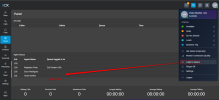
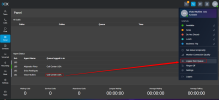
  1. The user's Web Client queue settings (all queues are selected).
  2. The Panel view where another user shows all queue memberships correctly, while the affected user shows none.
Has anyone seen this issue before? Is there a known synchronization issue between queue membership and the Web Client, or is there anything else I should check (database state, cache, service, etc.)?

Any suggestions would be greatly appreciated. Thanks!
 
Hi, if the user is logged out, then the queues are not displayed there, please check the pic below:

1785767238900.png

Only when the agent is logged, the queues will appear there

1785767291857.png
 
  • Like
Reactions: Alphabetic
Confirm as queue manager they're actually logged in to the queue.
 
Thanks for your response.


We have already verified that. The user is definitely assigned to the queues, and we've tried logging the user out (*63) and back into all queues (*62) multiple times. We've also confirmed from the Queue Manager/Admin Console that the user is logged into the queues.


Despite this, the "Queue logged in to" section on the Web Client Panel remains blank, while another user with the same queue assignments displays the queues correctly.


We've also compared the queue configuration with the working user, verified the Web Client settings, restarted the Queue Management service, and re-logged into the Web Client, but the issue persists.


Has anyone encountered a situation where the queue login state is correct in the backend, but the Web Client does not reflect it? Any additional troubleshooting steps would be appreciated.
 
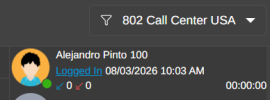
if you navigate to the Panel --- select each different queue --- can you confirm the agent is shown as Logged IN

1785768193188.png

if it says Logged out, then click on it for explicit log in, you may read more about it in this document.
 
Thanks for the suggestion.


I checked the individual queues as you mentioned. For the affected user, the status shows Logged Out for each queue. When I explicitly click Log In for a queue, it immediately starts displaying on the Web Client Panel.


The concern is that this user is a member of a large number of queues (70+). Do we need to explicitly log the user into each queue one by one, or is there a way to log the user into all assigned queues at once?


Other users with the same configuration are automatically logged into all their assigned queues and display them correctly on the Panel. This behavior is only affecting this particular user, which makes me think there may be an issue with the user's queue login state rather than the queue membership itself.


Is there a way to reset or synchronize the queue login state for this user without manually logging into every queue individually?
 
The concern is that this user is a member of a large number of queues (70+). Do we need to explicitly log the user into each queue one by one, or is there a way to log the user into all assigned queues at once?
Hi @Formsdirect

Global Log In/Out applies to all assigned queues simultaneously. You can use any of the following methods for global actions:
  • Dial codes: *62 (Log In) and *63 (Log Out)
  • BLF keys configured for Log In / Log Out
  • Queue button in the 3CX App
Explicit Log In/Out applies only to a specific queue.

Important Rule: Explicit overrides Global.If an agent explicitly logs out of a specific queue, performing a Global Log In (such as dialing *62 or pressing the 3CX App queue button) will NOT log them back into that queue. To rejoin it, the agent must perform an Explicit Log In directly for that queue. Therefore, if they were explicitly logged out, they must manually log back into each queue individually.

Note: Any actions performed by Queue Managers on behalf of agents are always treated as Explicit actions, never global.
 

Members Online Now

Forum statistics

Threads
111,770
Messages
588,890
Members
164,553
Latest member
stevegable