- Joined
- Oct 21, 2021
- Messages
- 17
- Reaction score
- 3
Hi All
We have issues where agents might forget to change the status when they leave their desks.
Therefore a call will get presented to them, but after a set time, it will be offered to the next person in the queue.
I'm wanting to find a way to either a) log the first agent out of the queue and notify them/their supervisor (I know Voiptools offer something like this but I don't really want plugins) b) just tell me who the call was presented to initially so we can monitor/re-train.
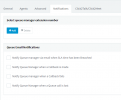
We have Skill Based Round Robin set up which is set to try an agent for 15s before moving to the next agent.
I can't find any of this information on any of the standard reports (unless you can advise otherwise).
We have an SLA on the queue set to 15s (same as the amount of time before it switches to the next agent).
It would be great if the email received when the SLA is not met contained the information of who the call was offered to (but didn't answer).
Any help would be appreciated.
Thanks
We have issues where agents might forget to change the status when they leave their desks.
Therefore a call will get presented to them, but after a set time, it will be offered to the next person in the queue.
I'm wanting to find a way to either a) log the first agent out of the queue and notify them/their supervisor (I know Voiptools offer something like this but I don't really want plugins) b) just tell me who the call was presented to initially so we can monitor/re-train.
We have Skill Based Round Robin set up which is set to try an agent for 15s before moving to the next agent.
I can't find any of this information on any of the standard reports (unless you can advise otherwise).
We have an SLA on the queue set to 15s (same as the amount of time before it switches to the next agent).
It would be great if the email received when the SLA is not met contained the information of who the call was offered to (but didn't answer).
Any help would be appreciated.
Thanks