Re-assign cordless phone.

Status
Not open for further replies.

JeremyK

Free User
Joined
Jan 20, 2022
Messages
13
Reaction score
0
Hello everyone. I have a question I'm hoping you can help me with.

We have a customer who had an extension assigned to a Yealink W60B cordless phone. They asked that we change the name on the cordless phone and then assign the extension to a desk phone. I was able to do that with no issues. Now, they'd like the cordless phone to be assigned to a new extension that I also created.

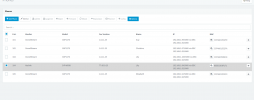
When I go to FXS/DECT, I can see the phone and changed the extension on the first line. But when I go to phones, I still see the Yealink with the old extension.

How do I assign the new extension to the cordless phone?
 
You need to reprovision the phone, have you tried powering off and on the phone and dect base unit
 
Hello everyone. I have a question I'm hoping you can help me with.

We have a customer who had an extension assigned to a Yealink W60B cordless phone. They asked that we change the name on the cordless phone and then assign the extension to a desk phone. I was able to do that with no issues. Now, they'd like the cordless phone to be assigned to a new extension that I also created.

When I go to FXS/DECT, I can see the phone and changed the extension on the first line. But when I go to phones, I still see the Yealink with the old extension.

How do I assign the new extension to the cordless phone?
You need to reprovision the phone, have you tried powering off and on the phone and dect base unit
When I go to the phones tab, the option to reprovision is grayed out.

Lily.png
 
You need to reprovision the phone, have you tried powering off and on the phone and dect base unit
And no, I haven't power cycled the phone or the base unit yet.
 
Hi @JeremyK

Seems you have done everything right up until here, all you need to do now is reboot the W60B.

This will cause it to reprovision upon startup, and should "pull" the new config in.

You cannot reprovision DECT / FXS devices from the management console. The button is only available for regular desk phones.
 
I've restarted the base set and handset and it still has the old extension. Additionally, when I look up the PIN and try to use that to change the incoming line, it tells me invalid PIN.

I'm really confused as to what to try next.
 
Hi Jeremy,

It sounds like the last reboot did not result in a reprovisioning as we expected so you might have something preventing your from re-provisioning.

I've restarted the base set and handset and it still has the old extension. Additionally, when I look up the PIN and try to use that to change the incoming line, it tells me invalid PIN.

I'm really confused as to what to try next.
I'm really not sure what you are referring to, you cannot change the incoming line manually using a PIN.


Try to follow our guide here, you can factory reset the base, and then reprovision it from scratch which should solve all the above problems.
https://www.3cx.com/sip-phones/yealink-dect-w52p/
 
In case someone else comes across this, I have always been able to reconfigure the DECT handset after changing the 3CX configuration buy logging into the base station's webpage going to Settings -> Auto Provision and then clicking the Auto Provision Now button.
 
Status
Not open for further replies.

Members Online Now

Forum statistics

Threads
111,832
Messages
589,285
Members
164,662
Latest member
DejanMDS