recording calls

Status
Not open for further replies.

vitor

Customer
Joined
Jan 3, 2019
Messages
21
Reaction score
0
hello

i have assigned a extension with rights to "access to 3cx management console" - manage all extensions
with the options

Generate call reports
Allow downloads of call recordings

But when the extension login, i can not see "view/download" recording option.

need some help

thanks
Vitor
 
What version of 3CX are you running ?
 
the latest version 15
 
What edition? Standard/Pro/Enterprise?
 
Hi vitor,

The option is designed to allow the person who downloads the report, to also be able to download the recording from within the report, not from the management console.

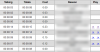
The last column on the report contains two links with a play sign ▶

9792

Clicking those will give you access to specific recordings (via internal IP or FQDN) but before you can download the audio file the system will check to see if to have the right to do so.


On the other hand if you wish to give access to a user to view the general recordings section via the management console, then you need the "General System Administration" rights, but they will also have access to the rest of the system.
 
hi JohnS...
why im not able to generate reports... always empty...
can you help me on that?
 
So you generate the report, the report is delivered to your inbox, and its columns/rows are empty boxes?
 
yes... the pdf also empty
 
PM me the PDF file please
 
Status
Not open for further replies.

Forum statistics

Threads
111,916
Messages
589,719
Members
164,785
Latest member
Texas Clay -