Solved Remembering previously logged in WP user

Status
Not open for further replies.

swarrell

Free User
Joined
Mar 15, 2020
Messages
5
Reaction score
1
I'm new to WP-Live Chat and I hope to use it in the event of my school being closed for COVID-19 so my teachers and learners can continue to stay in touch.

So far, I love this plugin, but have one problem:

It is likely that a number of learners will log in to my WP site with different login details. When this happens - WP-Live Chat remembers the first user logged in and their name comes up in the chat despite a new WP user being logged in. The only way I can see to get around this is to clear browsing data in browser, close down my browser and reopen it. Does anyone have a suggestion on how I can overcome this problem.

I have tried some of the cache plugins, but am not techy enough to work out what to do!! Can anyone out there help me with this?
 
Hi @swarrell ,

First of all, if you are using any sort of caching plugin you need to exclude WP-Live chat from it.

Now regarding the issue you are having, please explain in detail all the steps required to replicate this behavior.
 
Hi, thank you for getting back to me so quickly.

I am not using any caching plugin - I took a look at one, but couldn't work out how to use it - it had an "exclude" tab, but I couldn't work out what to type in . . so I uninstalled the plugin.

So child1 logs into my Wordpress site and chats with an agent. They both close the chat and the child logs off the Wordpress site. When child2 then logs onto the Wordpress site on the same computer, the chat they have reports child1 as the person having the chat.It seems like the only way I can get live chat to forget the original user is by clearing the browsing data and closing down the browser.
 
Hi there,

Yes the system creates a cookie on your computer which contains the name/email you used in your initial chat for convenience in case you want to start another chat. I understand that in your test scenario it might be a bit problematic because you try to initiate a chat as a different user from the same computer however in a real use case scenario each user would use their own computer so there's not really any issue.

We might consider changing this behavior in a future release. :)
 
Thanks for this, the way you have set it up makes total sense. The problem I have is that multiple users are likely to use the same computer, as I have families that have a number of children and only one digital device.

Would it be worth me persisting with caching plugin and excluding WP-Live Chat or would this not stop the cookie?

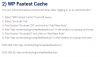
I am looking at a post that explains how to "Exclude" using WP Fastest Cache but I do not know what to type in for #4

Thanks.

1584308735848.png
 
Alternatively, is there an "easy" way for me to edit your plugin to remove the cookie?
 
I see. I believe the only way would be to ask them, if possible, to always login using an incognito window so whenever they close it the cookie will be deleted instantly. Keep in mind that the cookie expires automatically after 24 hours anyway.

Unfortunately a caching plugin cannot block the creation of a cookie. Its job is to make a site faster by serving static content instead of querying the database on every request. But that’s another topic. Let’s just say that it won’t work!

I wouldn’t recommend editing the plugin in any way as it could have undesirable results. Not only that but on every update your changes would be overwritten!
 
Many thanks for your time and advice. Also, despite my problem, this is an amazing plugin and will help support my teachers and children should we have to close the schools.
 
Status
Not open for further replies.

Forum statistics

Threads
112,147
Messages
590,961
Members
165,167
Latest member
Finatra.us