


- Joined
- Mar 12, 2020
- Messages
- 26
- Reaction score
- 4
Hello,
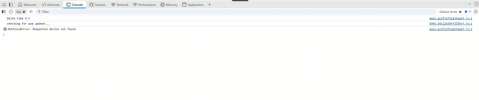
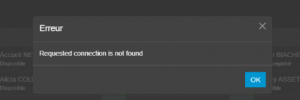
I'm experiencing an issue for a user with the web app when they try to answer an incoming call. The console displays the message: "Requested connection is not found."
The user is part of a queue and is the only person in that queue.
We've checked the workstation’s network settings, antivirus, and firewall — everything appears to be functioning properly. I even ran a PingPlotter (continuous ping) to the server's FQDN from the user's machine, and when the issue occurred, there were no interruptions in the ping results, so the machine is clearly maintaining a connection to the server.
The issue can occur several times a day, or sometimes not at all. However, for the past two weeks, it’s been happening almost ten times a day.
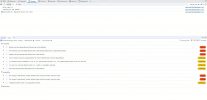
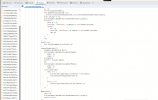
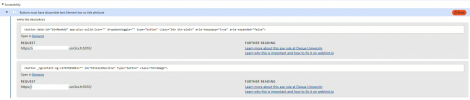
The last time it occurred, I pressed F12. Screenshots are attached below.
Does anyone have any ideas on how to resolve this issue? Thanks in advance.
I'm experiencing an issue for a user with the web app when they try to answer an incoming call. The console displays the message: "Requested connection is not found."
The user is part of a queue and is the only person in that queue.
We've checked the workstation’s network settings, antivirus, and firewall — everything appears to be functioning properly. I even ran a PingPlotter (continuous ping) to the server's FQDN from the user's machine, and when the issue occurred, there were no interruptions in the ping results, so the machine is clearly maintaining a connection to the server.
The issue can occur several times a day, or sometimes not at all. However, for the past two weeks, it’s been happening almost ten times a day.
The last time it occurred, I pressed F12. Screenshots are attached below.
Does anyone have any ideas on how to resolve this issue? Thanks in advance.
Attachments
-
 Capture d'écran 2025-09-18 164341.png55.1 KB · Views: 9
 -
 Capture d'écran 2025-09-18 163751.png9.8 KB · Views: 9
 -
 Capture d'écran 2025-09-18 165419.png321.5 KB · Views: 10
 -
 Capture d'écran 2025-09-18 165609.png431.6 KB · Views: 9
 -
 Capture d’écran 2025-09-18 165939.png80.6 KB · Views: 8
 -
 Capture d’écran 2025-09-18 165903.png109.3 KB · Views: 7
 -
 Capture d’écran 2025-09-18 165736.png157.6 KB · Views: 7


