• We do not provide troubleshooting help for unsupported phones. Please try with a supported phone.
  • V20 Update 10 Alpha Learn more

Unsupported Ring group by physical phone, not by extensions

Status
Not open for further replies.

chrisjako

Free User
Joined
Jul 29, 2021
Messages
80
Reaction score
9
We have 2 receptions, reception and reception B, each reception has 4 phones in their areas.

The receptionists are not stationary, they hotdesk as they move around reception A and B on a daily basis, I have a user who want to call all phones at reception A.

I want to setup a ring group extension number based off physical devices, not by the receptionists extensions, is this possible?
 
This is not possible, you can only add extensions to ring groups.
 
  • Like
Reactions: JohnS_3CX
Is it important that one user be able to call only one of the two receptions?


Then based on your own description, you might have better luck without using hot desking and instead create your extensions like this:


Internal calls
Reception 1A, 2A, 3A, 4A -> add them to a Ring Group Called RA

Reception 1B, 2B, 3B, 4B -> add them to a Ring Group Called RB

Your user can now always call the RA or RB group and only those phones will ring.


External calls
Finally, if you want to assign a DID for external calls to reach either of the receptions, you just need to add all 8 phone extensions to a new RG called "Reception External", and this will make them all ring when external calls come too. Or you can use "Reception External" in a digital receptionist menu or anything else you want.
 
Is it important that one user be able to call only one of the two receptions?


Then based on your own description, you might have better luck without using hot desking and instead create your extensions like this:


Internal calls
Reception 1A, 2A, 3A, 4A -> add them to a Ring Group Called RA

Reception 1B, 2B, 3B, 4B -> add them to a Ring Group Called RB

Your user can now always call the RA or RB group and only those phones will ring.


External calls
Finally, if you want to assign a DID for external calls to reach either of the receptions, you just need to add all 8 phone extensions to a new RG called "Reception External", and this will make them all ring when external calls come too. Or you can use "Reception External" in a digital receptionist menu or anything else you want.


That kind of works but is not ideal because:

- We cannot identify which receptionist is calling from 1a/2a/3a/4a/1b/2b/3b/4b

- Each receptionist needs to be contacted as a person within the organisation, not as a generic receptionist, so each one will need a secondary extension number to work with on that basis
 
Unfortunately, almost all, if not all, phone system assign a phone number (or more than one), to a device and that number is how a call is routed to that physical device. You could add a second extension appearance on each set, but, the phone will no longer be "officially" supported should an issue arise.
 
Unfortunately, almost all, if not all, phone system assign a phone number (or more than one), to a device and that number is how a call is routed to that physical device. You could add a second extension appearance on each set, but, the phone will no longer be "officially" supported should an issue arise.
How is that done? as when I try it says the phone is already assigned to an extension?
 
You would have to modify the template, or , if the set allows, manually add a second extension. Neither method is officially supported, so, if an issue occurs, where 3CX support is required, you'd have to revert to the original templates.
 
You would have to modify the template, or , if the set allows, manually add a second extension. Neither method is officially supported, so, if an issue occurs, where 3CX support is required, you'd have to revert to the original templates.
ok thats not the end of the world - is there any guide to doing this i can find online
 
  • Like
Reactions: chrisjako
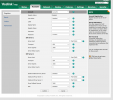
What would happen if I put the 2nd extension number in here : account 2??

Would this allow the phone to have dual extension numbers without the end-user having to do anything to the handset?


Capture.PNG
 
Having a 2nd extension on one phone is not supported, and not advised.
 
No it will not, however 3CX only supports 1 extension on one phone, moreover the second line will have limited functions and if you have a problem you may not get the help you may need. No one can stop you from doing it, just remember your on your own for support and help.
 
While it is not supported, if the second extension is assigned a different local port, from the first (some sets do not give that option), I can't see why it would not work.

As mentioned, there may be repercussions that do not make themselves known immediately. So be prepared to back out, if needed.

You would also have to stop the set from updating it's settings, as that will normally overwrite any changes that you have made using the GUI.
 
I have managed to accomplish this through the GUI - if anyone is interested here are the notes i've written for my team to add a secondary extension to our Yealink phones in order for us to create a ring group so that we can call a group of phones based on their physical location and not by the user logged into them:

##############################################

Everything in bold should be your own input, in this example I am setting up a ring group for an IT support technicians phone, hence the names :

On 3cx admin go to the extension page and add a new extension number

https://SERVERNAME.3cx.co.uk:5001/#/app/extensions

General Tab
Extension 0003 (this is going to be the secondary extension number)
First Name IT Support
Last Name Desk 3

Options Tab
Check the Hide this extension from 3CX company phonebook and 3CX Apps

On the phone provisioning tab under authentication, make note of:
ID
Password

Click OK to save, important to do this first before continuing!

On 3cx admin go to the phones page and search for the physical phone you want to add a secondary extension to. (https://SERVERNAME.3cx.co.uk:5001/#/app/phones)

Make note of the IP, start a new webpage tab and browse to the IP address. The username will be admin and if you click on the phone extension itself (under https://SERVERNAME.3cx.co.uk:5001/#/app/phones) the password will be found under phone provisioning->options-> Phone Web Page Password

Login to the phones direct IP webpage and go to the account tab

Select Account 2 under register

Line active set to enabled

Set the label (in this instance it’s going to be Group | IT Support)
Display Name IT Support

Register Name ((https://SERVERNAME.3cx.co.uk:5001/#/app/phones) ID under the new extension->phone provisioning->authentication)

Username The secondary extension number you created in the first step

Password ((https://SERVERNAME.3cx.co.uk:5001/#/app/phones) Password under the new extension->phone provisioning->authentication)

Server Host SERVENAME.3cx.co.uk

Server Expires 120

Click confirm

Finally, still on the direct IP phones webpage go to the Settings page->configuration-> and export CFG Configuration File

Save this file to a (secure) folder, it will save as the mac address name. It may be required for an easy restore if the firmware of phone is ever updated.

You can now add this new secondary extension to a ring group


###############################

Hope this helps someone, somewhere, someday :)
 
  • Like
Reactions: leejor and mperrin
I have managed to accomplish this through the GUI - if anyone is interested here are the notes i've written for my team to add a secondary extension to our Yealink phones in order for us to create a ring group so that we can call a group of phones based on their physical location and not by the user logged into them:

##############################################

Everything in bold should be your own input, in this example I am setting up a ring group for an IT support technicians phone, hence the names :

On 3cx admin go to the extension page and add a new extension number

https://SERVERNAME.3cx.co.uk:5001/#/app/extensions

General Tab
Extension 0003 (this is going to be the secondary extension number)
First Name IT Support
Last Name Desk 3

Options Tab
Check the Hide this extension from 3CX company phonebook and 3CX Apps

On the phone provisioning tab under authentication, make note of:
ID
Password

Click OK to save, important to do this first before continuing!

On 3cx admin go to the phones page and search for the physical phone you want to add a secondary extension to. (https://SERVERNAME.3cx.co.uk:5001/#/app/phones)

Make note of the IP, start a new webpage tab and browse to the IP address. The username will be admin and if you click on the phone extension itself (under https://SERVERNAME.3cx.co.uk:5001/#/app/phones) the password will be found under phone provisioning->options-> Phone Web Page Password

Login to the phones direct IP webpage and go to the account tab

Select Account 2 under register

Line active set to enabled

Set the label (in this instance it’s going to be Group | IT Support)
Display Name IT Support

Register Name ((https://SERVERNAME.3cx.co.uk:5001/#/app/phones) ID under the new extension->phone provisioning->authentication)

Username The secondary extension number you created in the first step

Password ((https://SERVERNAME.3cx.co.uk:5001/#/app/phones) Password under the new extension->phone provisioning->authentication)

Server Host SERVENAME.3cx.co.uk

Server Expires 120

Click confirm

Finally, still on the direct IP phones webpage go to the Settings page->configuration-> and export CFG Configuration File

Save this file to a (secure) folder, it will save as the mac address name. It may be required for an easy restore if the firmware of phone is ever updated.

You can now add this new secondary extension to a ring group


###############################

Hope this helps someone, somewhere, someday :)
Thanks for doing the write up ... much better than most that just say "blah blah bah - SOLVED"
As everyone has said you are technically running unsupported but it is always good to see people colouring outside the lines and making things usable for their use case.
 
Status
Not open for further replies.

Members Online Now

No members online now.

Forum statistics

Threads
111,831
Messages
589,277
Members
164,660
Latest member
RJenkinsROCK