Solved Ring Group Including External Number

Status
Not open for further replies.

pineapple_e85

Free User
Joined
Nov 23, 2021
Messages
7
Reaction score
0
Hi all,
Am having a play with 3CX for a personal project and am wondering if it's possible for this kind of scenario?

Calls come in one trunk and go to a digital receptionist.
Then it goes to a ring group which rings 4 extensions in a ring all configuration - however one of them will not be using any kind of phones but instead will need the call forwarded to mobile.
After attempting myself I haven't been able to get the external mobile extension to ring simultaneously with the ring group thus them never getting a call.
It'd be ideal that if someone else in the ring group (a user on 3cx app for example) picks up the call it ends the outbound call to the mobile.

Any help on this would be appreciated.
Thanks all,
Ethan :)
 
Have you enabled "Allow forward to external numbers in ring groups and queues" under Settings > General?
 
Have you enabled "Allow forward to external numbers in ring groups and queues" under Settings > General?
Yes, still doesn't seem to be working though :/
 
There was a similar sounding thread the other day. How exactly do you have the forwarding configured on the extension?
 
There was a similar sounding thread the other day. How exactly do you have the forwarding configured on the extension?
I have tried with having 'Ring Mobile Simultaneously', adding the extension to the ring group and also setting forward to mobile.
Also setting away status but that'd need me to have somewhere with 3cx phone running as away in the background
 
To clarify, the "Allow forwarding to external numbers in Ring Groups and Queues" option is not required if you are using "Ring my mobile simultaneously" to route the call outward.

That said, assuming this is how you want to implement this, the fact that the call is not completing may mean that it is the SIP Provider rejecting it. Which SIP Provider are you using, is it a 3CX Supported one? You might want to consider checking the Event Log in the 3CX Dashboard after attempting such a call to see if there are any errors hopefully shedding some light on what might be happening.
 
  • Like
Reactions: Evolute IT
You do have a second, outbound trunk, for the call to use...correct?

As mentioned above...if the original caller ID is being passed onto the outgoing call, that could be a problem, depending on what your provider allows.
 
  • Like
Reactions: Evolute IT
Hi, sorry for the late response.

Had a look in the event log and I get a 403 forbidden.
After having a play about with some outbound settings it seems my provider (Sipgate) does not like having a caller ID specified from 3cx.

How would you setup the outbound parameters for this situation?

Thanks
 
There are outbound trunk settings that specify from where the caller ID is taken, that can be changed to prevent the originators CID from being passed on. It might just be easier to specify the caller ID (assigned by your provider) in your outbound rules.
 
  • Like
Reactions: ChrisC_3CX
If you check the default settings for SIPgate you'll see that the "From: Display Name" field is actually set to use the "OriginatorCallerID" parameter which would explain why this happened. That said, I would not recommend changing any of the parameters but if you still want to do so this one would be the one to change first. You could try setting it to use the "OutboundCallerID" taken from extension settings and then give it another go.

Alternatively, what I would suggest doing instead is what @leejor mentioned. Just put the Caller ID on the Outbound Rule level so that any calls going through that Outbound Rule use the specified caller id.
 
If you check the default settings for SIPgate you'll see that the "From: Display Name" field is actually set to use the "OriginatorCallerID" parameter which would explain why this happened. That said, I would not recommend changing any of the parameters but if you still want to do so this one would be the one to change first. You could try setting it to use the "OutboundCallerID" taken from extension settings and then give it another go.

Alternatively, what I would suggest doing instead is what @leejor mentioned. Just put the Caller ID on the Outbound Rule level so that any calls going through that Outbound Rule use the specified caller id.
There are outbound trunk settings that specify from where the caller ID is taken, that can be changed to prevent the originators CID from being passed on. It might just be easier to specify the caller ID (assigned by your provider) in your outbound rules.
Hi all, thanks for your reply.

How precisely would you set up the outbound rule?

Also, even when I specify the caller ID as exactly as it shows on sipgate the call fails. Unless I leave it blank then it will fail.
Could this be a sipgate issue?

Thanks!
 
How precisely would you set up the outbound rule?

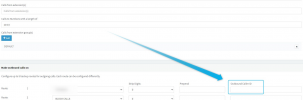
Just add the OutboundCallerID to your existing Outbound Rule:
1638354564583.png


The format might matter here so you might want to check the Activity Log for a call that works and check what the From number is and in what format (E164, etc) and use that.

Also, something that I forgot to mention, only SIPGate DE is supported and hence the only one we have a template for. Are you perhaps using a different service such as SIPGate GB? If yes, what template did you use when creating the SIP Trunk, is it the SIPGate DE one or the Generic SIP Trunk template?
 
Just add the OutboundCallerID to your existing Outbound Rule:
View attachment 26276


The format might matter here so you might want to check the Activity Log for a call that works and check what the From number is and in what format (E164, etc) and use that.

Also, something that I forgot to mention, only SIPGate DE is supported and hence the only one we have a template for. Are you perhaps using a different service such as SIPGate GB? If yes, what template did you use when creating the SIP Trunk, is it the SIPGate DE one or the Generic SIP Trunk template?

Hi, sorry for the reply.

I used the sipgate DE template and just changed the address and account details and all works fine except specifying the outbound caller ID.

I tried looking through the activity log, however can't understand it.

Outbound calls still fine till I specify an outbound caller ID where I get " failed, cause: Cause: 403 Call Prohibited/"

Any advice appreciated,
Ethan
 
If you place a call, without specifying a caller ID in the rules, what shows at the called party? Is it a caller ID you specified in the trunk settings? Are you attempting to send a different caller ID, that your provider is not happy with? Do they allow you to send any number, or only one that is registered with them?
 
If you place a call, without specifying a caller ID in the rules, what shows at the called party? Is it a caller ID you specified in the trunk settings? Are you attempting to send a different caller ID, that your provider is not happy with? Do they allow you to send any number, or only one that is registered with them?

Hi,

I think I've managed to get it working. As Chris said, I had to just tell the SIP trunk to use the external number as the outgoing number. This seems to have solved the issue.

Thanks all!
 
Status
Not open for further replies.

Forum statistics

Threads
111,974
Messages
590,081
Members
164,899
Latest member
mazet