Ringtone always at max

Status
Not open for further replies.

Severin Meyer

Free User
Joined
Jul 29, 2017
Messages
135
Reaction score
18
On my Samsung Galaxy S8, the Ringtone of the 3CX-App is always at max loudness.
It is not possible to control the loudness by any of the available loudness-slider (system, media, notifications, ...)
It is also not possible to mute the ringtone once, by pressing a loudness button.
Showing the notifications by sliding from the top will mute the ringtone.

The Telecom-API is off (Changing to on doesn't make a difference)

Samsung Galaxy S8, SM-G950F
3CX-APP: 18.0.7.42
Android: 9
 
Hi @Severin Meyer, thanks for the feedback.
What is the behavior when the app is set to "Silent" mode?
Settings -> Silent
 
When I click on menu -> silent, a popup is coming up.
I confirmed that popup, but there is no difference, still ringing at max.
But I also cannot see any indication if the silent mode is enabled or not.
Shouldn't change the symbol in the menu.
(It took a while to realize, that the text on the popup was changing.)
 
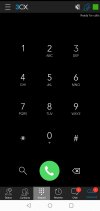
When the app is set to silent mode, the icon on upper right corner should appeared. Like the image attached.
 

Attachments

  • Screenshot_20220103_163529.jpg
    Screenshot_20220103_163529.jpg
    152 KB · Views: 14
OK, I see.
But changing the icon in the menu also would make life easier.
 
Could you please send me in PM the log report?
Settings -> Advanced -> Troubleshooting
Please enable verbose logging, put device in silent mode and make a call.
 
We are also experiencing the same issue here with the 3cx App (18.0.7.42) on Anroid phones since the latest upgrade. The ringtone is very loud and there does not appear to be any way of turning it down.
 
Unfortunately, the release 18.0.8.82 does not fix this issue.
 
Could you please send me the log report in PM (ensure verbose logging enabled before please)?
[Settings -> Advanced -> Troubleshooting -> Verbose Logging -> Enabled &
Settings -> Advanced -> Troubleshooting -> Send Log Report ]
 
We are experiencing the same issue here. Maximum ringtone volume with no way to turn it down. Putting the 3CX app into silent mode does turn off all ringtone and vibrate notifications, but this renders the app unusable to take calls.
Using Version 18.0.7.42 Android app on a Galaxy S8+ Kernel version 4.4.153
 
Can anyone confirm if the Maximum ringtone volume issue got resolved on 3CX App for Android V18,18.0.11.104?
How do I get this newer version, on the Google store I can only see version 18.0.9

Thanks!
 

Attachments

  • Screen Shot 2022-03-15 at 11.59.25 AM.png
    Screen Shot 2022-03-15 at 11.59.25 AM.png
    63.7 KB · Views: 2
I'm currently on 18.0.10.101 which solves the problem.
This special build was sent to me via PM.
 
  • Like
Reactions: acontreras
I'm currently on 18.0.10.101 which solves the problem.
This special build was sent to me via PM.
Thanks for the reply and confirming, will you PM the build?

Can any admin help me to get the special build?

Thanks
 
With the current release 18.1.0.30, the ringtone is again always at max.
 
With the current release 18.1.0.30, the ringtone is again always at max.
What Android Make/Model are you using? Also what Android version is currently installed?

In the App, in Settings --> Advanced, try toggling the "Car/Bluetooth support (Telekom API)" if you see it and the "Audio Subsystem API" option, then kill the App and try again.

Also try switching the Ringtone type to the "System default".
 
Still the same device:
Samsung Galaxy S8, SM-G950F
3CX-APP: 18.1.0.30
Android: 9

I assume, the Telecom API and Audio Subsystem has nothing to do with the ringtone loudness.

I can confirm, that the volume is correct, when selecting a custom ringtone in 3cx-app.
When I use the system default, it is always at max.

Another issue is, when the app is ringing, it cannot be muted with pressing a loudness button, while the app is in background.
 
Status
Not open for further replies.

Forum statistics

Threads
112,147
Messages
590,961
Members
165,167
Latest member
Finatra.us