Role access greyed out

cmarston1500

Customer
Joined
Feb 11, 2021
Messages
24
Reaction score
4
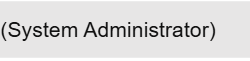
Hi I have v20 and I was looking for the Reports menu, which lead me to roles, which I seem have neither of. I have my main original system admin user showing
1760013058426.png
However, when I edit that user their role is greyed out no matter which department is selected.

1760013096044.png
All SIP trunk profiles are set to 'System wide' for the role filtering as well.

So how do I get to add a new user that is the new System Owner maybe (just guessing) so I can see a Rights tab against the users?

Thanks,

Craig
 
Hello,

You should already have a System Owner. System Administrator is below them and cannot create, modify or elevate certain roles.

The brake down can be found here:
https://www.3cx.com/docs/manual/access-roles/#h.zh8lt4ts2lz4

You need to figure out what account is the System Owner on your PBX and use that to create another System Owner - or elevate your System Administrator as needed.

Best,
KS
 
  • Like
Reactions: paulodagraca
Yes I understand the roles. Originally it was a login of Admin tied to my email address then we had user 100 also tied to that email address. SInce v20 admin no longer works and if I reset the password it resets for ext 100 only.
 
On v20 all users are extensions and login is possible via extension number or email - that is one of the reasons you needed to have a System Owner extension, as those extensions now have the full admin rights.
 
  • Like
Reactions: Evolute IT
Yes I get it, but given we seem to have no system owner, what next? Can we add it via our system owner control centre?
 
Only the System Owner can create other system owners. If you list all your users, are you sure there is no system owner at all?
 
  • Like
Reactions: Evolute IT
Yes pretty sure it is set to list all users and give I am the only person that uses and changes 3CX and I set it up in the beginning, pretty sure. Is it possible for auto upgrade to ahve run to v20 and caused this exception where there is now no Owner?
 
Hi,

You should in all likelihood have a System Owner account, but I've just checked and a System Admin under certain configuration conditions may not be able to see the System Owner account in the listing.

Take a backup of your system from the Backup menu, or open one if you have a relatively recent copy, and inside there is one big XML with the relevant info.

There should be a node like:

<Member DN="100" IsPrimary="false">
<role name="system_owners"/>
</Member>

and getting that ID you can look for the extension with that number:
<Number>100</Number>
and near there should be the email for them:
<EmailAddress>*****@*****</EmailAddress>

You can then login with that extension number/email and request a password reset if you need it.
 
  • Like
Reactions: Evolute IT
That is really useful to know, thanks.
While I wait I can see it in an old backup. It is 999

<Member DN="999" IsPrimary="false">
<role name="system_owners"/>

So we know it is there, bonus. How do we find the associated email address, is that in the XML anywhere? I did search for 999 to see if it was obvious.

I have no user 999 in my user list
 
There should be an <Extension> with <Number>999</Number> if not, then you might need the support team to get involved and help figure it out.

Still you can try resetting the password for 999 and hope somebody gets the email, but it would be best to know where the email is going to go first.
 
  • Like
Reactions: Evolute IT
I can't create a new user 999 so that suggests there is one. I can't reset a password for 999 because it has no visible user profile in 3CX and password reset requires an email address to be provided. I assume 999 is an auto created account profile if it doesn't show in the user list with view = All users
 
Resolved by support. It was auto assigned to the original account I signed up with to start the system.
 
Good to know it got sorted.
 

Forum statistics

Threads
111,954
Messages
589,921
Members
164,852
Latest member
priya