Running the 3CX Web Client as an APP

Status
Not open for further replies.

StefanW

Joined
Jun 2, 2009
Messages
2,841
Reaction score
1,033
A lot of you already took version 15.5 with its new web client for a test run. For those of you who haven't you're missing out! And those who did? Well, I hope you like it as much as I do. The web client has replaced my 3CX client especially when it comes to presence information and controlling my IP phones.

However, since I am terrible at...
Continue reading the Original Blog Post.
 
  • Like
Reactions: The_Niels and jed
An easier way...
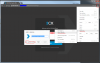
Open the 3CX web client in Google Chrome then click the 'three dots' menu to the far right of the taskbar.
Choose 'More Tools' ... 'Add to Desktop' and make sure 'Open as a window' is selected.

This will create an app shortcut on your desktop and add it to your app library and will use the 3CX icon on the desktop and other shortcuts as well (rather than the Chrome icon)

upload_2017-6-14_11-41-29.png
 
MAC: https://applicationize.me/now
1: Paste the website: https://ippbx/webclient (replace with your actual IP or Domain Name)
2: Goto the chrome extension installer: chrome://extensions/
3: Drag the downloaded extension from download folder into the chrome extension installer
 
Last edited:
We currently investigating an issue with the provided guide. It should read --app but while reading the document from a 3rd part source it strips one of the two dashes. Sorry for this...
 
Status
Not open for further replies.