Salesforce integration setup, test is not finding objects and call journaling not functioning

Status
Not open for further replies.

SidneyL

Free User
Joined
Apr 5, 2024
Messages
8
Reaction score
0
I have setup the integration with Salesforce following this manual https://www.3cx.com/docs/salesforce-crm-integration/ and looked at other posts on this forum to find a solution but I'm getting nowhere.

I was able to succesfully set the Key and Secret and Authorize, receiving a token. Then after running the test with a phonenumber present in Salesforce, the Test CRM Integration gives an error:
CRM Integration is working OK but contact number does not exist. Check log for more info or try a different number.

What am I doing wrong?
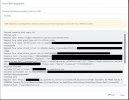
202404053cx_int_sf.jpg
 
Actually i cannot see any error here but instead there is no match returned from the CRM.
Have you ensured that the number exists in the CRM as a contact?
 
Yes, I'm certain the contact exists in my Salesforce environment. Just verified with a dummy contact:
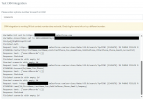
1712563191008.png
1712563308320.png
 
Under Dashboard<<Advanced<<Contacts<<Options se the matching strategy to Exact match and then make the test with the complete number(include E164).
Does this return the contact?
 
  • Like
Reactions: SidneyL
Yes that has resolved the issue, I'm now finding the contacts from the test.
Does that also mean the call journaling now finds the correct record in Salesforce to register the 3CX call?
 
At the moment you are performing a test which will show the results on the integration.
You need to ensure that when in production, the call is coming to the PBX from the provider in the same format as it is saved in the CRM in order to return the correct contact match.
 
Thanks for the help so far Theodoros!
I have enabled the call journaling function and I'm still not seeing any call records being saved and/or linked to my account or contact in Salesforce.
The phonenumber in both SF and 3CX are identical.
I also see a white "CRM" button in the contact in 3CX, indicating it can be found in Salesforce.
I have tested both the inbound and outbound phonecall using the 3CX to call my mobile number.

Any hints on what other setting may be off?
 
The number is coming to the PBX with exact the same format?
Also you make the test calling the PBX from a number that is also configured as a mobile number of an extension?
 
Yes they are the exact same format.
Whilst making the test-call, the 3CX pop-up shown the link to CRM and on clicking that, it takes me to the corresponding contact page in Salesforce.
But the Call Journal is not created in Salesforce

Edit: Also the mobile number I'm testing with is not registered as the mobile number for any extension
 
Last edited:
The call journal will happen after the call is ended.
Is this the case?
 
Indeed, the call journal is not happening after the call is ended.
 
This require to check the logs.
Set the PBX in verbose, replicate it and generate the support info. All the information will be included in the system service log file in order to debug.
Of course you are always welcome to create a support ticket if assistance is required.
 
  • Like
Reactions: Evolute IT
I will generate the sytem logs outside of businesshours to send them over.
I did run a second test to create the contact from 3CX into Salesforce CRM and this works flawlessly.
However in this case, still the call is not being registered in Salesforce
 
This will require further investigation with logs. You can proceed though checking the logs and see if there is correct matching.
 
Which logs am I supposed to be finding anything related to the CRM integration? Because I'm getting lost
 
In the generated support info under the logs folder, check for the system service log file. This will give you all the required information.
 
Status
Not open for further replies.

Forum statistics

Threads
111,973
Messages
590,078
Members
164,896
Latest member
sameage