- Joined
- Jul 29, 2021
- Messages
- 80
- Reaction score
- 9
Done - still redWhen you can just give it a reboot (server)
Yes i double checked, besides, the SBC box told me it found the PBX and finished setup so I must've got it correctHave you checked the activity logs
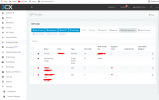
I would the SBC has never registered, the second to last field shows when the SBC registered last - on your screenshot this is blank
Working SBC server info
View attachment 23250
Are you sure you entered the correct Provisioning URL and Authentication KEY ID
None yet, by access it do you mean login via debian (yes) or via a web browser (no) - I can ping the device though from a PCHave you actually got any phones registered on the SBC?
can you access the SBC?
sudo apt remove 3cxsbc --purge
wget http://downloads.3cx.com/downloads/sbc/3cxsbc.zip -O- | sudo bash
ok i have checked the conf file - everything looks fine its even pulled through the password from the serverHi @chrisjako
Can you navigate to /etc/3cxsbc.conf and check that the information in the config file is correct?
Check the password, provisioning link etc. Make sure it all matches.
PROBLEM NOW SORTED!!! This was the issue, despite me contacting the third party firewall provider and asking for this to be enabled they hadn't enabled 5090 outbound - a second call to another technician rectified thisOn the firewall protecting the 3CX server, it needs port 5090 forwarding.
On the firewall protecting the SBC server, no portforwarding is required - just outbound https and 5090 ports
Founded in 2005, when VoIP was an emerging technology, 3CX has gone on to establish itself as a global leader in business communications.