• We do not provide troubleshooting help for unsupported phones. Please try with a supported phone.
  • V20 Update 10 Alpha Learn more

Solved SBC HA installation blocked

Status
Not open for further replies.

Samuele - Eurocom

Bronze Partner
Joined
Jun 13, 2023
Messages
38
Reaction score
3
Good morning I am installing the Debian Linux system on two SBCs in HA, with version 20.0.100 on a V18 version PBX.
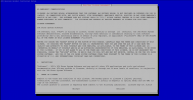
The problem is that the tab key to move the slider to the accept button does not work.
Is this a bug?
Can I install version 20.0.100 SBC on a switchboard still v18?

1725961958025.png
1725962015217.png
 
I can confirm that I was able to install an SBC using the 3CX ISO just now without issues.

It's probably something to do with the VM / terminal app you are using.

The new SBC should also work fine with V18, but since its reaching EOL you should update that soon.
 
I can confirm that I was able to install an SBC using the 3CX ISO just now without issues.

It's probably something to do with the VM / terminal app you are using.

The new SBC should also work fine with V18, but since its reaching EOL you should update that soon.
are you sure you have tried the ha system?
i when i go to enter this string : wget http://downloads-global.3cx.com/downloads/sbccluster/3cxsbc.zip -O- | sudo bash
i can't accept is go forward, i also updated the switchboard to v20 it does the same.
 
Yep, tried it using the command, and was able to proceed.

What terminal are you using to perform the install?
 
Yep, tried it using the command, and was able to proceed.

What terminal are you using to perform the install?
I am connected directly with the keyboard on a DELL Optiplex 3040 Micro mini pc, I have done several installations of SBC, and I have never had a problem.
Plus the first screen where you have to accept before entering the PBX link works correctly.
 
I think I know what is happening Samuele, you are on Debian 12 correct?

Please try this command and let me know if it solves the problem:

Bash:
sudo bash -c "$(wget -qO- http://downloads-global.3cx.com/downloads/sbccluster/3cxsbc.zip)"
 
I think I know what is happening Samuele, you are on Debian 12 correct?

Please try this command and let me know if it solves the problem:

Bash:
sudo bash -c "$(wget -qO- http://downloads-global.3cx.com/downloads/sbccluster/3cxsbc.zip)"
I tried it is so it works correctly.
How come this code?
I have always used this guide: https://www.3cx.com/docs/sbc-high-availability-cluster/ is the string is not this...
 
I tried it is so it works correctly.
How come this code?
I have always used this guide: https://www.3cx.com/docs/sbc-high-availability-cluster/ is the string is not this...
If I understand correctly, the wget command doesn't work on Debian 12 like in Debian 10 does, it's the same thing with the "normal" sbc.
So you need to use the new one, sadly the documentation isn't clear about that for now but the last update was in July so maybe so it will be fixed.
 
Thanks for confirming, we will update it soon
 
  • Like
Reactions: Samuele - Eurocom
Status
Not open for further replies.

Members Online Now

Forum statistics

Threads
111,831
Messages
589,277
Members
164,660
Latest member
RJenkinsROCK