Send Welcome Email

Status
Not open for further replies.

TJ@TFT

Free User
Joined
Apr 13, 2020
Messages
7
Reaction score
1
Hello,

Apologies in advance if this question has been asked and answered previously; my searches didn't yield what I was looking for.
3CX was configured accordingly when we used to use IBM Notes as our email system. So that when the button "Send Welcome Email" was pressed, it sent the welcome email to the individual associated with the extension.
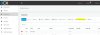
We recently switched from IBM Notes to Office 365. With that change, we're no longer able to send the welcome emails. To resolve this I went into Settings-> Email->Mail Server. But I'm not sure what to enter here. In the current state, for the Mail Server, we have the internal IP address for the IBM Notes server (192.168.XXX.XXX). Since we've switched to Exchange/Outlook, do I replace the internal IP with outlook.office365.com?

Thank you for your assistance!

Thanura
 

Attachments

  • 3CX.PNG
    3CX.PNG
    129.7 KB · Views: 25
Like this:

1586801949908.png

3CX takes care of configuring the SSL and such for you.
 
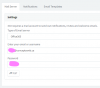
Thank you for the super quick response! Unfortunately, my Mail Server tab looks a little different from yours:
1586802197633.png
Will Office365 work in my case as well?
 
Thank you for the super quick response! Unfortunately, my Mail Server tab looks a little different from yours:
View attachment 15542
Will Office365 work in my case as well?
Just select it in the Mail Server dropdown, and use the username/password of the email you wan't to use. "admin" isn't a username on O365, "[email protected]" is.
 
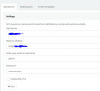
We're on Ver. 15.5.1694.0. and I don't see a drop-down option in the Mail Server. Do I need to upgrade for this drop-down to be available? Apologies if these are rather elementary questions.
1586802957053.png
 
We're on Ver. 15.5.1694.0. and I don't see a drop-down option in the Mail Server. Do I need to upgrade for this drop-down to be available? Apologies if these are rather elementary questions.
View attachment 15543
What license do you have? It is supposed to be a dropdown, even in V15.5.
 
We have a PRO license.
1586803951138.png
 
I've been telling management about the need to be up-to-date, but this is like trying to squeeze blood from a stone! Ours is a annual license.
 
I've been telling management about the need to be up-to-date, but this is like trying to squeeze blood from a stone! Ours is a annual license.
If you have an annual license, then the upgrade is not their problem. I would update but man, now that the old activation servers don't work, you'll have some fun.
 
So the last IT guy who was here, said that I should never attempt the updates/upgrades myself, and that I should always have our VOIP consultant handle this. Since I always have other fires to put out, I didn't really see whether this was a valid point.
Thank you so much for your help @Frederick Marcoux and @cobaltit !
 
As long as you have a backup, you should be safe. Do note that 3CX does a bad thing and puts the backup in the local directory by default which is deleted when you uninstall. So download a copy of the backup, open it in a ZIP program to make sure you see files and you should be good to go. Otherwise there are plenty of partners on here that would be happy to help and it shouldn't cost much to have someone babysit/do an upgrade for you.
 
  • Like
Reactions: Evolute IT
Will create a backup and attempt the upgrade! Thank you for the support!
 
  • Like
Reactions: Evolute IT
Status
Not open for further replies.

Latest Posts

Forum statistics

Threads
111,943
Messages
589,861
Members
164,834
Latest member
Edal