Services not starting

Status
Not open for further replies.

DaveA66

Platinum Partner
Advanced Certified
Joined
Sep 20, 2019
Messages
168
Reaction score
25
So, I have a Windows machine (i5, 8GB RAM)
The 3CX was set up a while ago by a colleague who is currently away.
I tried to log on today and found that most of the services will not start.
The Configuration Service, if I try to start manually, starts and then stops.
I have set all services to Automatic(Delayed)

Any idea folks?

Thanks!
 
You need to look at the windows event logs to see why the service is not starting

Have you tried restarting the 3cx machine to see if this helps.
 
Found this in the Windows event log.


FATAL: password authentication failed for user "phonesystem"
DETAIL: Password does not match for user "phonesystem".
Connection matched pg_hba.conf line 87: "host all all ::1/128 password"
 
You need to look at the windows event logs to see why the service is not starting

Have you tried restarting the 3cx machine to see if this helps.

Hi Thanks for the reply

Yep, rebooted everything 3 times now
 
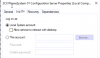
What login account is the Configuration service running under - should be local system,

1590509359637.png

Same applied for all 3CX services.
 
Yes, all set to local system account
 
Do a search for 'password authentication failed for user "phonesystem" in google - a few threads

All appear to be indicating an issue with IPv6.

Note : I would make sure you have a valid backup before doing anything.
 
Connection matched pg_hba.conf line 87: "host all all ::1/128 password"
This is postgres, your db user 'phonesystem' has had the password changed (or connecting via IPv6 which Saqqara suggested) is causing it to hit that line rather than localhost, which forces a p/w.
Read up on pg_hba.conf, find the file, and modify it to allow ::1 -- line 87
The more complicated solution is to set a password using postgres but I would just do the above, or disable IPv6
 
So I found the line
host all all ::1/128 password
and changed it to:
host all all ::1/128 trust
Which seems to have got rid of the password error for the 'phonesystem' user, so I guess it IS trying to connect on IPv6?
This though has thrown up a new error which is :

FATAL: database "masterprofiles" does not exist

Is the installation just corrupted??
 
I would reinstall.

Do you have a valid backup before these issues ?

What version of 3CX are you running ?
 
Not sure there is a backup.
It was set up by a colleague who is off right now.
Do you know the defauls backup location on Windows?
I thought it was C:\ProgramData\3CX\Instance1\Data\Backup
But there is no 'Backup' folder so I assume no backup
Don't think any external backup woud have been performed.
 
As you are having issues accessing the database, running a backup now will not work as it backs up info in the database.

You need to speak to your colleague, to see if backups were enabled.

Without a backup, you may have to start from scratch
 
Well the plot thickens!
Originally the plan was to install a server on site.
Since the lockdown malarkey we are not allowed on site so we changed to a cloud deployment using all app until such time as we can attend site to deploy phones and server/SBC depending if we stay in the cloud.
The cloud system had been set up but shut down so ran it up this morning and everything is OK apart from it will not respond on the 3cx.co.uk URL. A ping resolves to the correct cloud system IP address.

Would there be some issue as the URL would probably have been used on 2 diffrent servers during the transition to cloud?
 
Looks like the programming was mostly transfered across to the cloud server
 
You need to switch off the internal 3CX server, as you can not have two servers running with the same license / fqdn

Within the management console, goto settings - network. If you have a fixed IP address for your cloud server, it will be in External IP - Static Public IP. If this is ticked, change to dynamic which will hopefully force an update on the fqdn. When it has updated, change back to status

Please be patient, can take 6 hrs for it to update (Enterprise license is 6 mins)
 
Yes, have shut down the physical server.(not that it was functional at all)
Will it take a while for the virtual server to 'register' with 3CX or whatever it needs to do?
 
OK thanks on it now, also the cloud server had been set up with an ephemeral IP address :confused:
 
But there is no 'Backup' folder so I assume no backup
Don't think any external backup woud have been performed
So bad if you really have no backup, hope for you this is a small PBX If you need to start from scratch
 
So bad if you really have no backup, hope for you this is a small PBX If you need to start from scratch

We had the cloud server mostly set up so apart from some issues with the domain we have most of the config!
 
Status
Not open for further replies.

Latest Posts

Forum statistics

Threads
111,952
Messages
589,894
Members
164,844
Latest member
abctel2